
MIDIRack Manual
MIDIRack is a visual workbench for building MIDI processors and performance surfaces by hand — no code. Patch a node graph, lay out knobs, faders and step grids, bind them to the parameters that matter, and play it as an AUv3 plugin or a standalone app on iPad.
It runs two ways:
- Standalone — its own transport, virtual MIDI ports, on-screen keyboard, and a built-in synth/drum voice so you can hear patches immediately.
- AUv3 — a MIDI processor inside hosts like AUM, Logic Pro, Cubasis, Drambo or Loopy Pro. Insert it between a MIDI source and a synth; it follows the host transport and tempo automatically.
It runs on iPad (iPadOS 17+) and iPhone (landscape only, iOS 17+) — the standalone app and the AUv3 on both. A Mac version (macOS, Mac Catalyst) — the same app and AUv3 — is coming soon.
MIDIRack is a MIDI processor by default — it receives, transforms and generates MIDI. To hear a patch you can:
- Add Synth or Drums instrument nodes in the graph (built-in sound, no external synth required),
- Turn on the Synth/Drums pill in the standalone transport bar (Transport & ports) — renders everything that would leave MIDI Out,
- Or route MIDI Out into a synth in your host or another app.
Contents
Getting started
Standalone
- Launch MIDIRack. First Light loads — a self-playing generative patch. (From then on the app reopens whatever patch you had last time; see Session restore.) Press play and listen. On first launch, a Welcome Tour spotlights the real UI (add menu, edit mode, graph, presets…) — a quick look-around, no hands-on work. When you want to learn by doing, open Book → Tutorials for two short guided lessons: Basic Control Surface and Nodes & Bindings. Reopen the tour anytime from Book.
- To hear patches without routing anywhere, either add Synth / Drums nodes in the graph (Built-in instruments), or tap the Synth/Drums pill in the transport bar.
- Or route MIDIRack Out into another app via the cable pill, press play, and perform.
AUv3
- In your host, add MIDIRack as a MIDI processor / MIDI plugin
(type
aumi). - Route a MIDI source into it and a synth after it.
- Press play in the host — tempo-synced nodes lock to host tempo.
MIDIRack accepts every view size the host offers. Below about 1000×640 the toolbar folds into compact chrome; if a host squeezes the plugin under 480×260 the full-size surface stays put and the window pans over it.
Build your first patch
This is the core loop: graph + surface + play. (The Nodes & Bindings tutorial in Book → Tutorials is a guided, hands-on version of steps 5–7.)
- Tap the folder icon (or the patch name) and pick Harmony Keys — a simple one-finger chord patch. Press play.
- Tap the graph editor icon (nodes) to open Signal Flow. You will see MIDI In → processors → MIDI Out.
- Tap any node — the sidebar shows its parameters. Try changing Chord type or Quantize scale, then return to the surface and play.
- Tap + on the graph toolbar → Notes → Arp. Drag it between MIDI In and the next node (or splice it onto the wire) so your chords arpeggiate.
- On the surface, tap the pencil (edit mode), then + → Add Knob. Drag the knob into place.
- With the knob selected, tap the sliders icon (inspector). Under Binding, pick a node parameter — e.g. the Arp’s Rate or Gate.
- Exit edit mode and turn the knob while holding a chord. You built it.
Try a factory preset
Tap folder to open the preset browser: search, category chips, and layout miniatures. Good first listens:
- First Light — the default boot patch; generative Life + arp, plays on launch.
- Groovebox — drum lanes + sliding bass with two pattern banks per lane; flip the whole kit from the Scene Pads.
- Berlin School — three Analog Seq rows of eight knobs: a plucked 1/16 riff with accents and 1/32 ratchet stutters, a slow Roots row that re-roots it bar by bar, and a stepped filter row. Twist Direction while it runs.
- Infinity Canon — one fractal melody at three time scales at once (a self-similar prolation canon); turn Zoom to invert the lead.
- Clockwork — a solid 4/4 kick and snare while hats (10), a clave (12) and a 3-beat bass gear against it, snapping back on the Re-Lock bar via the sequencers’ Reset inputs — or instantly from the Snap pad.
- Chord Voyage — a chained chord progression on named chord pads.
- Slide Bass — a 303-style acid line where every note glides.
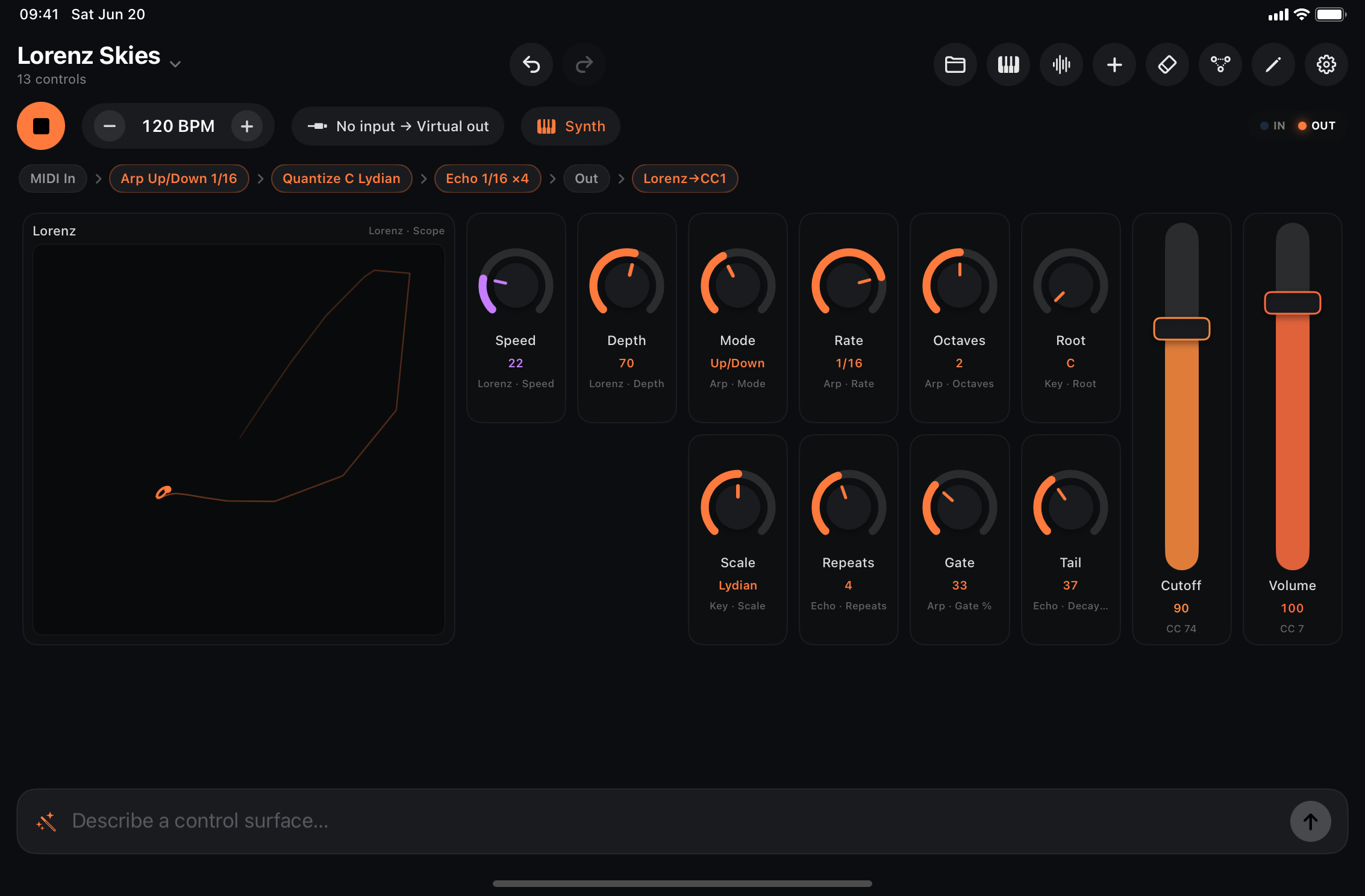
- Lorenz Skies — chaotic modulation + arp (self-playing; latch a chord).
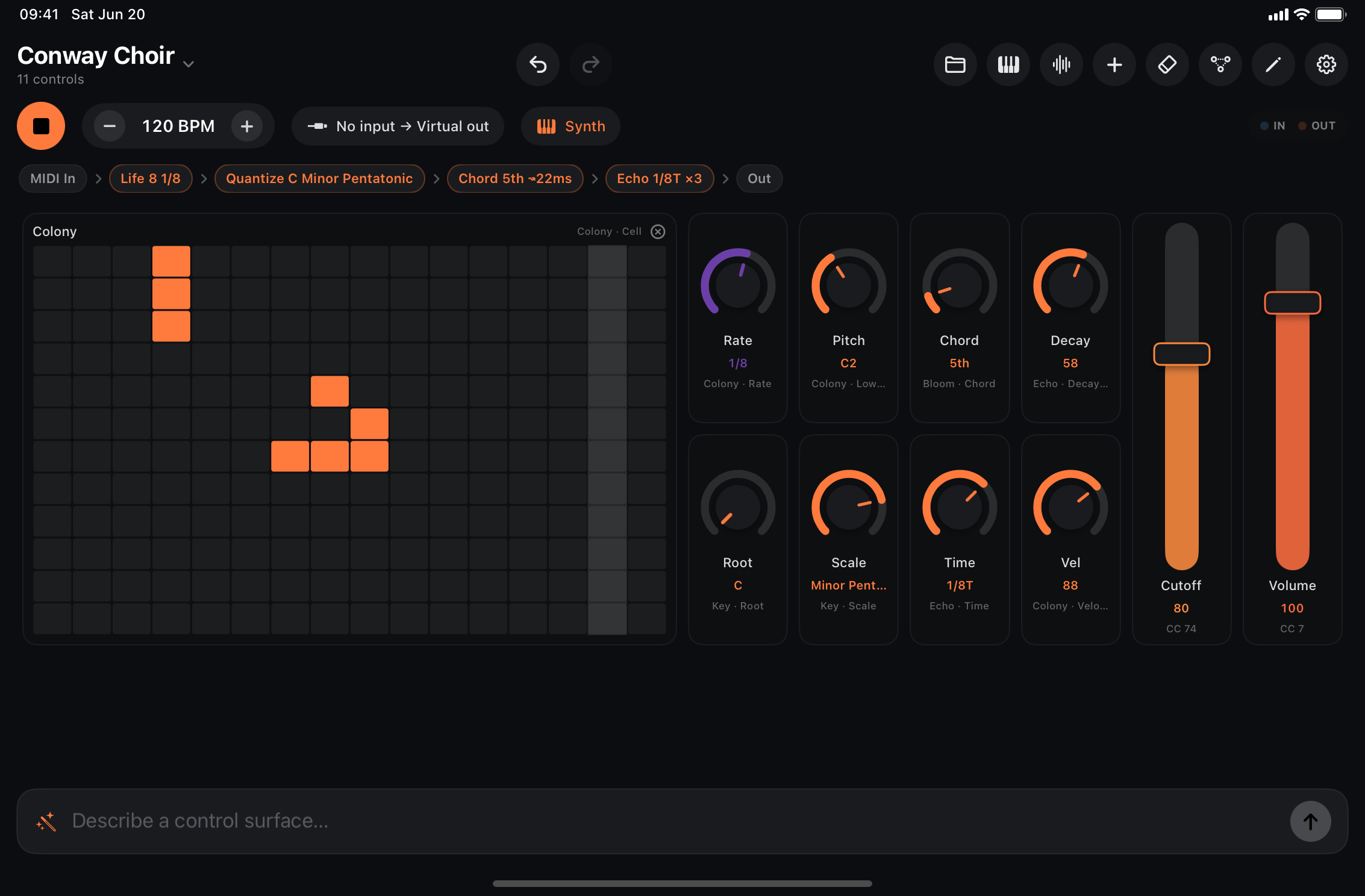
- Conway Choir — Game of Life into a pad.
- Trance Gate — hold a chord, draw a gate pattern on the step row.
More presets are listed in the Factory preset list.
Using the app
Control surface
The main view is a grid of controls bound to the patch. Each control’s caption
tells you what it drives: Arp · Rate = a node parameter; CC 74 = raw MIDI
CC to your synth.
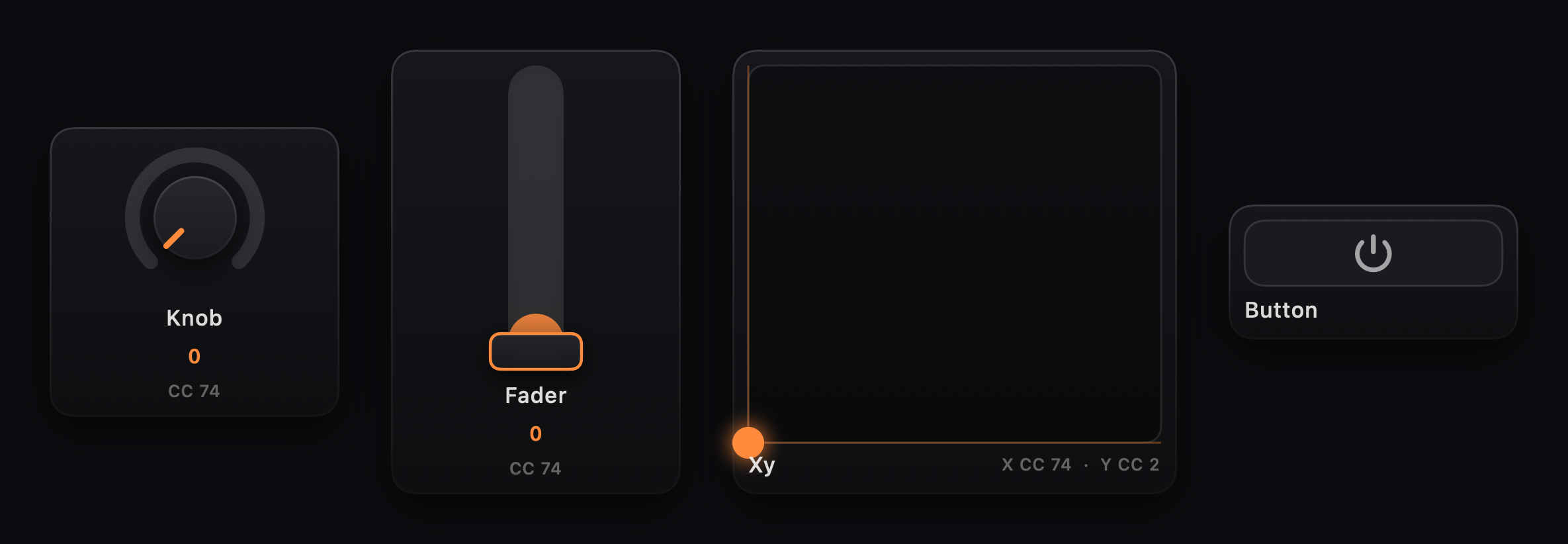
Knobs, faders, XY pads & buttons
- Knobs / faders — drag to set the value. A fader runs along its long
axis: resize it wider than it is tall for a horizontal slider, taller than
wide for a vertical one. Values display musically (note names, divisions like
1/8, scale names). A knob’s Bipolar switch (inspector) fills the dial from its center with a detent at 12 o’clock — for pan, detune, and other ± controls. - XY pads — drag the puck; X and Y axes have independent bindings (node parameter or raw CC) in the inspector’s X Axis / Y Axis sections.
- Buttons — send max when on, min when off. Toggle latches; Momentary is on only while held. Set mode with the Momentary switch in the inspector. Bind to Mute, A/B Switch, or Pulse node parameters to mute a branch, switch between A and B inputs, or fire a one-shot note/CC. Flip Send Note on to make the button play a note into the patch instead — momentary makes a trigger pad, toggle a latching drone switch (pick the note, velocity, and channel in the inspector).
Keyboards & pads
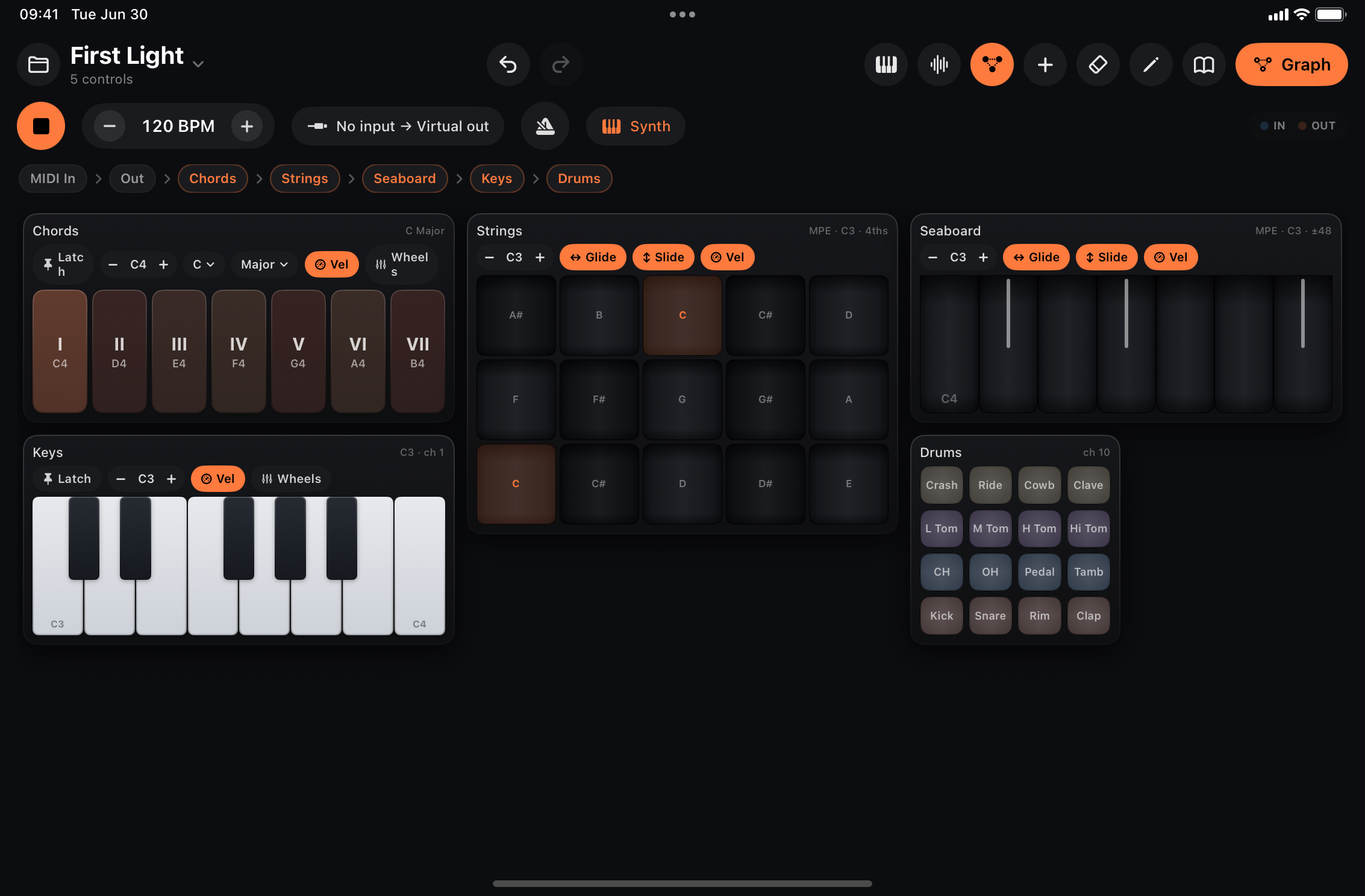
Performance controls that play notes into the patch. Each is its own node in the graph — route it independently through processors or to a specific output channel on MIDI Out (Thru, Ch 1–16, or MPE).
- Keyboard — piano; glissando by sliding across keys.
- Drum Pads — 4×4 GM kit on the percussion channel by default. Layout in the inspector picks GM, a chromatic grid, or a fully Custom per-pad note map (tap a pad in the inspector’s mini grid to set its note and label, or learn it from a hardware pad hit).
- Chord Pads — one pad per scale degree (triad or 7th).
- Scale Keyboard — only in-scale keys; slide across to glissando.
- MPE Seaboard / MPE Strings — per-note pitch bend (glide), slide and pressure. External MPE synths and the built-in Synth now play with full per-note expression (see Built-in instruments). With Glide off a slide retriggers each key (a glissando) instead of bending. XY mode turns every key into a small 2D pad: left-to-right position sends pressure, up-and-down sends slide, and the two move independently — hold a bright timbre at a soft level, or swell pressure without sweeping the filter. It trades per-note bend for that (Glide is off while XY is on, so a sideways slide glissandos across keys).
Keyboard toolbar — every keyboard carries a compact options bar across the top:
- Latch — notes sustain until tapped again (piano, chord and scale keyboards). Polyphonic Latch (inspector) controls whether latched notes stack or replace each other — chord pads default to exclusive (one chord at a time); piano and scale keyboards default to polyphonic.
- Octave — menu pill (C−1…C7) to set the played range.
- Root / Scale — pick the key (chord and scale keyboards).
- Glide / Slide — toggle horizontal pitch-bend and vertical timbre (CC 74) on the MPE surfaces. When an axis is off it sends nothing for it (Glide off glissandos across keys; Slide off sends no CC 74).
- Pressure / XY — two alternative feels for the MPE surfaces, one at a time. Pressure makes the vertical gesture send channel pressure only (for synths that expect aftertouch rather than CC 74). XY puts pressure on the horizontal position and slide on the vertical, independent of each other; Glide greys out while it’s on.
Every change is saved with the patch and mirrored in the inspector. Hide the bar per control with Show Toolbar in the inspector (on by default).
Velocity — keyboards and pads use vertical touch position for velocity by default (Velocity Sensitive in the inspector). Turn it off and set a fixed Velocity for uniform hits.
Apple Pencil — the Pencil has real force sensing, so on every keyboard and pad its strike force can drive velocity instead of the touch position — tap softly for a quiet note, jab for a loud one, anywhere on the key. The Apple Pencil option in the inspector picks what force controls: Velocity, Pressure (holding a key sends channel pressure — wire it to aftertouch-style modulation in your synth), both, or Off. On the MPE surfaces the Pencil goes further: force becomes true per-note Z while the vertical axis stays pure slide (CC 74) — the one input device where the two expression axes are genuinely independent, so they default to Velocity + Pressure. Drum pads use force for velocity only. Finger playing is unaffected either way.
Computer keyboard — on a Mac or an iPad with a hardware keyboard, the usual QWERTY piano plays too: A S D F G H J K L ; ’ are the white keys from C, W E T Y U O P the black keys, Z / X shift the octave and C / V step the velocity. It plays the slide-up keyboard whenever that’s open (its octave display follows Z/X), otherwise the last keyboard control you touched — through that control’s channel, so arps and scale mappings apply: on the scale keyboard and chord pads the white keys are scale degrees, drum pads take 1–8 (top two rows) and Q–I (bottom two), and the MPE surfaces open a per-note voice per key (chromatic on the Seaboard and the chromatic Strings grid, scale degrees on an in-key Strings grid). A held key is one note; typing in a text field always wins. Turn it off under Settings → Hardware Keyboard if you’ve bound those keys elsewhere. In the AUv3 the host owns the letter keys, so there they only play while the slide-up keyboard is open.
Pencil curves — with a Pencil mode on, the inspector shows a Pencil Curve plot (strike solid, hold dashed) and a set of rows per curve. Pick a preset from Strike Curve / Hold Curve (Light, Natural, Linear, Firm, Hard) or drag Response to lean it yourself: negative lifts light touches so a soft player reaches the loud end sooner, positive holds them back so only a firm strike gets loud. Full Force sets how much of the Pencil’s range counts as “all the way” — most people never comfortably reach 100%, so 60–70% makes a firm-but-sane strike hit the ceiling. Velocity Min/Max and Pressure Min/Max clamp the output — cap pressure at 64, say, to keep aftertouch modulation subtle. Reset to Factory in the preset menu puts a curve back. All of it saves with the patch, per control.
Step grids
Tap to toggle hits; drag across a row to draw a run. A playhead marks the current step while transport runs.
- Microtiming — long-press a step, drag left/right to nudge (up to half a step).
- Melody lanes — set a pitch per step on the surface grid. The bound Step Seq node’s Root + Scale snap output in-key (Chromatic = off); the ladder shows the sounding note after quantization.
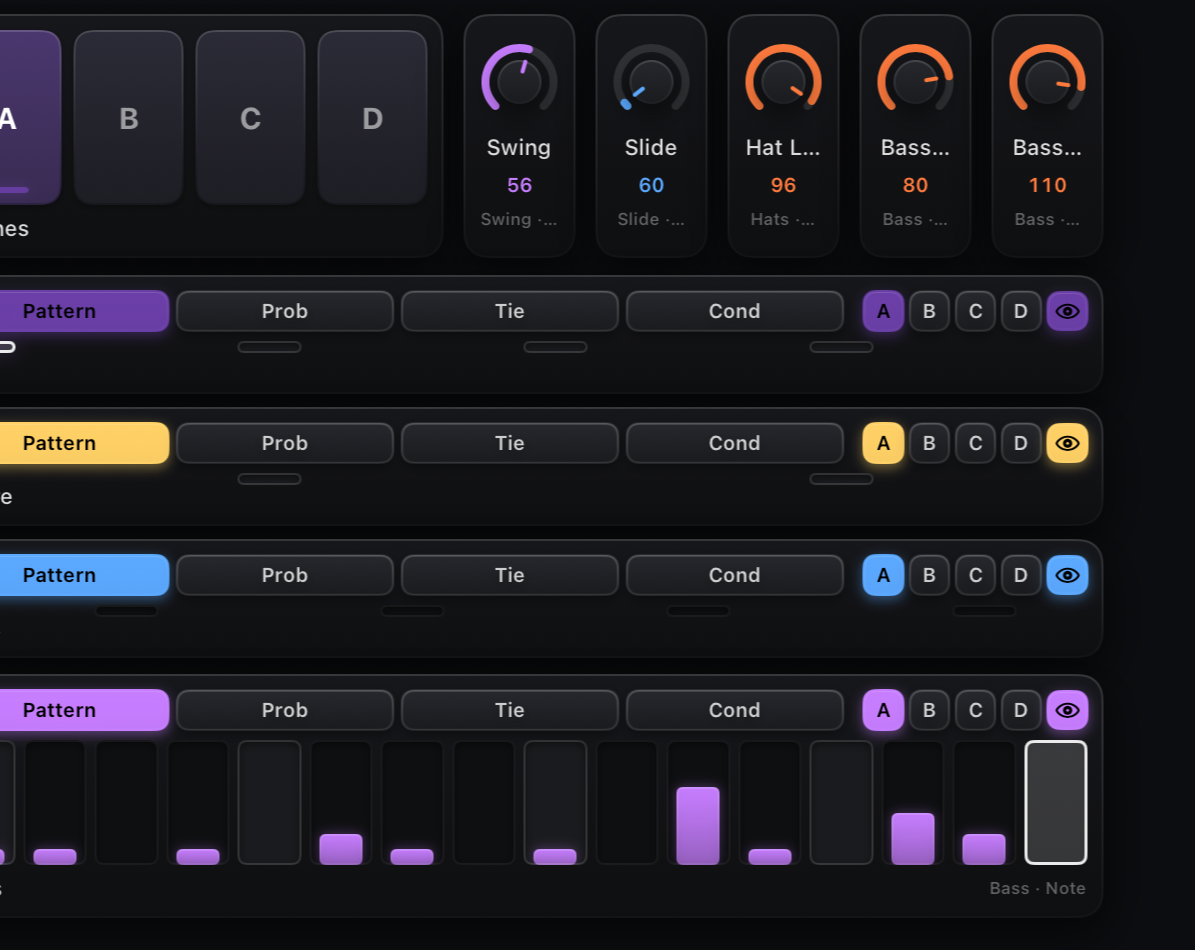
Lane+ — pattern, probability, tie & trigger conditions
Every sequencer lane (Drum, Melody, Chord, CC) adds the combined Lane+ control: a small picker above the row switches between up to five layers on the same 16 cells —
- Pattern — the ordinary hit / pitch / chord / CC-value row described above.
- Vel — per-step velocity as a percentage of the lane’s Velocity (default 100%). Drag a cell’s height to shape accents and ghost notes; a tap toggles full ↔ half level. Hidden on lanes without velocity (CC).
- Prob — per-step probability 0–100%. Drag a cell’s height to dial it in; tap toggles a step fully on/off. A step below 100% only fires that percentage of the time it’s reached.
- Tie — tap a step to tie it to the previous one: the tied step doesn’t retrigger, it just extends the previous note’s gate through it (no pitch glide). Handy for held notes and legato drum rolls. Hidden on lanes without ties (CC).
- Cond — tap a step to cycle its trigger condition (Always,
1:2,2:2,1:3,2:3,3:3,1:4…4:4): the step only fires on that one pass out of every M loops through the pattern — e.g.1:3fires once every three times round.
A Chord Seq lane uses the same card, but its pattern cells are named chord pads: each step shows its chord symbol (“C”, “Am”, “G7”) with the roman numeral above, following the node’s Root / Scale / Chord knobs live — the progression reads at a glance. Drag up or down to pick the degree (I…VII); tap toggles a rest. The auto-attached lane fits itself to the active steps, so a 4-chord progression gets four big pads.
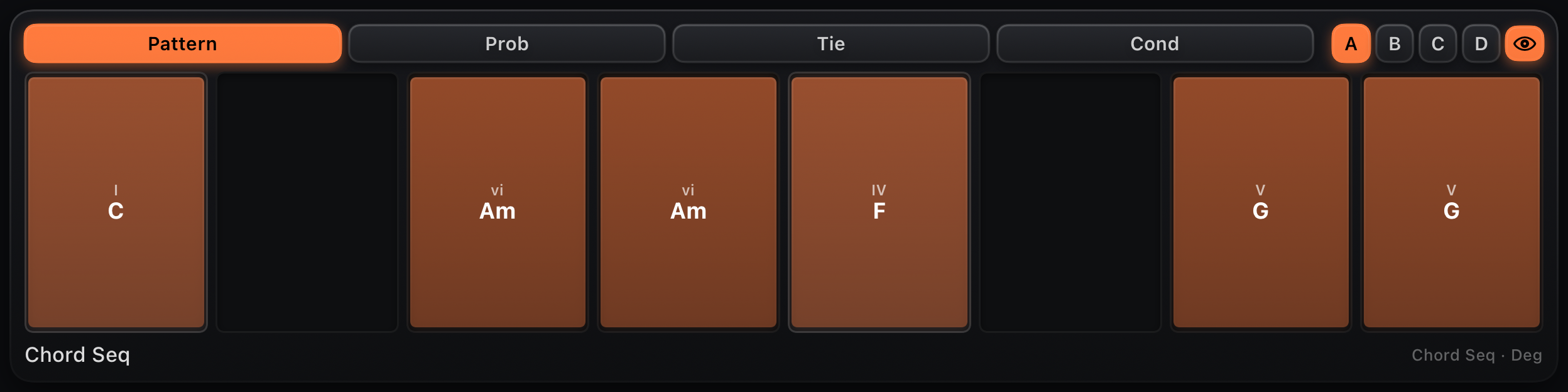
Long-press the control’s edge to open its inspector and turn on Hide Layer Picker if you just want the plain pattern row back (probability/tie/ condition data on the node is untouched — only the picker bar disappears).
Pattern banks
Next to the layer picker, the Drum, Step and Chord Seq lanes show four bank chips — A·B·C·D: four independent 16-step patterns per lane, each with its own probability, tie, condition and microtiming layers. Tap a chip to edit that bank and switch the sequencer to it — the change lands at the next pattern wrap, so switches always hit the downbeat. A small dot marks the bank that’s currently sounding when it differs from the one you’re editing, and the playhead only shows on the sounding bank.
Auto-follow is on by default: the lane tracks whichever bank is sounding, so you watch a Chain cycle A→B→C or a modulated Pattern switch scenes without touching anything. Tapping any bank chip pins the lane for manual editing; the eye chip at the end of the strip re-engages follow. (Also in the control inspector as Follow Playing Bank.)
Two node parameters drive this (bindable and modulatable like any other):
- Pattern — the active bank. Bind a button for manual scene switches, or modulate it (a Counter fed by another lane’s EOC makes verse/fill arrangements).
- Chain — Off, or cycle A·B / A·B·C / A·B·C·D automatically, one bank per pattern loop. While a chain runs it overrides Pattern.
To switch every lane at once, add Scene Pads (+ → Scene Pads): four pads (A–D) that point all Drum/Step/Chord Seq lanes at that bank in one tap — each lane still switches at its own wrap, so the whole kit lands together on the downbeat.
Presets saved before pattern banks existed simply play bank A, exactly as they always did.
Scopes & visualizers
- Monitor — text log of MIDI at a splice point (add from + menu).
- Note Scope — scrolling piano-roll of live note output (add from + menu).
- CC Scope — scrolling CC trace (add from + menu).
- Looper — record / play / clear for a Looper node. Add one from the + menu and it splices a Looper into the signal path automatically.

- Life grid, Register views, Scopes — attached automatically with their emergence nodes (Game of Life, Turing, Rule, Markov, Bounce, Attractor).
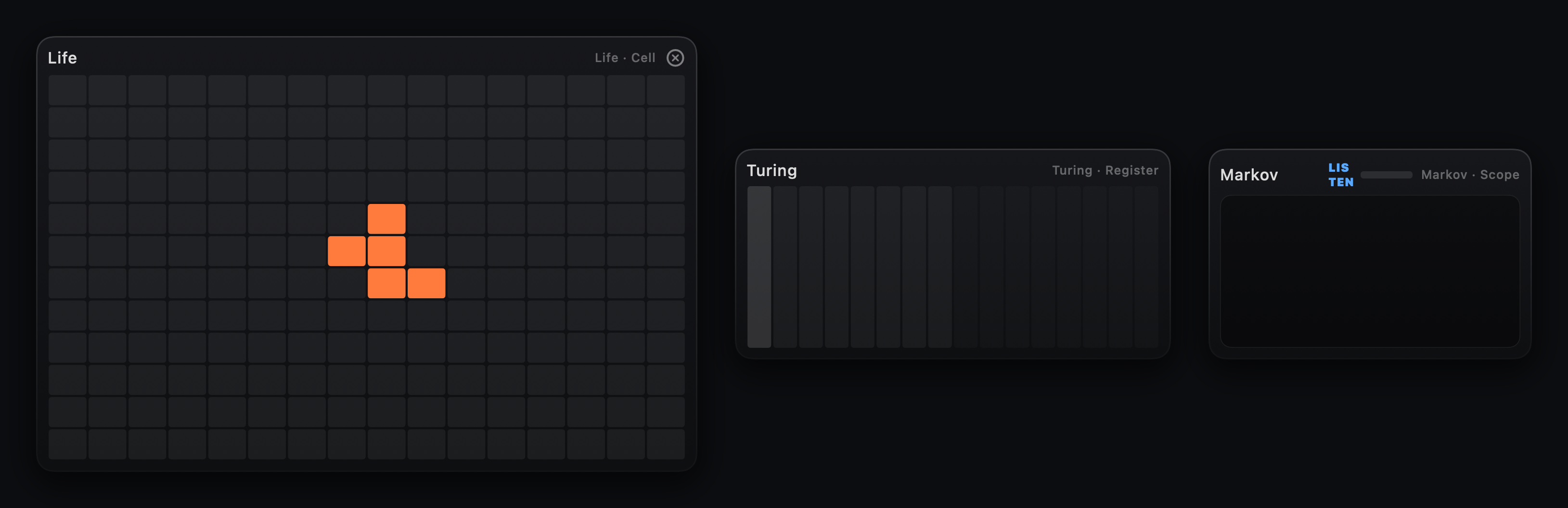
Every touch goes to the control under your finger — the surface scrolls only by the scroll bar on its trailing edge when a page is taller than the window (or by one-finger pan with Scroll by touch on in Settings). Drag a control taller in edit mode for full-height keyboards; the layout grows to fit. Cells never shrink below a playable size: in a very narrow window (a small AUv3 host slot) the grid keeps its minimum cell and a second scroll bar along the bottom pans it sideways. The slide-up keyboard needs about 360pt of height and greys out below that.
Pages
A surface can hold several pages — hardware-style banks you lay out explicitly, so a big patch splits into performance and mix views instead of one tall grid. When a patch has more than one page (or you’re in edit mode), a page strip floats at the bottom of the surface: tap a number to switch, + (edit mode) adds a page.
- Move controls between pages with the Page row in the inspector (moves the whole selection; New Page creates one), or long-press a page number in the strip for Move Selection Here.
- Name a page by long-pressing it in the strip (edit mode) → Rename Page… — “Play”, “Mix”, “FX” instead of 1, 2, 3. Names show on the strip chips and in every page menu; leave one empty to go back to the number.
- Delete a page by long-pressing its number in the strip (edit mode) — its controls move to page 1, never silently deleted.
- Bind a button to a page: the button inspector’s Switch to Page row makes pressing it flip the surface — a bank button. Combine with MIDI Learn and a foot switch turns pages hands-free.
Switching pages never cuts anything off: held and latched notes on other pages keep sounding, and everything on every page stays live in the graph. Which page you’re looking at is not part of the patch — loading and saving always keeps your place.
See the Control catalog for a screenshot and description of every control type.
Header & edit mode
The surface header, left to right:

| Control | What it does |
|---|---|
| Folder / patch name | Open the preset browser |
| IN / OUT LEDs | MIDI activity (blue in, orange out) — shown in AUv3 and compact layouts |
| ↶ / ↷ | Undo / redo |
| Keyboard | Slide-up piano (injects notes into the graph) |
| Panic (raised hand) | All notes off, everywhere — see below. ⌘. on a hardware keyboard |
| Signal flow | Show / hide the signal-flow strip above the surface (reclaims space in small windows) |
| + | Add a control, visualizer, looper, or sequencer lane |
| Eraser | Clear surface, graph, or everything |
| Pencil | Edit mode — move, resize, inspect controls |
| Book | Manual, the Welcome Tour (an interactive spotlight walkthrough of the live app; runs on first launch, replays from here) and Tutorials — two hands-on guided lessons, Basic Control Surface and Nodes & Bindings |
| Gear | App settings — launch behaviour, session restore, haptics |
| Graph | Open Signal Flow (accent button, far right) |
Panic silences a stuck note without stopping the transport: every keyboard and pad lets go (latched notes and latched note buttons included), every node in the graph releases what it is sounding (arps, held chords, mono/glide voices, sequencers), note-offs go out for anything still ringing, and CC 123 (All Notes Off), CC 120 (All Sound Off) and sustain off are sent on all 16 channels for external gear that missed a note-off. The sequencer keeps running — the play/stop button is the only transport control.
Edit mode (pencil, or double-tap a control):
- Move and resize controls — others flow out of the way.
- Add controls or whole sequencer lanes from +.
- Inspect (sliders) — rename, rebind, recolor (Appearance).
Tip: long-press a control’s edge (~½ s) to open its inspector without entering edit mode. The long-press is on the border only.
Graph editor
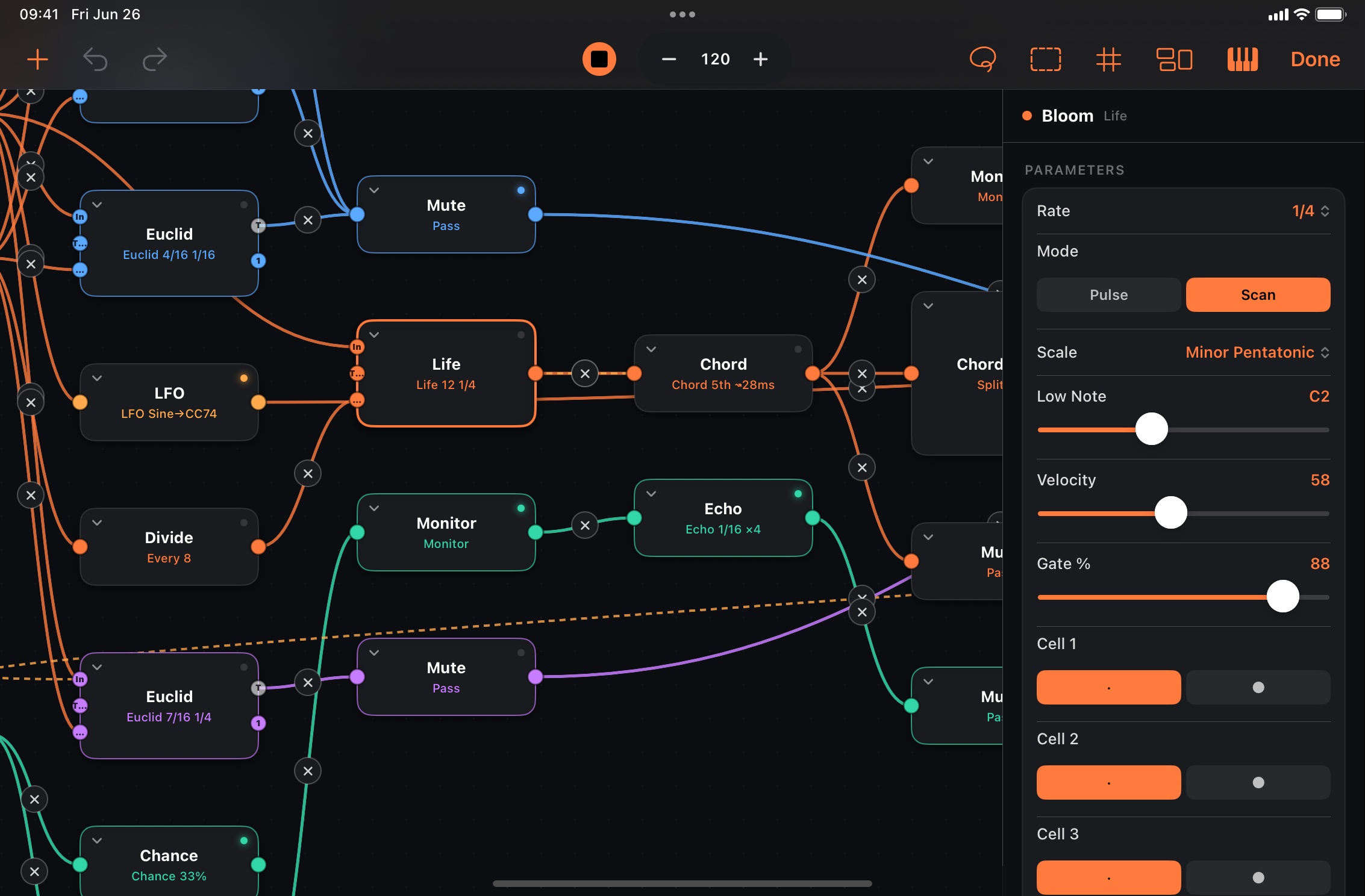
Open Signal Flow from the graph icon or the signal-chain chips. MIDI flows MIDI In → MIDI Out on solid orange wires; dashed wires are modulation. Chips are tinted to match their node’s color tag — tap one to jump to that node in the graph and open its inspector. Standalone toolbar also has transport and a # grid-snap toggle.
Every node is also a control source. Whatever continuous value a node produces — an LFO’s wave, a CC Seq’s steps, a CC Envelope’s level, Sample & Hold, keyboard aftertouch — drives a parameter the exact same way. There’s no separate “CC” vs “modulation” signal: drag any output onto a node’s body and choose Modulate param. (A node’s Target CC only matters when you also send its value onward to a synth.)
Wiring basics
| Action | How |
|---|---|
| Select / edit | Tap a node — sidebar shows parameters |
| Select several | Lasso (toolbar) → drag a box; drag any selected node to move the group |
| Move | Drag |
| Connect | Drag from an output onto another node’s left input edge |
| Connect without dragging | Node inspector → Connections → Add Connection |
| Modulate | Drag any output onto a node’s body → pick Modulate param |
| Scale a mod wire | Inspector → Connections → tap a mod wire’s range pill → set From / To |
| Add mid-wire | Drop a wire on empty canvas → Add Node |
| Splice | Drag a node onto a wire |
| Disconnect | Tap × on a wire, or scissors in Connections |
| Tidy layout | Group icon — auto-arrange nodes |
| Color a path | Node inspector → Color Tag swatch |
| Node reference | Node inspector → book icon — that node’s manual entry |
| Group frame | ▢ (dashed-rectangle) toolbar icon |
| Bypass | Node inspector → Bypass toggle (or bind a button) |
| Fit graph | Toolbar fit icon — frame the whole patch in the viewport |
| Zoom | Pinch (centred on touch/cursor); tap % to reset |
Each node has an activity LED (top-right) — the first dark LED is where MIDI stops.
The inspector’s Connections section is a full patchbay of its own: Add Connection creates a MIDI or modulation link in either direction (multi-port nodes offer their port combinations), the scissors cuts one, and mod wires expose their range pill there. Duplicate links and MIDI loops are never offered. It works anywhere the inspector opens — including from the surface’s signal-chain chips, without entering the graph editor.
Organizing: color tags & group frames
As a patch grows, two purely cosmetic tools keep it readable — neither changes the sound, and both ride along when an AI assistant builds a patch:
- Color tags — select a node, open the inspector’s Color Tag swatches and pick a hue (Default clears it). The color flows downstream: the node, every node reachable from it along MIDI wires, and the wires between them all take the tint — up to (but not including) the shared MIDI Out. Color the bass generator and its whole chain lights up, so parallel paths read at a glance.
- Group frames — tap the ▢ (dashed-rectangle) toolbar icon to drop a labeled backdrop. With nodes selected it wraps the selection; otherwise an empty frame appears at the view centre. Drag its title chip to move the frame and everything inside together; drag the corner handle to resize. Select a frame to rename, tint or delete it (deleting leaves the nodes in place).
Bypassing a node
Open a node’s inspector and flip Bypass to disable it — its MIDI then passes straight through unprocessed (the toggle reads Active / Disabled). Entering bypass flushes any notes the node was holding as note-offs, so nothing hangs. Bypass is bindable: assign a button to the node’s bypass slot to mute or A/B a processor live without rewiring. The state is saved with the patch.
Patchbay (expanded nodes)
Tap the chevron on any node to expand its patchbay — a labeled row per output, mod source, and parameter input. Dropping a wire on a parameter row is the fastest way to modulate; you can also drop on the node body and pick from the menu.
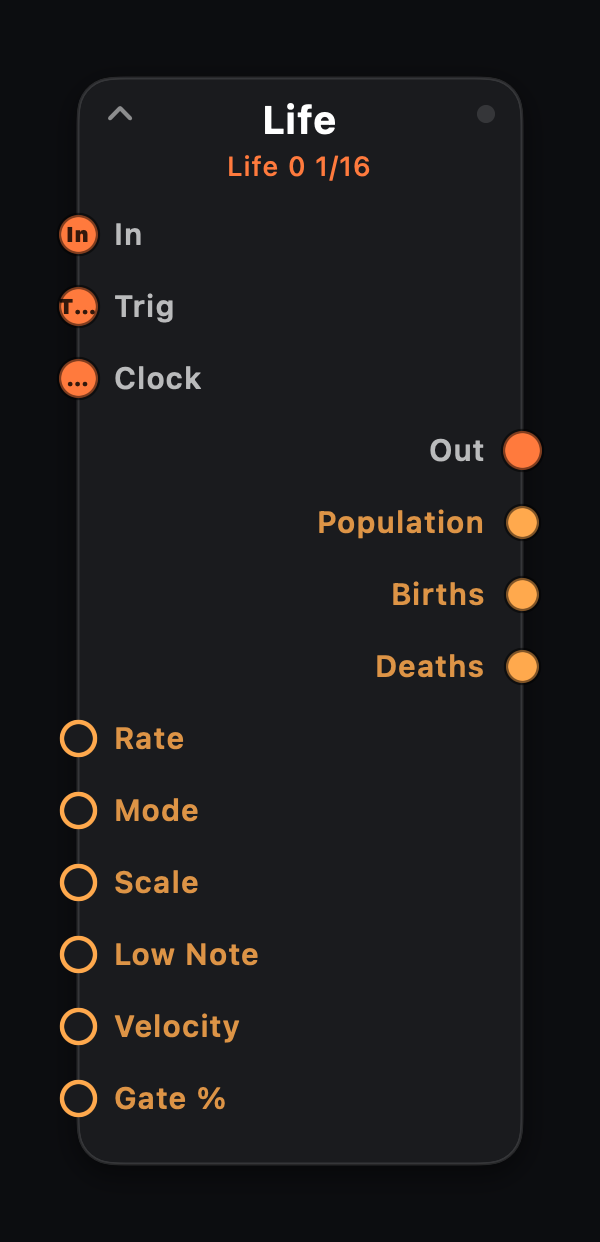
Port colors
| Style | Examples | Role |
|---|---|---|
| Orange · solid | In, Out, Trig, Clock | MIDI in/out and external step clocks |
| Amber · filled | Population, Births, Deaths | Modulation outputs — drag onto any parameter |
| Amber · hollow | Rate, Mode, Scale… | Parameter inputs — receive mod wires |
Life node expanded — compact patchbay with clock ports, scalar parameters, and three mod outputs. Sequencer step rows stay on the surface grid, not in the patchbay.
Scaling a modulation wire
By default a modulation wire drives its target across the parameter’s full range — a source swinging 0…1 sweeps the whole parameter. To drive only a slice, open the Connections list in either node’s inspector and tap the wire’s range pill, then pick a From and To value. The choices are shown in the parameter’s own units — Rows … Columns for a Matrix’s Mode, note names for a pitch, percentages for a continuous control. Full range resets it.
This is what makes stepped modulation land where you expect. A Counter emits evenly-spaced values across the wire’s range, so wire one into a Matrix’s Mode and:
- leave the range Full with the Counter’s
countat 6 → it walks all six directions (Rows → Columns → … → Random); - cap the wire to Rows … Columns with
count2 → it alternates just those two.
Rule of thumb: set the Counter’s count to the number of values inside the
wire’s range.
Clocking a generator externally (Trig / Clock)
Every clock-driven generator — Euclid, Random Notes, Fibonacci, Drum Seq, Step Seq, CC Seq, Game of Life, Turing, Rule, Markov, Random Walk, S&H — has two extra input ports, Trig and Clock. Either one takes over from the internal clock; they’re mutually exclusive (wire one or the other, not both), and the surface step grid’s playhead follows whichever is driving.
- Trig — wire any note source (a keyboard, another sequencer, an arp). The node advances one step per incoming note-on instead of running at its Rate. It steps even while the transport is stopped, so you can hand-play or finger-drum a pattern.
- Clock — wire a Clock node (+ → Generate & Modulate → Clock). The node advances one step per clock pulse. Run one Clock node into several generators’ Clock inputs to lock them all to one tempo and change it from one place — set the Clock’s Rate (and Sync to follow the host transport, or Free to run independently).
Leave both unwired and the node clocks itself as usual.
The pattern sequencers — Euclid, Fibonacci, Infinity, Drum Seq, Step Seq, CC Seq and Chord Seq — carry a fourth input, Reset: a note-on or clock pulse there restarts the pattern at step 1 on the next tick, on either clock mode. The pattern bank re-latches and the EOC realigns with it, so a reset re-syncs a whole chained kit. Wire a master lane’s EOC into the others’ Resets to keep polymetric lanes locked, or a performance pad to yank every lane back to the downbeat.
Chaining patterns with EOC
Fixed-length cyclic nodes — Drum Seq, Step Seq, Chord Seq, CC Seq, Matrix, Euclid, Fibonacci, Turing, Rule, Gate and Looper — carry a second orange output, EOC (end-of-cycle), beside their main Out. It fires one pulse each time the pattern wraps back to step 1 — a “bar done” tick that carries no notes.
Wire EOC into another node’s Trig or Clock to chain patterns: flip an A/B Switch once per bar, advance a longer Step Seq one step per Euclid cycle (polymeter), or restart a follower so phrases stay locked. Nodes without a Trig/Clock input ignore it.
For variations within one sequencer you don’t need EOC wiring at all: the Drum, Step and Chord Seq carry four pattern banks (A–D) with a built-in Chain — see Pattern banks above. Wire a lane’s EOC into a Counter that modulates another lane’s Pattern parameter for song structures beyond the built-in chain.
MIDI In as mod source
| Source | Signal |
|---|---|
| Velocity | last note-on velocity |
| Note | last pitch (keytracking) |
| Gate | 1 while any note held |
| Mod Wheel | CC 1 |
| Pitch Bend | bipolar, centered |
| Pressure | aftertouch |
Modulating from a node’s output
When you wire a node’s Out (or a split voice, chord voice, etc.) to modulate a parameter, the target follows the pitch of notes that node actually emitted — after transpose, quantize, arp, and other upstream processing. Named mod sources (MIDI In Note, Life Population, LFO, …) behave as before.
Built-in instruments
Synth, Drums, Sampler and Slicer are terminal instrument nodes — they consume MIDI and render audio inside MIDIRack. They emit no MIDI downstream (unlike MIDI Out). Add from + → Instruments.
- Synth — polyphonic subtractive voice: pick a Preset (Warm Pad, Acid Bass, Bright Lead…) to load a starting sound, then tweak Wave, resonant lowpass (Cutoff, Resonance), amplitude ADSR and filter envelope (Flt Env depth in octaves). It’s MPE-aware: play it from an MPE Seaboard/Strings keyboard and each note bends (glide) smoothly — pitch bend is slewed so MPE ribbons and Glide node ramps don’t stair-step. Slide (CC 74) opens the filter and channel pressure swells volume, independently. On ordinary single-channel MIDI, mod wheel (CC 1) adds vibrato; other patches behave as before. Hand-editing any control flips the preset to Custom.
- Drums — procedural GM kit: Preset (Punchy, Trap, Lo-Fi…) fills per-voice Pitch (±12 semitones) and Decay (% tail length) for Kick, Snare, hats, toms, Crash, Ride, Perc, etc.
- Sampler — SP-style chromatic sample player: pick a factory Sample or load your own from the node inspector (the root note is auto-detected so imports land in tune), trim the playable region on the waveform card, and set Mode to Loop to turn one-shots into playable pads, keys and basses. The Synth’s resonant lowpass and amp ADSR shape the result; Glide node slides bend it like any synth voice.
- Slicer — loads a drum loop and cuts it at its detected hits into up to 16 one-shot slices, slice 1 on note 36 (a fresh Drum Seq’s default), slice 2 on 37, and so on — point one Drum Seq lane per slice and the loop becomes a kit you can resequence. Tap or drag markers on the waveform card; Sense re-runs detection, and each slice has its own Pit and Dec.
Wire keyboards, sequencers or generators into separate instrument branches for a self-contained patch — no external synth required. Multiple instrument nodes sum at the audio output.
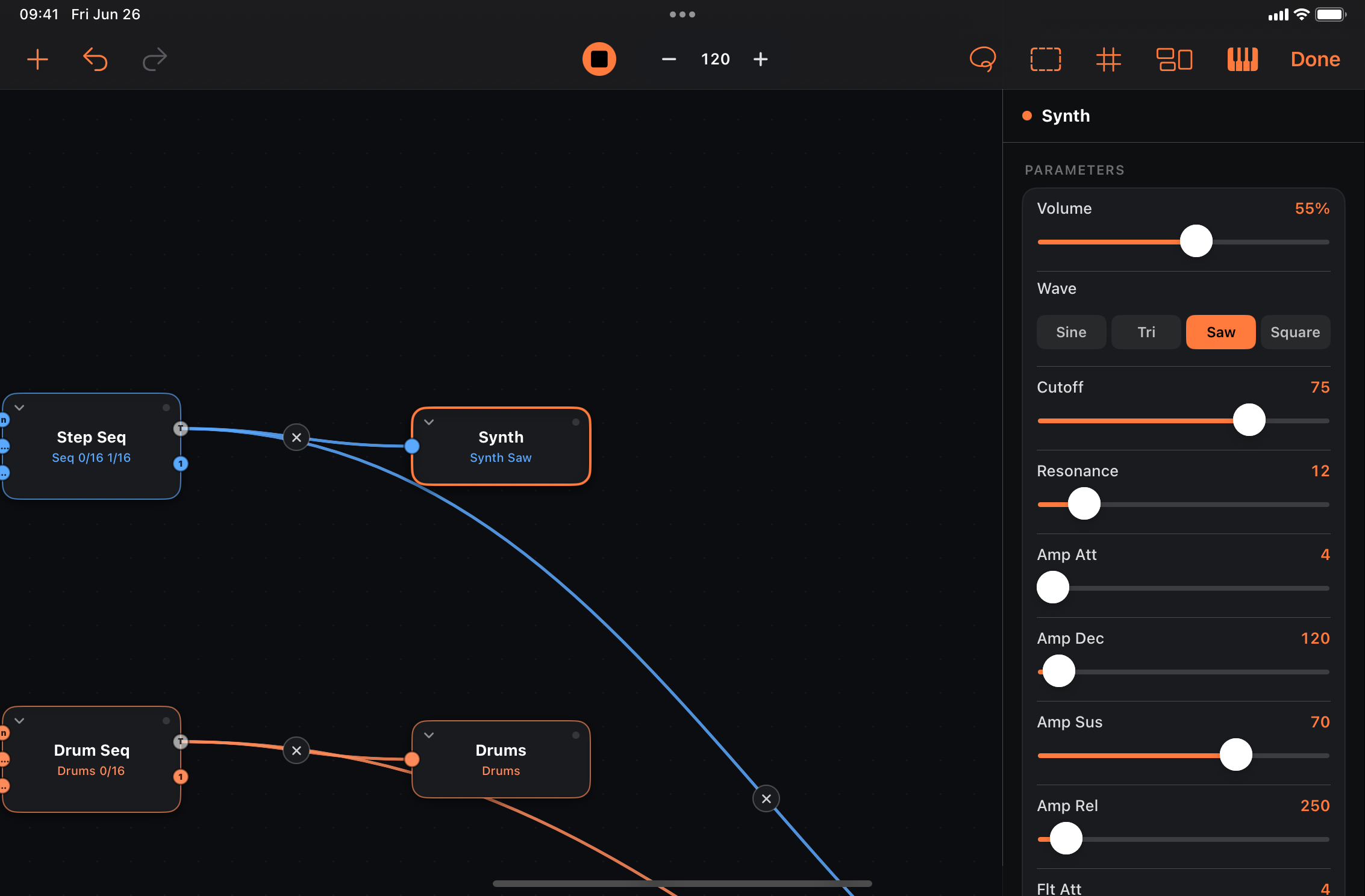
Standalone: the transport Synth/Drums pill renders the entire patch (what would leave MIDI Out). When you add a graph Synth or Drums node, the pill turns off automatically so you don’t double the level — turn it back on if you want both the global voice and the instrument nodes.
AUv3: instrument nodes let the plugin produce audio directly in hosts that support a MIDI processor with audio output; you can still route MIDI onward to external synths on other tracks.
Emergence nodes
Game of Life, Rule, Turing, Markov, Bounce, Attractor — evolving patterns with live surface visualizers. Draw a Life seed and scan it into melody; flip Markov from Listen to Generate; wire Attractor X/Y/Z into any parameter. See the Node catalog for parameters.
Slide-up keyboard
The pianokeys button slides up a keyboard whose notes enter the graph like host MIDI — arps, splits and quantizers all process them. The Octave menu sets the range; multi-touch chords supported.
Transport & ports
Standalone only:
- Play/stop and BPM — tempo-synced nodes follow; AUv3 follows the host.
- Metronome — tap the metronome icon for a click on every beat (accent on the downbeat). Follows host transport in AUv3; silent while stopped.
- Cable pill — MIDI in/out. MIDIRack Out is always published.
- Synth/Drums pill — global built-in voice for instant audition of the whole patch output. Pick Synth (poly) or Drums (GM kit). Independent of graph Synth / Drums instrument nodes — see Built-in instruments.
- Stop releases all notes (stuck notes guarded at several layers).
MIDI Learn — hardware controllers
Any knob, fader, XY axis, selector or button on the surface can be driven by a knob on your hardware controller:
- Select the control and open the inspector (sliders icon).
- In its Binding section, tap Learn under Hardware — the row shows Waiting for MIDI.
- Twist a knob (or move a fader) on the controller. The first CC that arrives becomes the mapping, shown as CC n · Ch n. Relearn replaces it, Clear removes it.
Learned mappings are saved with the patch and work identically in the standalone app and the AUv3. The on-screen control follows the hardware.
Buttons also learn pads and keys: while a button is armed, hitting a pad binds its note instead of a CC. A toggle button flips on every hit; a momentary button is on while the pad is held.
Per-mapping switches (shown for the mapping kind they apply to):
- Relative Encoder — for endless encoders that send two’s-complement deltas (1…63 up, 127…65 down) rather than absolute positions: each detent nudges the control one step. No takeover needed — an encoder has no position to disagree with.
- 14-bit (MSB + LSB) — controllers sending high-resolution CC pairs (a CC below 32 plus its +32 partner) drive the control at 14-bit resolution; the coarse byte applies immediately, the fine byte refines it.
- Soft Takeover (on by default) — the hardware pot is ignored until it sweeps across the control’s current value, so the first nudge can’t make the sound jump. Turn it off to have the control snap to the pot immediately.
- Pass Through (off by default) — normally a learned message is consumed: it drives the surface control and does not continue into the patch, so a controller knob mapped to filter cutoff doesn’t also spray CC 74 through the graph. Turn Pass Through on to have it do both.
To use a controller and a keyboard at the same time, set the input in the cable pill to All Inputs — learned messages go to their controls, everything else plays the patch. Keyboards and pad controls on the surface are played through MIDI input as always — note learn is only for buttons.
Session restore
The standalone app autosaves the patch you’re working on (a couple of seconds after each edit, and whenever the app goes to the background) and reopens it on the next launch — no need to save a preset just to keep your place. The autosave is separate from your preset library and never shows up in the browser; a restored patch still knows which preset it came from, so Save overwrites rather than duplicates.
If the app didn’t shut down cleanly (a crash, a force-quit), it boots First Light and asks Restore your last patch? — Restore brings it back, Start Fresh leaves it on disk for later, so a patch that misbehaves on load can never trap you at launch.
What comes back is the patch — controls, graph, parameters, layout — not the performance: looper recordings, Markov tables, Turing registers and sequencer playheads start empty, as they do after any preset load. The AUv3 isn’t affected; the host saves its state with the project.
Session restore can be turned off in Settings — the app then opens on First Light every launch.
Settings
The gear button in the header opens the app settings sheet:
- Start playing on launch (standalone) — on by default: the app opens with the transport running, so a self-playing patch sounds right away. Turn it off to open silent — nothing sounds (or reaches external gear) until you press play.
- Reopen last patch on launch (standalone) — the session restore behaviour. Off starts on First Light every time; the autosave keeps running, so switching back on restores your latest work.
- Sync presets with iCloud (standalone) — on by default when the device is signed into iCloud: your saved patches and folders follow you to every device on the same account, and the library shows up in Files under iCloud Drive › MIDIRack › Presets (see Presets). Off keeps the library on this device only; nothing is deleted either way.
- Haptics — all of the app’s haptic feedback (panic, save confirmation).
- Version — the installed app version and build.
The AUv3 shows the sheet too, minus the transport and session rows — the host owns both there.
Presets
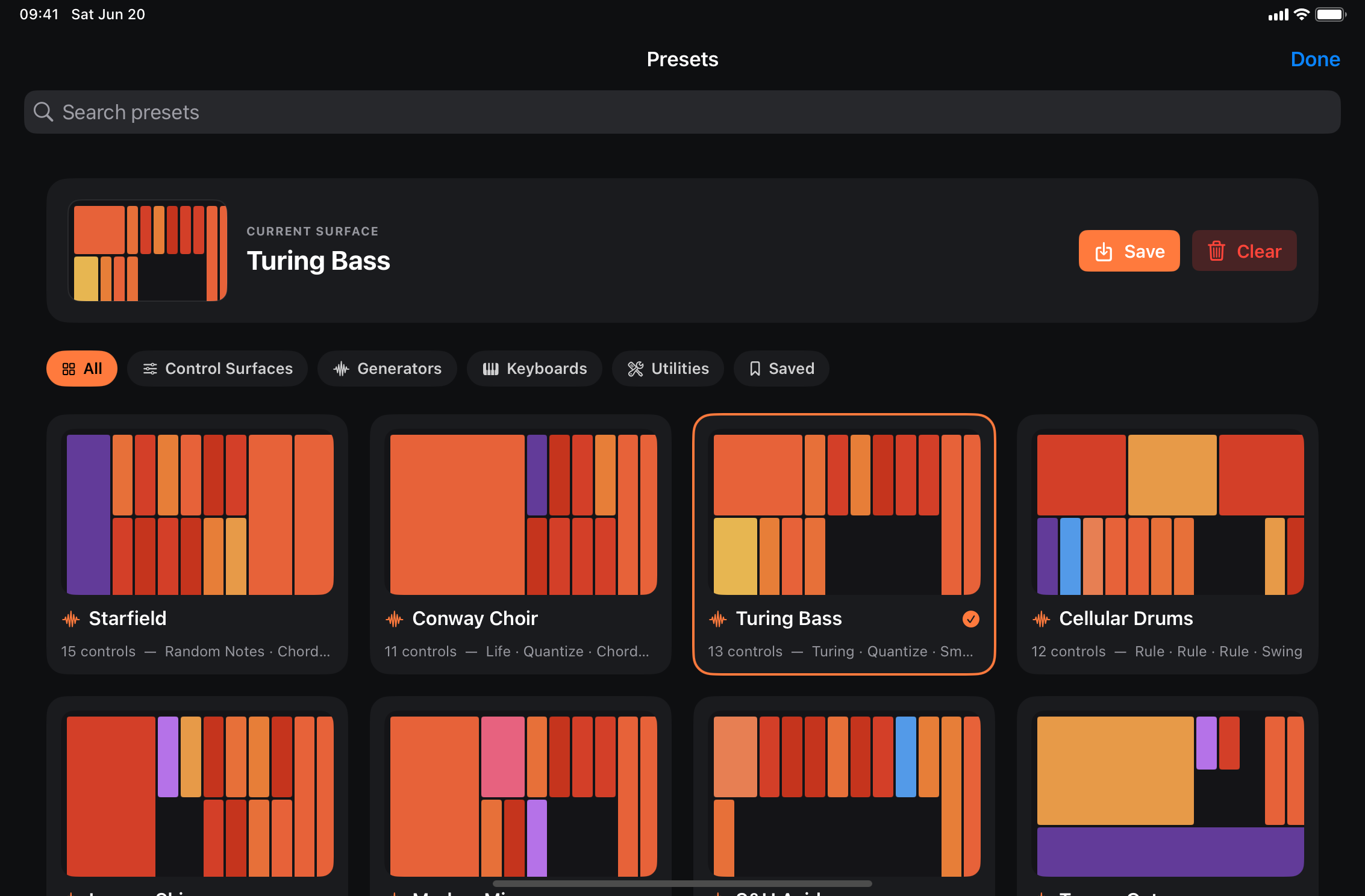
Folder or patch name → full-screen browser with search, category filters, and layout miniatures. The All view is split into one section per category (factory + your saved patches of that category, each with a labeled header and count), followed by a My Presets group for anything uncategorized; picking a category or the Saved chip shows a single grid. Save names the current patch and includes a category picker (pre-filled from the loaded patch) so it’s filed in the right section. Clear = empty passthrough. AUv3 patches save inside the host project automatically.
Your folders. Saved patches can be filed into folders of your own — the save card’s folder picker chooses one (or New Folder… creates it, and the picker remembers your last choice), and each folder appears as its own chip after Saved plus its own section in the Saved view. Long-press a saved card for Move to Folder; long-press a folder chip to Rename or Delete it (deleting a folder only unfiles its patches — nothing is ever deleted with it). Factory content stays where it is; folders are yours alone.
Sharing patches. Long-press any card → Share… exports the patch as a
.midirackpatch file — AirDrop it to a friend (or your other iPad), attach it
to a message, drop it in Files. Opening a .midirackpatch imports it into
your library and loads it; the browser’s import button (top corner) pulls
in one or more patch files from Files. Re-importing a newer copy of the same
patch replaces it; a different patch that happens to share a name is kept
alongside.
iCloud sync. With Sync presets with iCloud on (Settings), every saved
patch — folders included — is mirrored to iCloud Drive and appears in the
browser on your other devices signed into the same account, usually within
seconds of saving. The same files are visible in the Files app (and Finder on
a Mac) under iCloud Drive › MIDIRack › Presets — one .midirackpatch per
patch, named after it — and the folder is live both ways: rename a file there
and the patch is renamed, delete one and it leaves the library, drop a
.midirackpatch in (or duplicate one) and it appears as a new patch. Two
patches with the same name become “Groovebox” and “Groovebox 2” on disk.
Turning sync on for the first time uploads the library you already have. Edits to the same patch on two devices resolve newest-wins; if
both were edited while offline, the other version is kept as “
Recipes
Short walkthroughs for common goals.
Arpeggiate held chords
- Open Harmony Keys (or any patch with MIDI In).
- Graph editor → splice Arp after MIDI In (or between existing nodes).
- Set Mode (up/down/random), Rate, Octaves.
- Add a knob bound to Rate on the surface for live control.
- Play and hold a chord — or use latch on a surface keyboard.
Euclidean kick
- Clear or start fresh. Graph editor → + → Generate → Euclid.
- Wire Euclid → MIDI Out. Set note to kick (e.g. C1), steps/pulses.
- + → Add Drum Lane on the surface — binds to the Euclid grid.
- Press play. Tweak rotate and gate on the node or via knobs.
Scene-switch a groovebox
- + → Add Drum Lane (repeat for more voices), Add Melody Lane for a bass. Draw bank A patterns on each lane.
- Tap a lane’s B chip and draw a variation — probability, tie, condition and microtiming switch with the bank.
- + → Add Scene Pads. Tap B: every lane flips at its own pattern wrap, so the whole kit lands together on the downbeat.
- For hands-free arrangements set a lane’s Chain to A·B instead — the lane cycles banks itself, and the eye chip lets you watch it.
Slide bass (portamento)
- Graph editor → wire your bass line (Step Seq, Turing, or a keyboard) into Notes → Glide, then to MIDI Out.
- Sequenced lines: set Glide’s Mode to Always — every note slides in from the previous pitch over Time ms, the 303 feel.
- Played lines: put Mono (Mode Legato) before Glide and keep Glide on Legato — overlapping keys slide, detached notes retrigger.
- Bend Range is announced to the synth automatically (RPN); match it manually only on hardware that ignores RPN. Try Solo Lead or Slide Bass to hear both setups.
Sequence a chord progression
- + → Add Chord Lane — a Chord Seq wired to the output with a starter I–vi–IV–V, shown as named chord pads (C · Am · F · G).
- Drag a pad up/down to pick the degree (I…VII); tap toggles a rest. Set Root, Scale and Chord (triad/7th) on the node — the pad names follow live.
- Feed it to an Arp for broken chords, or Chord Split for per-voice processing. Bank a second progression on the B chip and Chain them.
Self-contained sound with instrument nodes
- Graph editor → + → Instruments → Synth (or Drums).
- Wire MIDI In, a sequencer, or a surface keyboard into the instrument’s In — no MIDI Out needed for audition.
- Standalone: the Synth/Drums pill turns off when an instrument node is added (avoids doubling); AUv3 hosts hear audio from the plugin directly.
- Bind knobs to Cutoff, Resonance or per-drum Pitch / Decay.
Debug a silent patch
- Check OUT LED (orange) — is MIDI leaving?
- Open graph editor — follow activity LEDs left to right; first dark node = where the stream stops.
- Splice a Monitor there and read its log.
- Generators need transport running (play in standalone or host).
- Standalone: turn Synth/Drums on, add Synth / Drums instrument nodes, or confirm a synth is after the plugin.
Reference
Lookup sections — skim Getting started and Recipes first if you’re new.
Node catalog
Each entry shows the expanded node card as it appears in the graph editor, with ports, behavior, parameters and (when available) modulation outputs.
- In / Out — orange MIDI wires. Most nodes have one input and one output. Multi-port nodes label their connectors (A, B, Trig, T, Low, High, 1…n).
- Mod out — amber modulation sources (MIDI In, Life, Attractor, LFO…); drag onto any parameter knob.
- Instruments — Synth, Drums, Sampler and Slicer are audio sinks (no MIDI out); they render sound inside the plugin or standalone app.
- Clockable generators — In (pass-through), Trig (step on note-on), Clock (step on pulse from a Clock node). Trig and Clock are mutually exclusive.
- EOC — fixed-length cyclic nodes (Drum/Step/Chord/CC Seq, Matrix, Euclid, Fibonacci, Turing, Rule, Gate, Looper) expose an end-of-cycle trigger beside Out. It pulses once per pattern loop — wire it to another node’s Trig / Clock to chain or reset patterns.
- Rate / Grid / Time — clock divisions from
4/1down to1/64(including1/8T), synced to host transport unless a node is in Free mode.
MIDI In
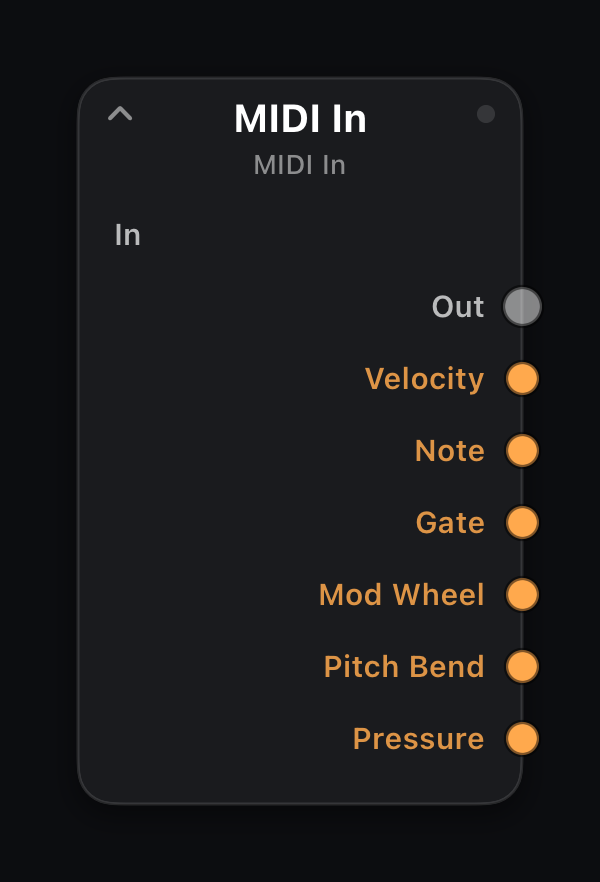
In: — (graph entry) · Out: 1× MIDI
Mod out: Velocity · Note · Gate · Mod Wheel · Pitch Bend · Pressure
The graph's entry point. Every note, CC, pitch bend, aftertouch and program change from the host track, hardware controller, virtual MIDIRack In port, or the slide-up keyboard arrives here. Exactly one MIDI In node is allowed per patch.
Expand the node to expose six performance modulation sources. Drag Velocity onto Echo Decay so harder playing lengthens repeats, or Note onto filter cutoff for keytracking. Gate is high while any key is held.
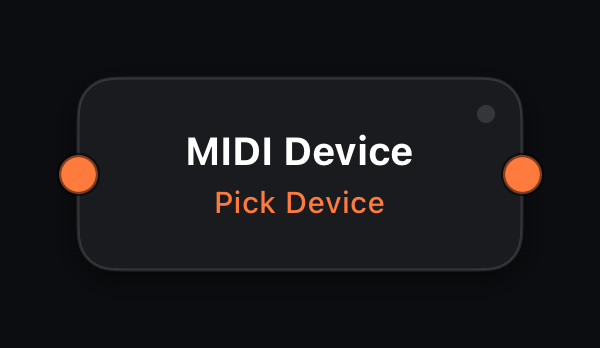
MIDI Device
In: 1× MIDI (merge) · Out: 1× MIDI
Standalone only: taps the MIDI of one hardware input device, picked in the inspector — so a single patch can route streams by origin: keyboard into an arp chain, pads into drum lanes, a fader box into CC lanes.
It is a tap, not a claim — the MIDI In node still receives everything. Needs the input set to All Inputs (cable pill). A device that is offline reconnects to its node by name. In a plugin host this node is silent: route the device to the track instead.
Parameters
| Parameter | Role |
|---|---|
| Device | The hardware input this node taps (inspector dropdown). |
Every parameter accepts amber mod wires (MIDI In signals, LFO, Attractor, Life stats, etc.).
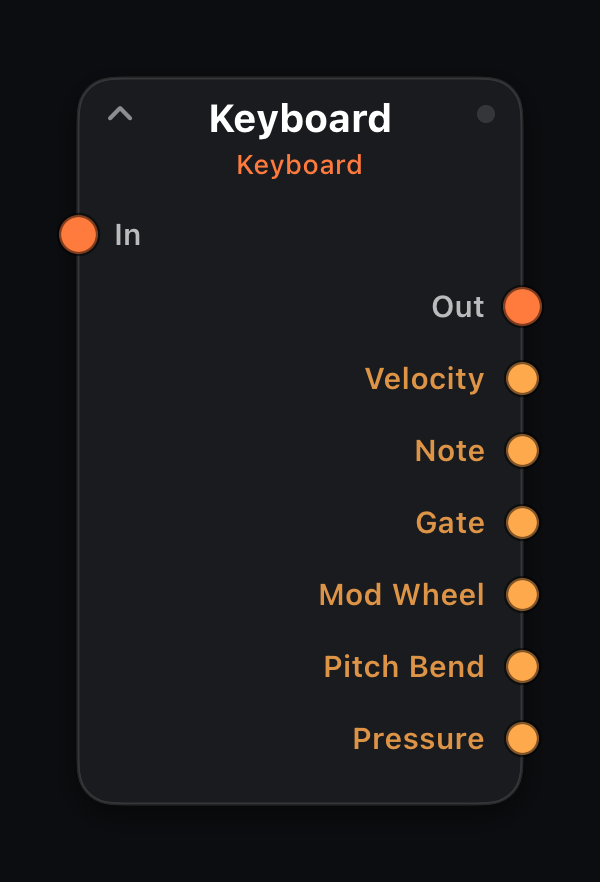
Keyboard
In: 1× MIDI (merge) · Out: 1× MIDI
Mod out: Velocity · Note · Gate · Mod Wheel · Pitch Bend · Pressure
The graph node behind a surface keyboard or pad control — it emits the notes that control plays, as its own graph branch. Every keyboard, pad grid and MPE surface is paired with one, so each can be routed independently: keys into an arp, pads straight to drums.
Adding it from the palette (Play) also places a piano keyboard on the surface, pre-wired to MIDI Out. Anything wired into In merges with the played notes.
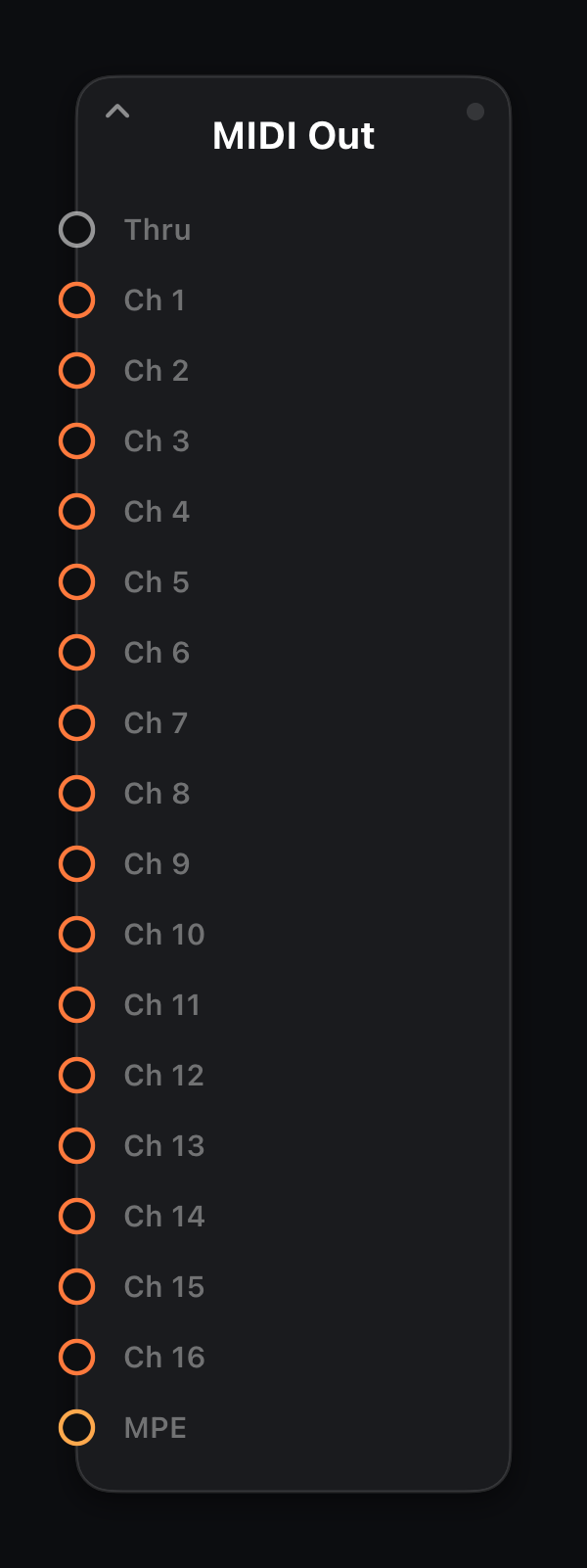
MIDI Out
In: Thru · Ch 1–16 · MPE · Out: — (graph exit)
The graph's exit. Everything wired here reaches the AUv3 host, the MIDIRack Out virtual port, or the built-in synth.
When connecting a wire, choose the input connector that matches your routing goal — see input ports below.
Input ports
| Port | Role |
|---|---|
| Thru | Merge stream without changing MIDI channel. |
| Ch 1–16 | Force all output to that channel (multitimbral setups). |
| MPE | Keep per-note channel assignment for MPE-capable synths. |
Sequence — drum, melody, chord, CC lanes, gates, swing
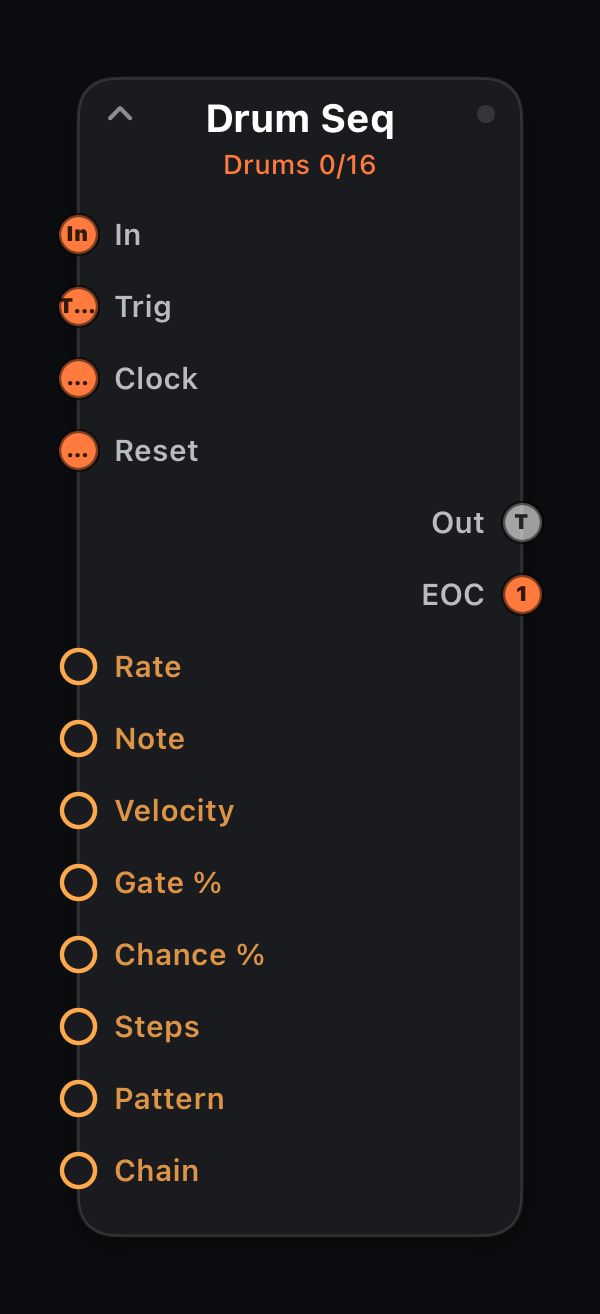
Drum Seq
In · Trig · Clock · Reset · Out: 1× MIDI + EOC
A tempo-synced 16-step drum lane for a single pitch — one node = one drum sound (kick, snare, hat…). The playhead advances at Rate (or from Trig / Clock); active steps fire note-ons with Velocity and Gate.
Incoming MIDI on In forwards unchanged, so branch several Drum Seq nodes in parallel from MIDI In to build a full kit. Bind a surface Sequencer Lane+ control to edit the pattern along with per-step velocity, probability, tie, and trigger condition.
Input ports
| Port | Role |
|---|---|
| In | Primary MIDI path — incoming events pass through unchanged to Out. |
| Trig | External step clock: each note-on advances the internal pattern one step (overrides Rate). |
| Clock | Wire from a Clock node — one pulse per step (mutually exclusive with Trig). |
| Reset | A note-on or clock pulse restarts the pattern at step 1 (on either clock mode) — wire a master lane's EOC or a performance pad here to re-align lanes. |
Output ports
| Port | Role |
|---|---|
| Out | Drum note-ons; input passes through alongside. |
| EOC | End-of-cycle trigger — one clock pulse each time the pattern wraps to step 1. Wire into another node's Trig or Clock to chain patterns. |
Parameters
| Parameter | Role |
|---|---|
| Rate | Clock division (`4/1` … `1/64`, including `1/8T`). Follows host transport tempo. |
| Note | MIDI note number 0–127. |
| Velocity | Note-on velocity 1–127. |
| Gate % | Note length as percent of one grid step (1–100). |
| Chance % | Probability 0–100% that an event fires. |
| Steps | Pattern length 1–16. |
| Pattern | Active pattern bank A–D — four independent 16-step patterns per lane (steps, probability, tie, condition and microtiming all switch together). A switch lands at the next pattern wrap; pick banks on the Lane+ A·B·C·D chips or bind/modulate the parameter. |
| Chain | Off, or cycle banks A·B / A·B·C / A·B·C·D automatically — one bank per pattern loop (overrides Pattern). |
| Step 1–16 | Per-step on/off (● = active). Edit on the surface step grid. |
| Vel 1–16 | Per-step velocity as a percentage of Velocity (1–100, default 100) — shape accents and ghost notes. Lane+ control only. |
| Prob 1–16 | Per-step probability 0–100% (default 100). Lane+ control only. |
| Tie 1–16 | Per-step tie — suppresses the step's own note and extends the previous note's gate through it instead. Lane+ control only. |
| Cond 1–16 | Per-step trigger condition — fires only on that one pass out of every M loops (Always, `1:2`…`4:4`). Lane+ control only. |
| Micro 1–16 | Per-step timing nudge −50% … +50% of one grid step. Surface grid only. |
Every parameter accepts amber mod wires (MIDI In signals, LFO, Attractor, Life stats, etc.).
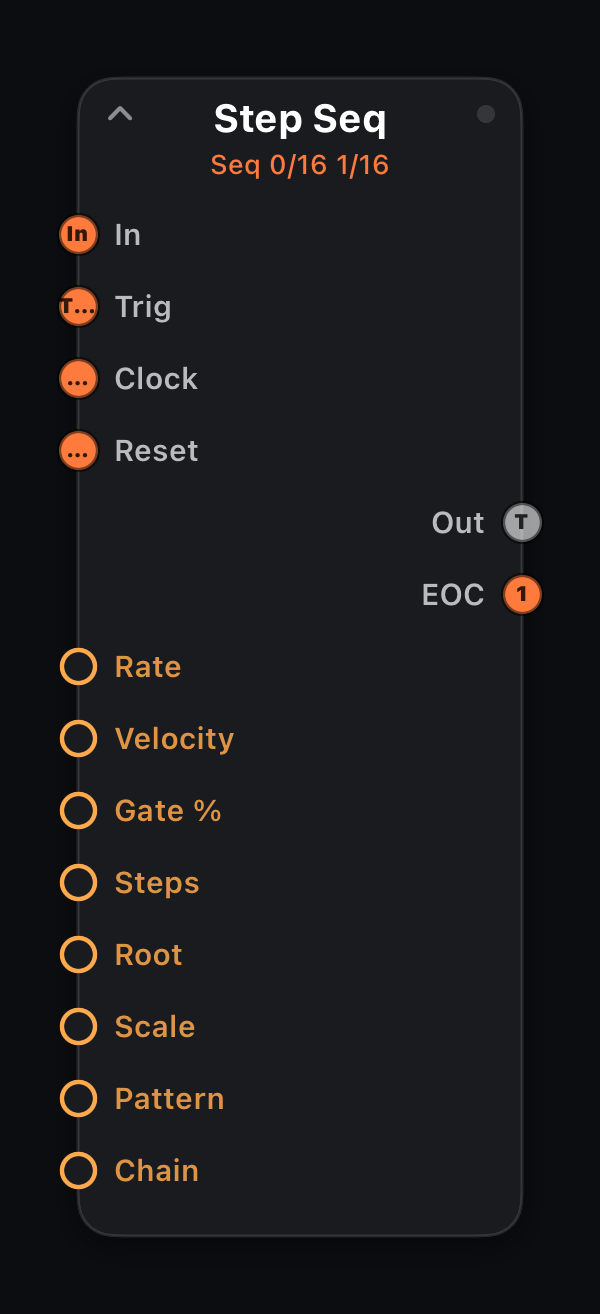
Step Seq
In · Trig · Clock · Reset · Out: 1× MIDI + EOC
A monophonic melody sequencer: one pitch per step (0 = rest). The playhead steps at Rate or external clock with configurable Gate and Velocity.
Built-in Root + Scale snap each step's output in-key (Chromatic = off). Draw pitches on the surface Sequencer Lane+ control — the ladder shows the sounding note after quantization, and a layer picker switches to per-step velocity, probability, tie, and trigger condition.
Input ports
| Port | Role |
|---|---|
| In | Primary MIDI path — incoming events pass through unchanged to Out. |
| Trig | External step clock: each note-on advances the internal pattern one step (overrides Rate). |
| Clock | Wire from a Clock node — one pulse per step (mutually exclusive with Trig). |
| Reset | A note-on or clock pulse restarts the pattern at step 1 (on either clock mode) — wire a master lane's EOC or a performance pad here to re-align lanes. |
Output ports
| Port | Role |
|---|---|
| Out | Melody note per step; input passes through alongside. |
| EOC | End-of-cycle trigger — one clock pulse each time the pattern wraps to step 1. Wire into another node's Trig or Clock to chain patterns. |
Parameters
| Parameter | Role |
|---|---|
| Rate | Clock division (`4/1` … `1/64`, including `1/8T`). Follows host transport tempo. |
| Velocity | Note-on velocity 1–127. |
| Gate % | Note length as percent of one grid step (1–100). |
| Steps | Pattern length 1–16. |
| Root | Scale root (C, C#, D…). Used with Scale to snap output notes in-key. |
| Scale | Scale name (Major, Minor, Pentatonic…). Chromatic (default) passes every note unchanged — effectively off. |
| Pattern | Active pattern bank A–D — four independent 16-step patterns per lane (steps, probability, tie, condition and microtiming all switch together). A switch lands at the next pattern wrap; pick banks on the Lane+ A·B·C·D chips or bind/modulate the parameter. |
| Chain | Off, or cycle banks A·B / A·B·C / A·B·C·D automatically — one bank per pattern loop (overrides Pattern). |
| Step 1–16 | MIDI note per step (0 = rest). Edit on the surface step grid. |
| Vel 1–16 | Per-step velocity as a percentage of Velocity (1–100, default 100) — shape accents and ghost notes. Lane+ control only. |
| Prob 1–16 | Per-step probability 0–100% (default 100). Lane+ control only. |
| Tie 1–16 | Per-step tie — suppresses the step's own note and extends the previous note's gate through it instead. Lane+ control only. |
| Cond 1–16 | Per-step trigger condition — fires only on that one pass out of every M loops (Always, `1:2`…`4:4`). Lane+ control only. |
| Micro 1–16 | Per-step timing nudge −50% … +50% of one grid step. Surface grid only. |
Every parameter accepts amber mod wires (MIDI In signals, LFO, Attractor, Life stats, etc.).
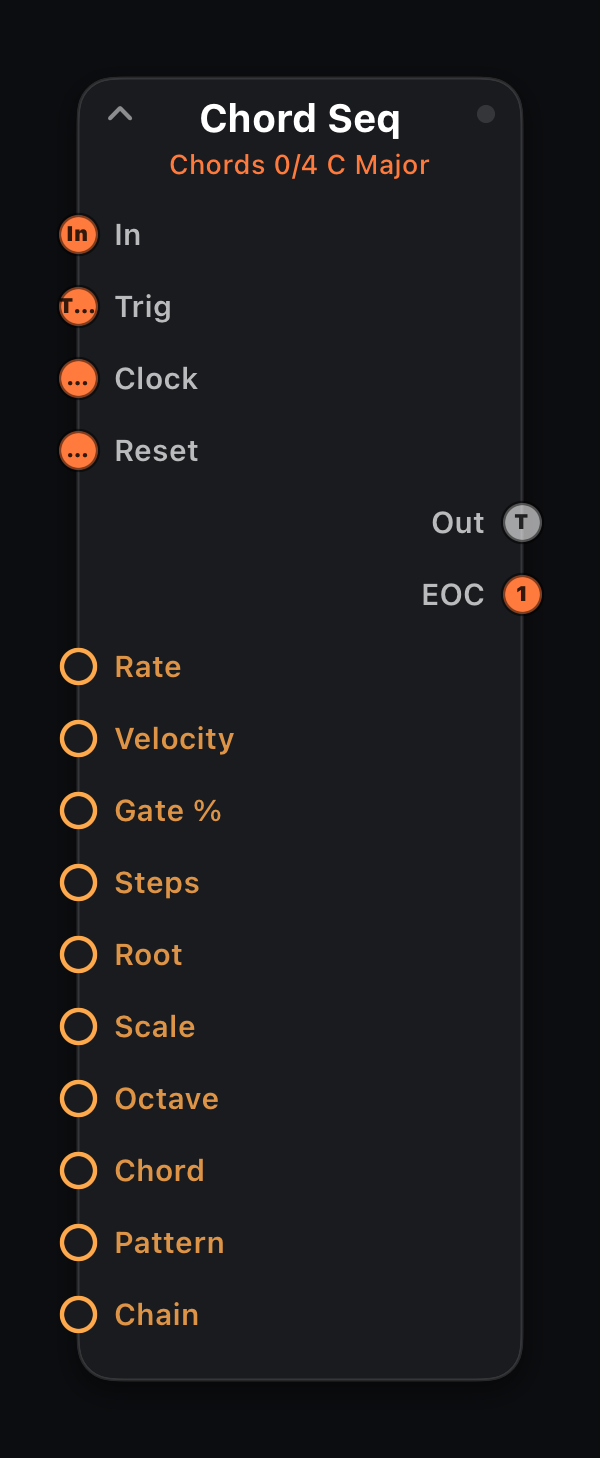
Chord Seq
In · Trig · Clock · Reset · Out: 1× MIDI + EOC
A chord progression sequencer: each step plays a diatonic chord on a scale degree (0 = rest, 1–7 = I…VII), voiced by stacking thirds in Root + Scale at Octave — as triads or, with Chord set to 7th, four-voice sevenths. Degrees 1·6·4·5 in C Major play the classic C–Am–F–G.
Same step machinery as the other lanes: the surface Sequencer Lane+ control shows each step as a named chord pad ("C", "Am", "G7" with its roman numeral) that follows the Root / Scale / Chord knobs live, with per-step velocity, probability, tie (holds the previous chord through the step) and trigger condition layers.
Input ports
| Port | Role |
|---|---|
| In | Primary MIDI path — incoming events pass through unchanged to Out. |
| Trig | External step clock: each note-on advances the internal pattern one step (overrides Rate). |
| Clock | Wire from a Clock node — one pulse per step (mutually exclusive with Trig). |
| Reset | A note-on or clock pulse restarts the pattern at step 1 (on either clock mode) — wire a master lane's EOC or a performance pad here to re-align lanes. |
Output ports
| Port | Role |
|---|---|
| Out | Chord tones per step; input passes through alongside. |
| EOC | End-of-cycle trigger — one clock pulse each time the pattern wraps to step 1. Wire into another node's Trig or Clock to chain patterns. |
Parameters
| Parameter | Role |
|---|---|
| Rate | Clock division (`4/1` … `1/64`, including `1/8T`). Follows host transport tempo. |
| Velocity | Note-on velocity 1–127. |
| Gate % | Note length as percent of one grid step (1–100). |
| Steps | Pattern length 1–16. |
| Root | Key root (C, C#, D…) the degrees are built in. |
| Scale | Scale the chords are stacked from (Major, Minor, modes…). |
| Octave | Register of the degree-1 chord root (1–7). |
| Chord | Triad or 7th — three or four stacked scale thirds. |
| Pattern | Active pattern bank A–D — four independent 16-step patterns per lane (steps, probability, tie, condition and microtiming all switch together). A switch lands at the next pattern wrap; pick banks on the Lane+ A·B·C·D chips or bind/modulate the parameter. |
| Chain | Off, or cycle banks A·B / A·B·C / A·B·C·D automatically — one bank per pattern loop (overrides Pattern). |
| Step 1–16 | Scale degree per step (0 = rest, 1–7 = I…VII). Edit on the surface step grid. |
| Vel 1–16 | Per-step velocity as a percentage of Velocity (1–100, default 100) — shape accents and ghost notes. Lane+ control only. |
| Prob 1–16 | Per-step probability 0–100% (default 100). Lane+ control only. |
| Tie 1–16 | Per-step tie — suppresses the step's own note and extends the previous note's gate through it instead. Lane+ control only. |
| Cond 1–16 | Per-step trigger condition — fires only on that one pass out of every M loops (Always, `1:2`…`4:4`). Lane+ control only. |
| Micro 1–16 | Per-step timing nudge −50% … +50% of one grid step. Surface grid only. |
Every parameter accepts amber mod wires (MIDI In signals, LFO, Attractor, Life stats, etc.).
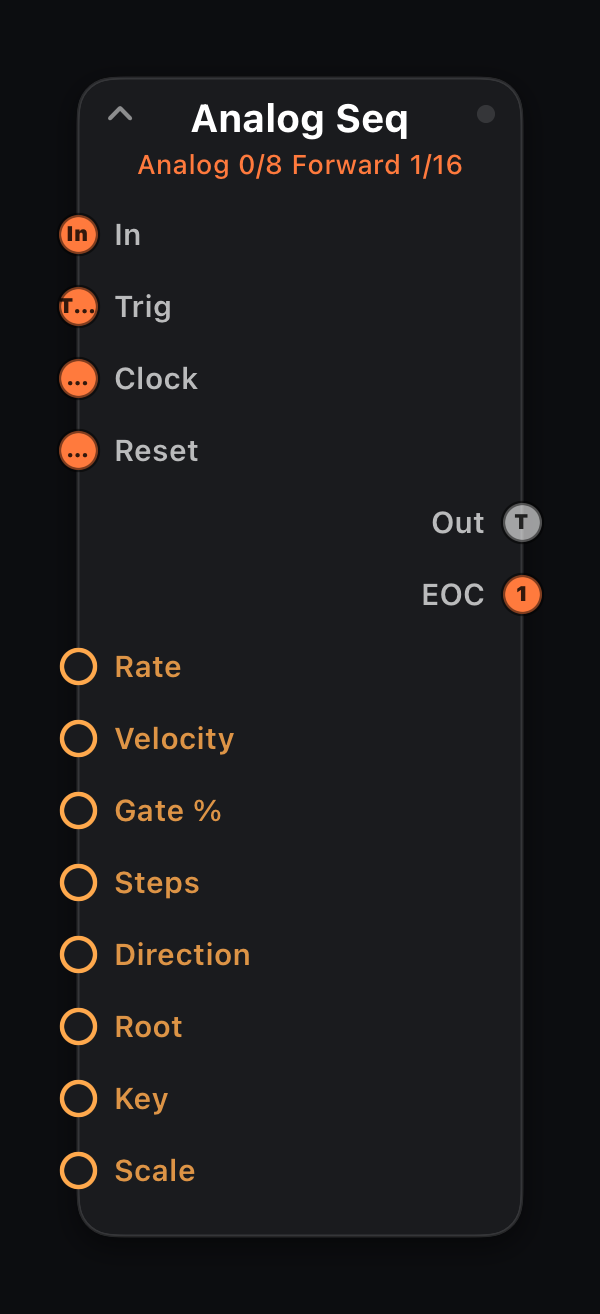
Analog Seq
In · Trig · Clock · Reset · Out: 1× MIDI + EOC
The knob-per-step analog machine: eight pitches set as semitone offsets above Root (0 = off, +0…+24), walked Forward, Backward, Pendulum or Random. No banks, no piano roll — one row you dial in and perform.
Play a key and the whole row re-roots to it live (last-note latch, SH-101 style); the played note itself is consumed. A Slide step holds its note through the next step's onset — put Mono + Glide downstream and slides become true 303-style portamento. The velocity layer is the accent row: drag steps up to punch them.
Input ports
| Port | Role |
|---|---|
| In | Primary MIDI path — incoming events pass through unchanged to Out. |
| Trig | External step clock: each note-on advances the internal pattern one step (overrides Rate). |
| Clock | Wire from a Clock node — one pulse per step (mutually exclusive with Trig). |
| Reset | A note-on or clock pulse restarts the pattern at step 1 (on either clock mode) — wire a master lane's EOC or a performance pad here to re-align lanes. |
Output ports
| Port | Role |
|---|---|
| Out | The stepped row; non-note input passes through alongside. |
| EOC | End-of-cycle trigger — one clock pulse each time the pattern wraps to step 1. Wire into another node's Trig or Clock to chain patterns. |
Parameters
| Parameter | Role |
|---|---|
| Rate | Clock division (`4/1` … `1/64`, including `1/8T`). Follows host transport tempo. |
| Velocity | Note-on velocity 1–127. |
| Gate % | Note length as percent of one grid step (1–100). |
| Steps | Row length, 1–8. |
| Direction | Forward · Backward · Pendulum · Random walk of the row. |
| Root | Base pitch when no key is held; playing a note re-roots the row. |
| Key | Quantizer key root; sounding pitches snap to Key + Scale. |
| Scale | Quantizer scale (Chromatic = off — offsets pass unchanged). |
| Step 1–8 | Semitone offset per step (0 = off, 1–25 = +0…+24 st). Edit on the surface step grid. |
| Vel 1–8 | Accent row — per-step % of Velocity. |
| Slide 1–8 | Hold this step through the next onset (legato tie). |
Every parameter accepts amber mod wires (MIDI In signals, LFO, Attractor, Life stats, etc.).
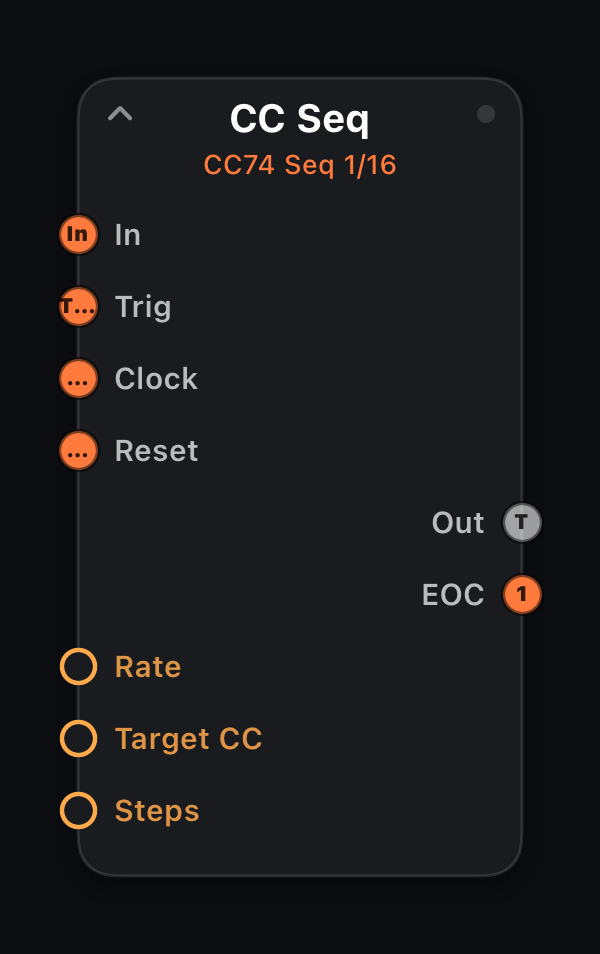
CC Seq
In · Trig · Clock · Reset · Out: 1× MIDI + EOC
A 16-step automation lane for one CC number — stepped filter sweeps, acid resonance, rhythmic tremolo. Each clock step writes the matching step value on Target CC while note data passes through.
Layer several CC Seq nodes on parallel branches to automate multiple parameters in sync.
Input ports
| Port | Role |
|---|---|
| In | Primary MIDI path — incoming events pass through unchanged to Out. |
| Trig | External step clock: each note-on advances the internal pattern one step (overrides Rate). |
| Clock | Wire from a Clock node — one pulse per step (mutually exclusive with Trig). |
| Reset | A note-on or clock pulse restarts the pattern at step 1 (on either clock mode) — wire a master lane's EOC or a performance pad here to re-align lanes. |
Output ports
| Port | Role |
|---|---|
| Out | MIDI passthrough with the stepped value written on Target CC. |
| EOC | End-of-cycle trigger — one clock pulse each time the pattern wraps to step 1. Wire into another node's Trig or Clock to chain patterns. |
Parameters
| Parameter | Role |
|---|---|
| Rate | Clock division (`4/1` … `1/64`, including `1/8T`). Follows host transport tempo. |
| Target CC | MIDI CC number to write (0–127). |
| Steps | Pattern length 1–16. |
| Step 1–16 | CC value 0–127 per step. Edit on the surface step grid. |
| Prob 1–16 | Per-step probability 0–100% (default 100). Lane+ control only. |
| Cond 1–16 | Per-step trigger condition — fires only on that one pass out of every M loops (Always, `1:2`…`4:4`). Lane+ control only. |
Every parameter accepts amber mod wires (MIDI In signals, LFO, Attractor, Life stats, etc.).
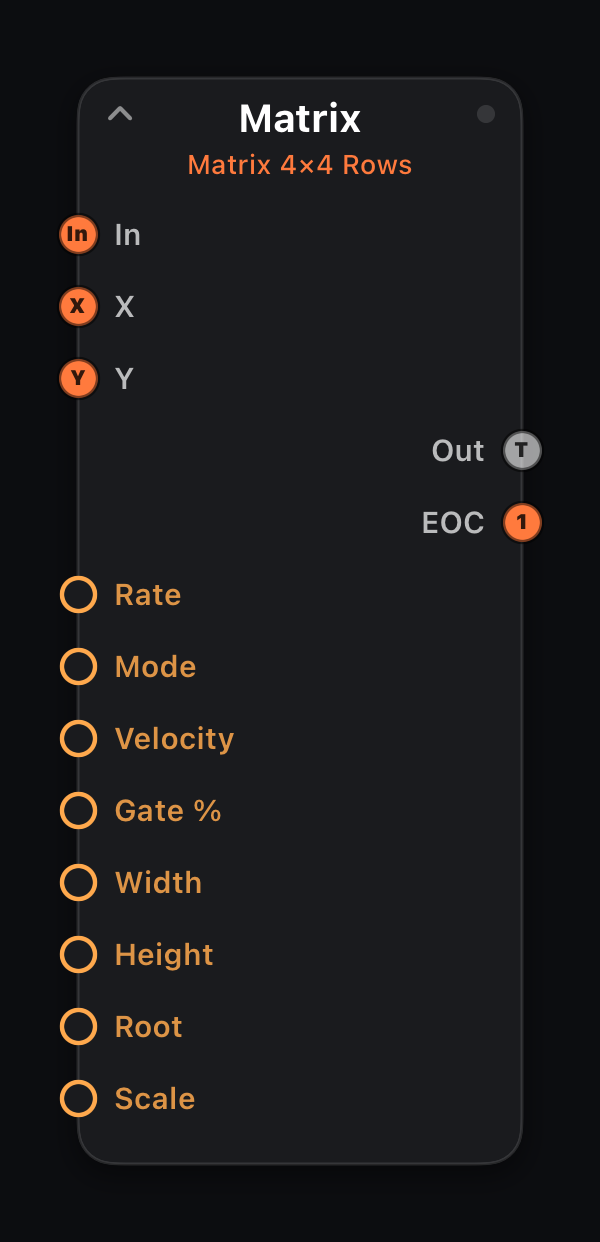
Matrix
In · X Trig · Y Trig · Out: 1× MIDI + EOC
A grid sequencer: a grid of note values (0 = rest, default 4×4, up to 8×8). The internal clock walks the grid at Rate in a Mode — Rows, Columns, Snake, Diagonal, Spiral or Random — one cell per step, playing the current cell's note.
Or scan it as an XY sequencer: wire clocks into X Trig and Y Trig to advance column and row independently. Built-in Root + Scale snap each cell's output in-key (Chromatic = off). Like the other sequencers it pulses EOC when the cursor returns to the origin. Bind a surface Matrix control to edit the grid with a live playhead.
Input ports
| Port | Role |
|---|---|
| In | Primary MIDI path — passes through unchanged to Out. |
| X Trig | Note-ons advance the column one step (overrides the internal clock). |
| Y Trig | Note-ons advance the row one step — wire two clocks for XY scanning. |
Output ports
| Port | Role |
|---|---|
| Out | Note of the current cell (0 = rest); input passes through. |
| EOC | End-of-cycle trigger — one clock pulse each time the pattern wraps to step 1. Wire into another node's Trig or Clock to chain patterns. |
Parameters
| Parameter | Role |
|---|---|
| Rate | Clock division (`4/1` … `1/64`, including `1/8T`). Follows host transport tempo. |
| Mode | Traversal: Rows, Columns, Snake, Diagonal, Spiral, Random. |
| Velocity | Note-on velocity 1–127. |
| Gate % | Note length as percent of one grid step (1–100). |
| Width | Active grid columns 2–8. |
| Height | Active grid rows 2–8. |
| Root | Scale root (C, C#, D…). Used with Scale to snap output notes in-key. |
| Scale | Scale name (Major, Minor, Pentatonic…). Chromatic (default) passes every note unchanged — effectively off. |
| Cell 1–64 | MIDI note per cell (0 = rest); the active Width × Height subset plays. Edit on the surface Matrix grid. |
| Prob 1–64 | Per-cell probability 0–100% (default 100). Engine-only — no dedicated surface control yet, but wireable as a mod destination. |
| Tie 1–64 | Per-cell tie — suppresses the cell's own note and extends the previously fired note's gate through it instead. Engine-only. |
| Cond 1–64 | Per-cell trigger condition — fires only on that one pass out of every M loops around the origin (Always, `1:2`…`4:4`). Engine-only. |
Every parameter accepts amber mod wires (MIDI In signals, LFO, Attractor, Life stats, etc.).
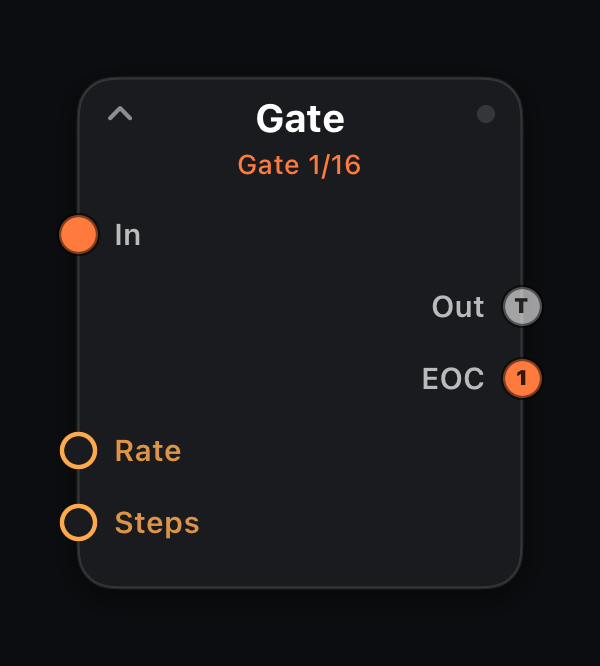
Gate
In: 1× MIDI · Out: 1× MIDI + EOC
Also called Trance Gate. Holds incoming notes and chops them with a 16-step on/off pattern — sustained chords become a rhythmic pulse without retriggering the source.
Unlike a sequencer, it reacts to whatever you play in real time. Draw the gate pattern on the step row for trance, house and EDM stutters.
Output ports
| Port | Role |
|---|---|
| Out | Gated note stream. |
| EOC | End-of-cycle trigger — one clock pulse each time the pattern wraps to step 1. Wire into another node's Trig or Clock to chain patterns. |
Parameters
| Parameter | Role |
|---|---|
| Rate | Clock division (`4/1` … `1/64`, including `1/8T`). Follows host transport tempo. |
| Steps | Pattern length 1–16. |
| Step 1–16 | Gate open (1) or closed (0) per grid step. Draw on the step row. |
Every parameter accepts amber mod wires (MIDI In signals, LFO, Attractor, Life stats, etc.).
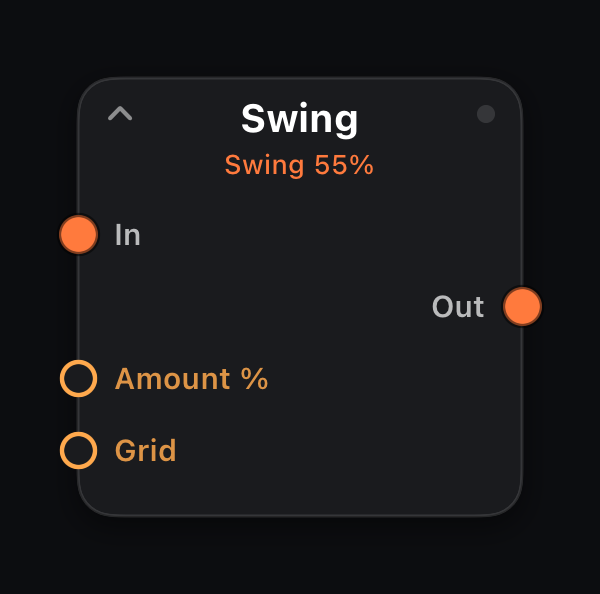
Swing
In: 1× MIDI · Out: 1× MIDI
Adds shuffle by delaying off-beat note-ons. Amount sets how late (percent of half a grid step); Grid is the timing reference.
Place after sequencers, arps or generators to loosen rigid timing without changing the underlying pattern.
Parameters
| Parameter | Role |
|---|---|
| Amount % | Shuffle depth 0–100%. Higher = more laid-back off-beats. |
| Grid | Reference clock division for quantization or swing (`4/1` … `1/64`). |
Every parameter accepts amber mod wires (MIDI In signals, LFO, Attractor, Life stats, etc.).
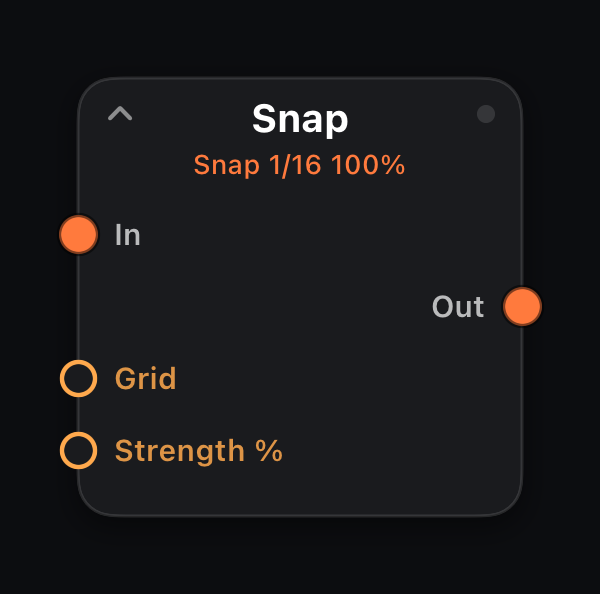
Snap
In: 1× MIDI · Out: 1× MIDI
Quantizes note-on timing to the clock grid while preserving note lengths. Strength blends dry input (0%) with fully locked timing (100%).
Use after live keyboard input or Humanize to tighten a part without reprogramming it.
Parameters
| Parameter | Role |
|---|---|
| Grid | Reference clock division for quantization or swing (`4/1` … `1/64`). |
| Strength % | Blend 0% = passthrough timing, 100% = fully snapped. |
Every parameter accepts amber mod wires (MIDI In signals, LFO, Attractor, Life stats, etc.).
Control — mute, A/B switch, seq router, triggers
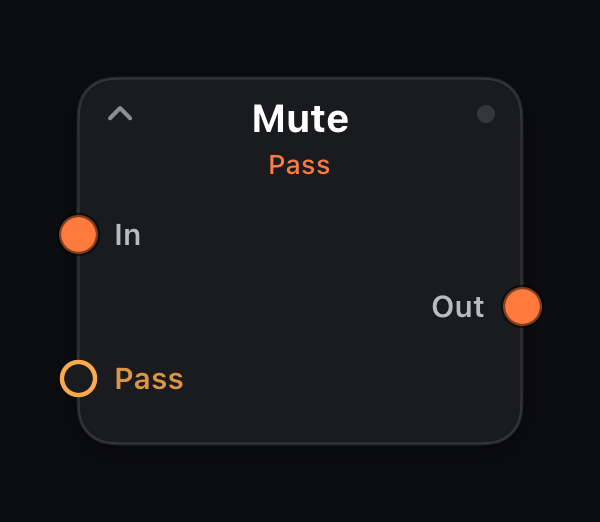
Mute
In: 1× MIDI · Out: 1× MIDI
Branch mute / bypass. When Pass is Off the stream is silenced and held notes are flushed; On lets events through normally.
Bind a toggle button to Pass to mute a part during performance.
Parameters
| Parameter | Role |
|---|---|
| Pass | Off = muted (notes flushed), On = live. |
Every parameter accepts amber mod wires (MIDI In signals, LFO, Attractor, Life stats, etc.).
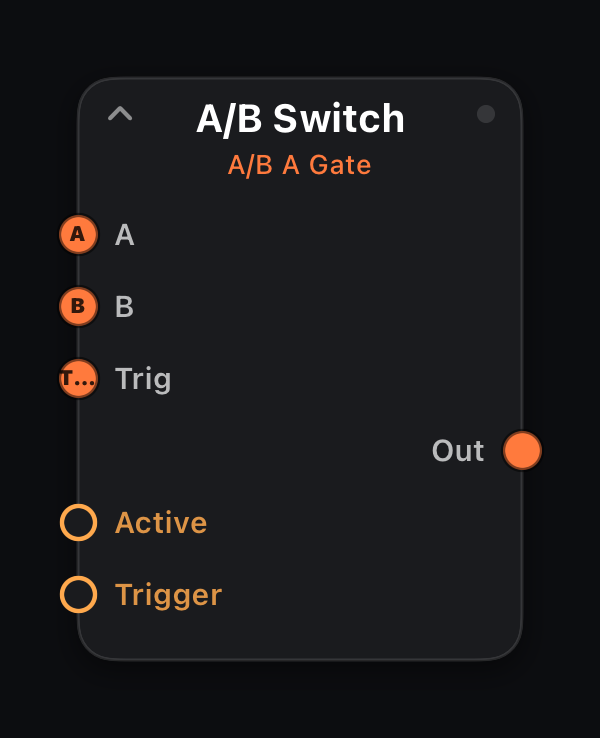
A/B Switch
In: A · B · Trig · Out: 1× MIDI
Routes one of two musical inputs to Out. Active picks A or B when no trigger is active. Wire a sequencer or keyboard to Trig for performance switching.
In Gate mode (default), B is selected while trigger notes are held; Toggle flips on each trigger note-on. Off ignores Trig.
Input ports
| Port | Role |
|---|---|
| A | First musical input — heard when Active is A. |
| B | Second musical input — heard when Active is B. |
| Trig | Control input — note-ons here drive Gate (hold B while trigger notes play) or Toggle mode. |
Parameters
| Parameter | Role |
|---|---|
| Active | A or B when trigger input is idle. |
| Trigger | Off / Gate / Toggle — how Trig port behaves. |
Every parameter accepts amber mod wires (MIDI In signals, LFO, Attractor, Life stats, etc.).
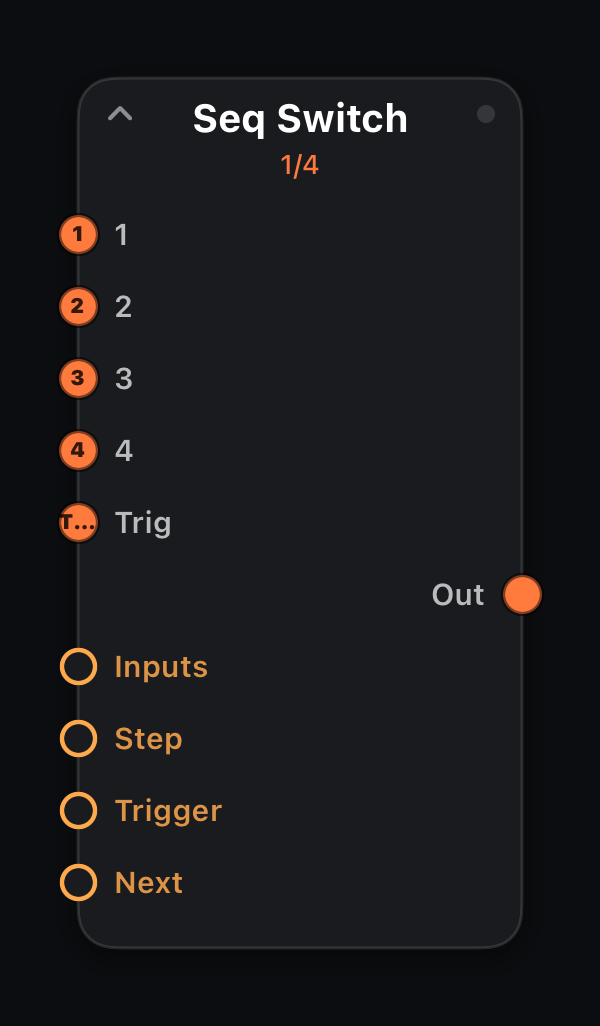
Seq Switch
In: 1…N + Trig · Out: 1× MIDI
Sequential router: wire different musical sources to inputs 1…N and a clock or trigger source to Trig. Each trigger note-on advances the active step and passes only that input through.
Step selects manually when Trigger is Off. Held notes are flushed on step change to avoid stuck notes.
Input ports
| Port | Role |
|---|---|
| 1…N | Musical inputs (count = Inputs). Only the active step's stream reaches Out. |
| Trig | Advance clock — each note-on moves to the next input when Trigger is On. |
Parameters
| Parameter | Role |
|---|---|
| Inputs | Number of musical input ports (2–8). |
| Step | Active input index (0-based). Manual when Trigger is Off. |
| Trigger | Off = manual Step; On = advance on each Trig note-on. |
| Next | Momentary — advance one step (same as a trigger pulse). |
Every parameter accepts amber mod wires (MIDI In signals, LFO, Attractor, Life stats, etc.).
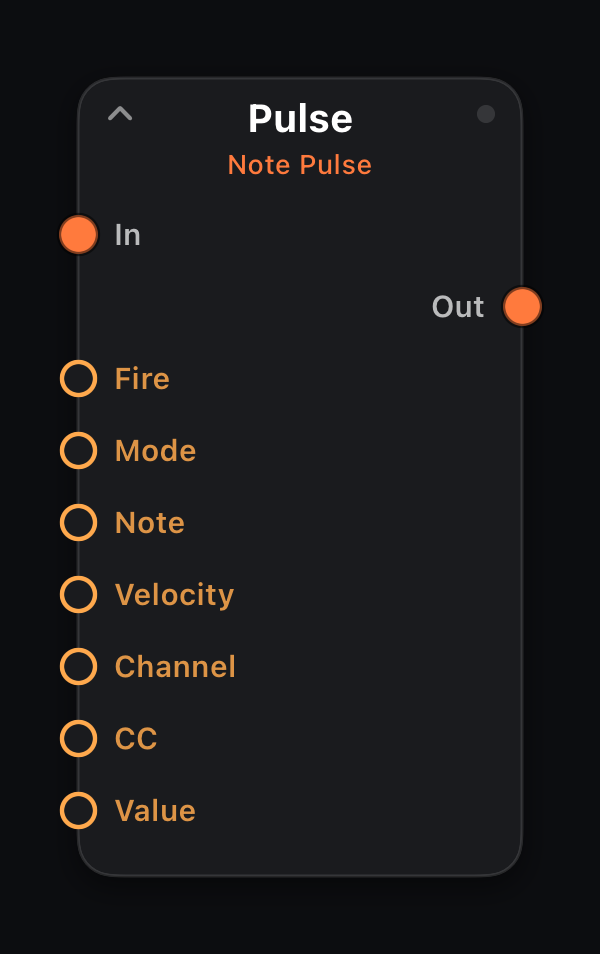
Pulse
In: 1× MIDI · Out: 1× MIDI
Momentary trigger node. A rising edge on Fire emits a short note burst or a CC value depending on Mode. Incoming MIDI passes through unchanged.
Bind a momentary pad or button to Fire for one-shot hits and automation spikes.
Parameters
| Parameter | Role |
|---|---|
| Fire | Momentary — rising edge fires the pulse. |
| Mode | Note = MIDI note burst; CC = single CC value. |
| Note | MIDI note number 0–127. |
| Velocity | Note-on velocity 1–127. |
| Channel | MIDI channel 1–16 for Note mode. |
| CC | CC number for CC mode. |
| Value | CC value 0–127 for CC mode. |
Every parameter accepts amber mod wires (MIDI In signals, LFO, Attractor, Life stats, etc.).
Filter & Route — channel, range, split, chance
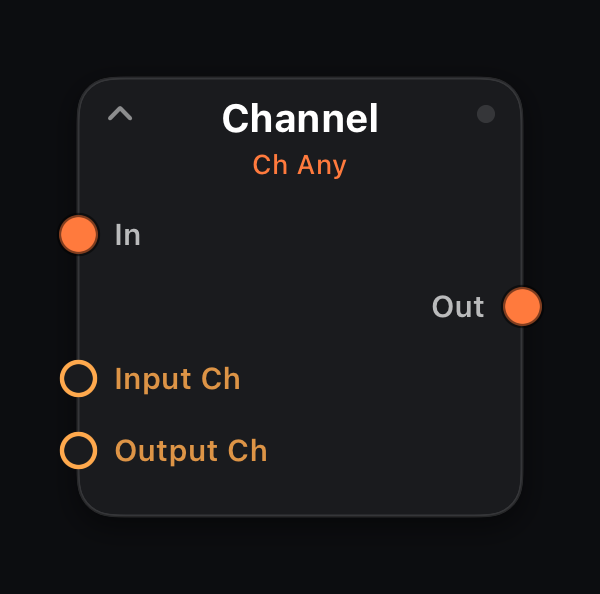
Channel
In: 1× MIDI · Out: 1× MIDI
Filters MIDI by channel and optionally remaps it. Passes only events on Input Ch (0 = any channel) and can rewrite them to Output Ch (0 = leave channel unchanged).
Route one branch to channel 10 for drums and another to channel 1 for bass in a multitimbral rig.
Parameters
| Parameter | Role |
|---|---|
| Input Ch | 0 = accept any channel; 1–16 = filter to that channel. |
| Output Ch | 0 = keep original channel; 1–16 = force output channel. |
Every parameter accepts amber mod wires (MIDI In signals, LFO, Attractor, Life stats, etc.).
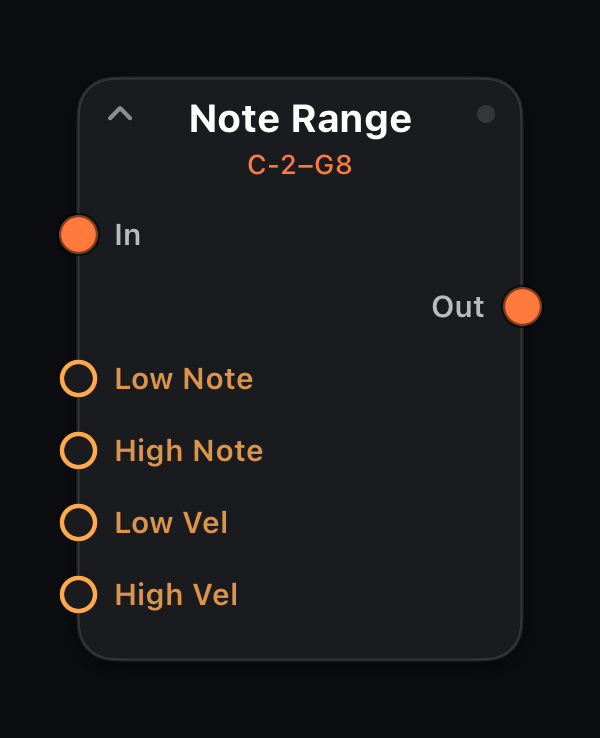
Note Range
In: 1× MIDI · Out: 1× MIDI
Passes only notes inside pitch and velocity windows. Events outside Low/High Note or Low/High Vel are dropped; CC and other message types pass through.
Split a keyboard by pitch, isolate hard hits, or block low-end rumble before a bass synth.
Parameters
| Parameter | Role |
|---|---|
| Low Note | Lowest pitch in range (0–127). |
| High Note | Highest pitch in range (0–127). |
| Low Vel | Minimum velocity 1–127. |
| High Vel | Maximum velocity 1–127. |
Every parameter accepts amber mod wires (MIDI In signals, LFO, Attractor, Life stats, etc.).
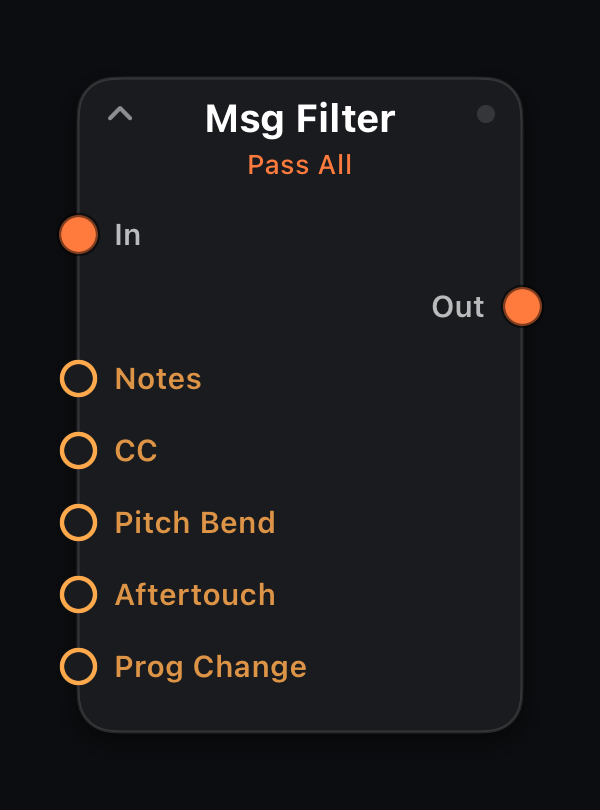
Msg Filter
In: 1× MIDI · Out: 1× MIDI
Per-type Pass/Block switches for Notes, CC, Pitch Bend, Aftertouch and Program Change. Strip CC clutter or pass only notes to a monophonic line.
Parameters
| Parameter | Role |
|---|---|
| Notes | Pass or Block note on/off. |
| CC | Pass or Block control change. |
| Pitch Bend | Pass or Block pitch wheel. |
| Aftertouch | Pass or Block channel pressure. |
| Prog Change | Pass or Block program change. |
Every parameter accepts amber mod wires (MIDI In signals, LFO, Attractor, Life stats, etc.).
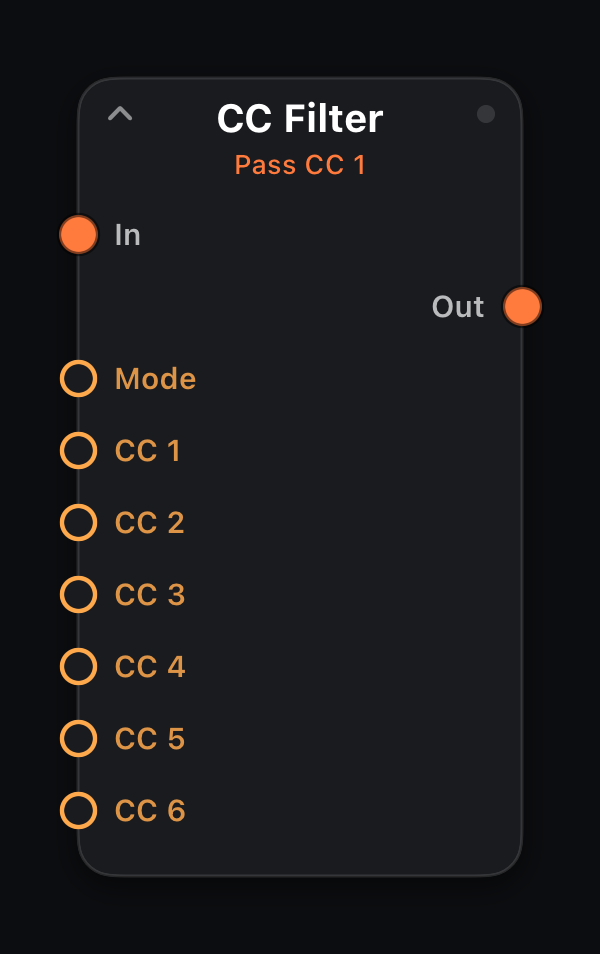
CC Filter
In: 1× MIDI · Out: 1× MIDI
Per-number CC filter: list up to six CC numbers and choose Pass Listed (only those survive) or Block Listed (everything but those). Non-CC messages always pass.
Keep just the mod wheel and CC 74 for a synth that misbehaves on stray controllers, or strip one noisy encoder without losing the rest. Set a slot to Off (128) to leave it unused.
Parameters
| Parameter | Role |
|---|---|
| Mode | Pass Listed = only the listed CCs survive; Block Listed = they are removed. |
| CC 1–6 | CC numbers 0–127; Off (128) = slot unused. |
Every parameter accepts amber mod wires (MIDI In signals, LFO, Attractor, Life stats, etc.).
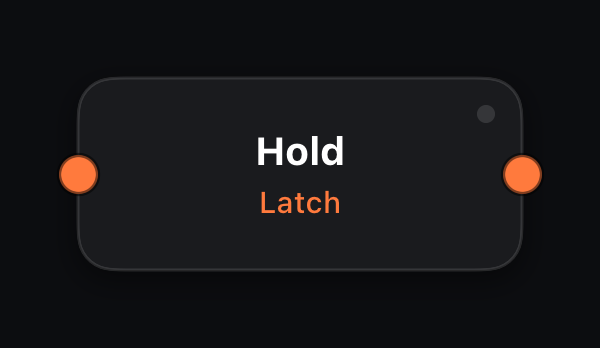
Hold
In: 1× MIDI · Out: 1× MIDI
A monophonic note latch: each new note-on replaces the previous held note. The prior note-off is sent when the next note arrives — legato overlap on a single voice with no extra parameters.
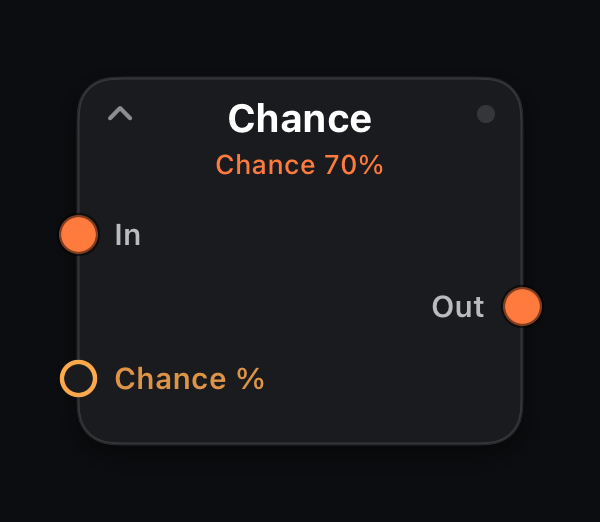
Chance
In: 1× MIDI · Out: 1× MIDI
Probabilistic gate: each note-on passes with Chance %; note-offs always pass so notes never stick. Thin dense streams or add organic drop-outs to arps and generators.
Parameters
| Parameter | Role |
|---|---|
| Chance % | Probability 0–100% that an event fires. |
Every parameter accepts amber mod wires (MIDI In signals, LFO, Attractor, Life stats, etc.).
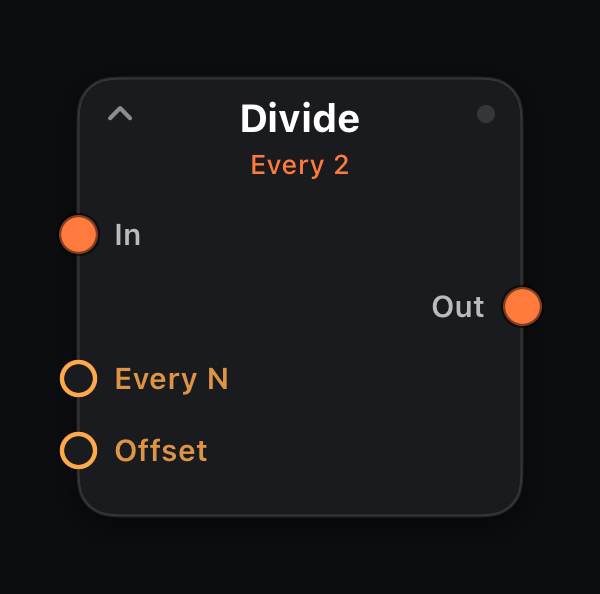
Divide
In: 1× MIDI · Out: 1× MIDI
Passes every Nth note-on after skipping Offset hits — accent every third note in a run, or extract a sparse melody from busy generator output.
Also divides clock pulses: every Nth pulse from a Clock node passes through (separate counter from notes). Halve or quarter a master clock into a generator's Clock input.
Parameters
| Parameter | Role |
|---|---|
| Every N | Pass every Nth note-on or clock pulse (1–8). |
| Offset | Skip this many events before counting (0–7). |
Every parameter accepts amber mod wires (MIDI In signals, LFO, Attractor, Life stats, etc.).
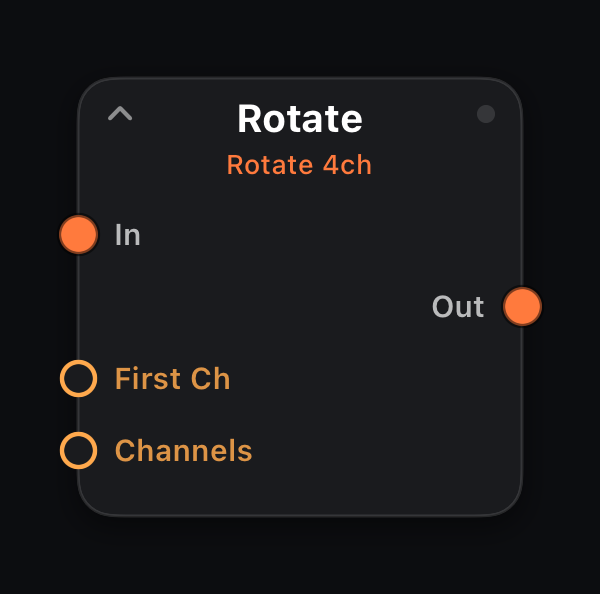
Rotate
In: 1× MIDI · Out: 1× MIDI
Round-robin channel assignment: first note goes to First Ch, then increments, wrapping after Channels count. Spread one stream across multitimbral timbres or layered synth patches.
Parameters
| Parameter | Role |
|---|---|
| First Ch | MIDI channel for the first note (1–16). |
| Channels | How many channels to cycle through (1–16). |
Every parameter accepts amber mod wires (MIDI In signals, LFO, Attractor, Life stats, etc.).
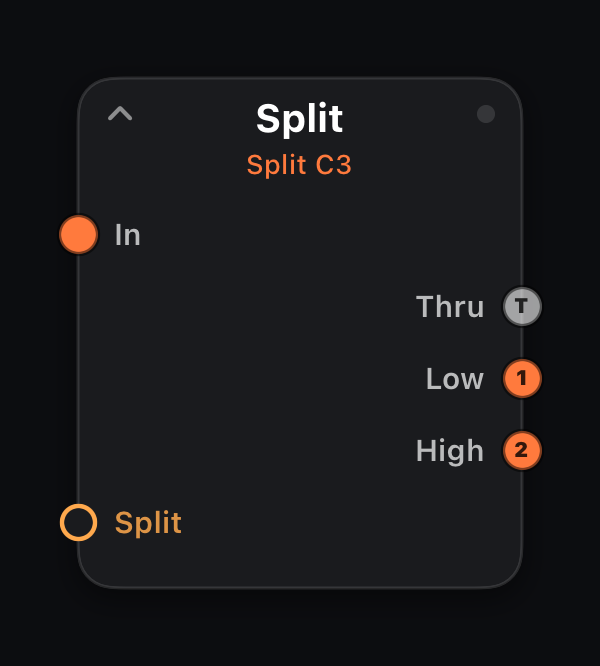
Split
In: 1× MIDI · Out: T · Low · High
Keyboard split at Split pitch. Notes at or below the split point route to Low; above to High. T outputs the full input.
CC, pitch bend and aftertouch copy to both zones.
Output ports
| Port | Role |
|---|---|
| T | Thru — full unmodified input. |
| Low | Notes at or below Split pitch. |
| High | Notes above Split pitch. |
Parameters
| Parameter | Role |
|---|---|
| Split | Split pitch 0–127 (default middle C = 60). |
Every parameter accepts amber mod wires (MIDI In signals, LFO, Attractor, Life stats, etc.).
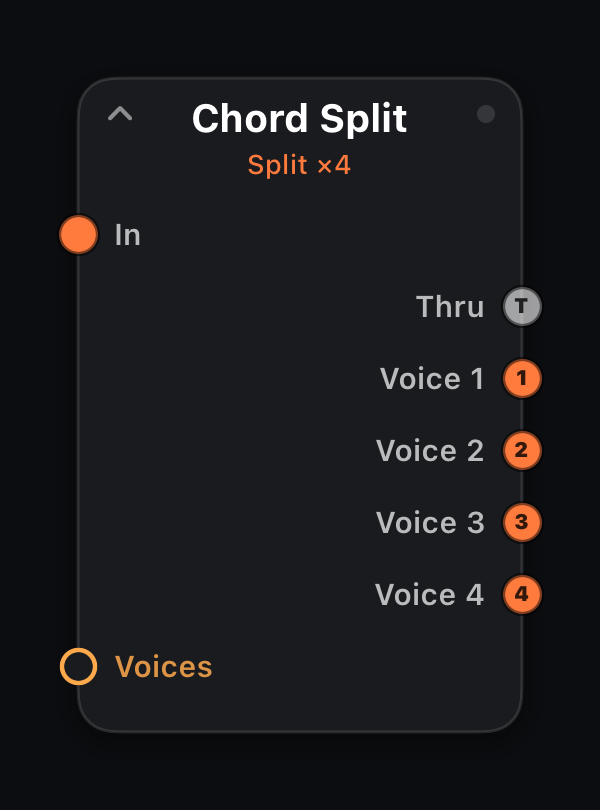
Chord Split
In: 1× MIDI · Out: T · 1…n voices
Decomposes each chord into separate voice outputs (up to Voices). Lowest note → port 1, next → port 2, etc. T passes the untouched chord.
Route each voice to different processing chains for per-note effects.
Output ports
| Port | Role |
|---|---|
| T | Thru — full chord unchanged. |
| 1…n | Individual chord voices (count = Voices), lowest note on port 1. |
Parameters
| Parameter | Role |
|---|---|
| Voices | Number of voice outputs 2–8. |
Every parameter accepts amber mod wires (MIDI In signals, LFO, Attractor, Life stats, etc.).
Notes — transform, chords, mono lines, echo, humanize
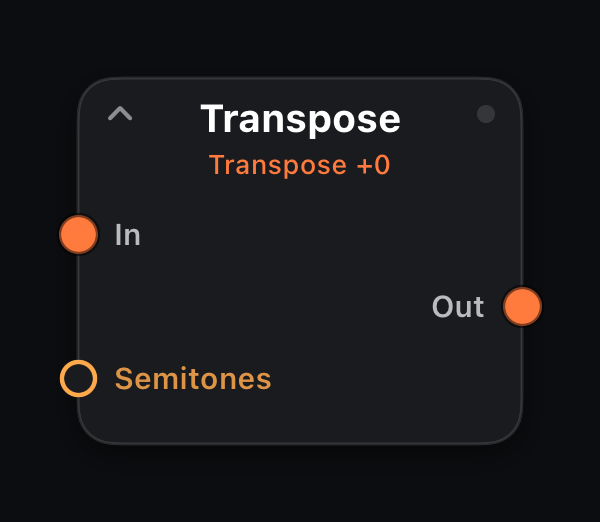
Transpose
In: 1× MIDI · Out: 1× MIDI
Shifts every note by Semitones (−24…+24). Note-offs track the transposed pitch so voices don't stick. Instant key change or fine interval tweak (+7 = fifth up).
Parameters
| Parameter | Role |
|---|---|
| Semitones | Interval shift −24 … +24 semitones. |
Every parameter accepts amber mod wires (MIDI In signals, LFO, Attractor, Life stats, etc.).
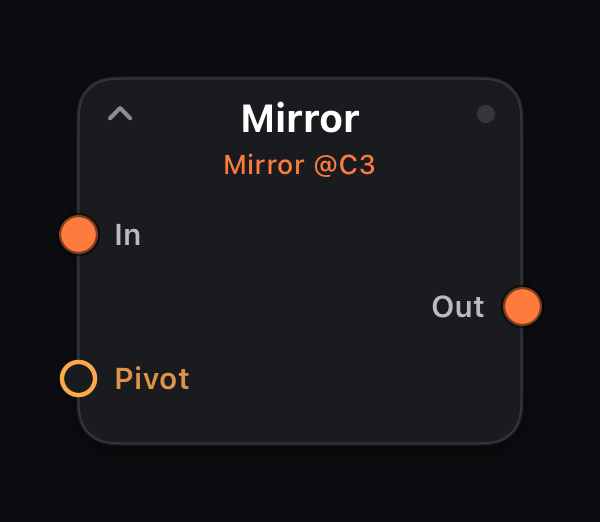
Mirror
In: 1× MIDI · Out: 1× MIDI
Inverts pitch around Pivot — notes above become equidistant below and vice versa. Set pivot to the tonic for inverted lines that stay in register.
Parameters
| Parameter | Role |
|---|---|
| Pivot | Mirror axis 0–127 (MIDI note number). |
Every parameter accepts amber mod wires (MIDI In signals, LFO, Attractor, Life stats, etc.).
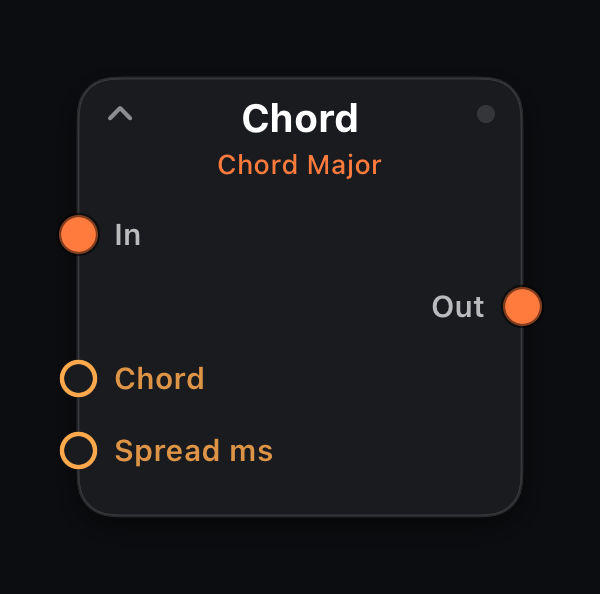
Chord
In: 1× MIDI · Out: 1× MIDI
Expands each note-on into a full Chord type (Major, Minor, 7ths, sus, etc.). Spread staggers voice onsets in milliseconds for a strummed feel. One-finger pad chords.
Parameters
| Parameter | Role |
|---|---|
| Chord | Chord quality (Major, Minor, dim, aug, 7ths, sus…). |
| Spread ms | Delay between chord voices 0–100 ms. |
Every parameter accepts amber mod wires (MIDI In signals, LFO, Attractor, Life stats, etc.).
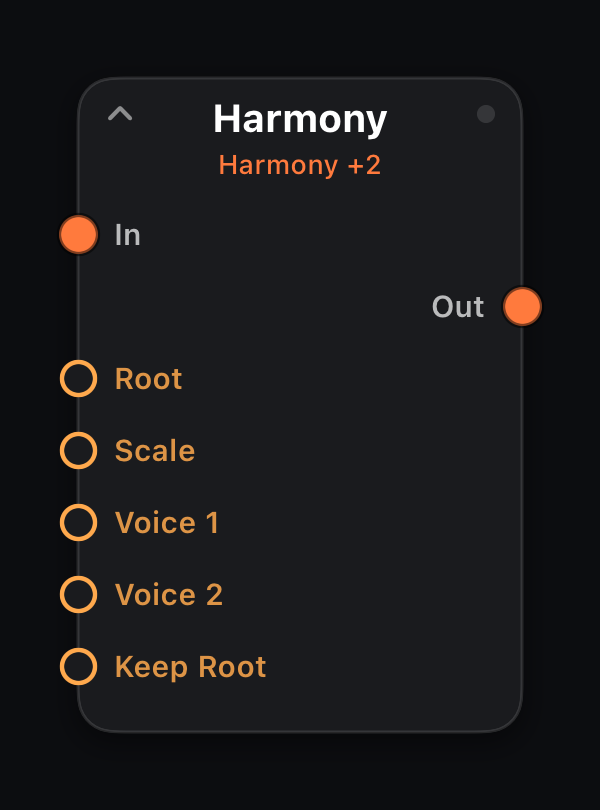
Harmony
In: 1× MIDI · Out: 1× MIDI
Adds up to two diatonic voices at scale-degree offsets from Root + Scale. Keep Root On = original note plus harmonies; Off = harmony voices only.
Parameters
| Parameter | Role |
|---|---|
| Root | Scale root (C, C#, D…). |
| Scale | Diatonic scale for voice selection. |
| Voice 1 | Scale-degree offset for first harmony (−7…+7). |
| Voice 2 | Scale-degree offset for second harmony (−7…+7). |
| Keep Root | On = pass input note plus harmonies; Off = harmonies only. |
Every parameter accepts amber mod wires (MIDI In signals, LFO, Attractor, Life stats, etc.).
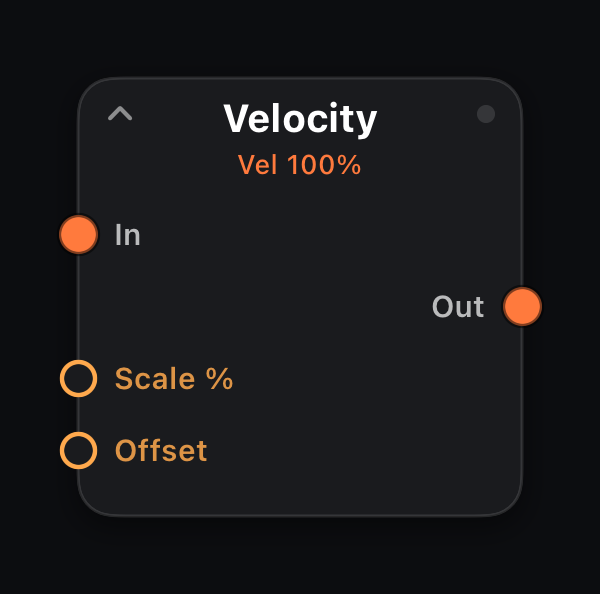
Velocity
In: 1× MIDI · Out: 1× MIDI
Scales note-on velocity: multiply by Scale % then add Offset. Compress or expand dynamics from a controller, sequencer or humanized stream.
Parameters
| Parameter | Role |
|---|---|
| Scale % | Velocity multiplier 0–200%. |
| Offset | Added after scaling (−64…+64). |
Every parameter accepts amber mod wires (MIDI In signals, LFO, Attractor, Life stats, etc.).
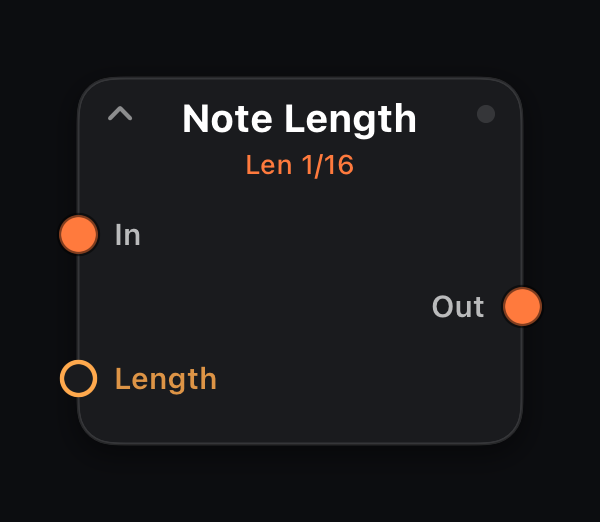
Note Length
In: 1× MIDI · Out: 1× MIDI
Forces a fixed Length (clock division) on every note. Input note-offs are ignored; the node issues its own off at grid time — staccato lines from legato input.
Parameters
| Parameter | Role |
|---|---|
| Length | Fixed note length as a clock division (`4/1` … `1/64`). |
Every parameter accepts amber mod wires (MIDI In signals, LFO, Attractor, Life stats, etc.).
Mono
In: 1× MIDI · Out: 1× MIDI
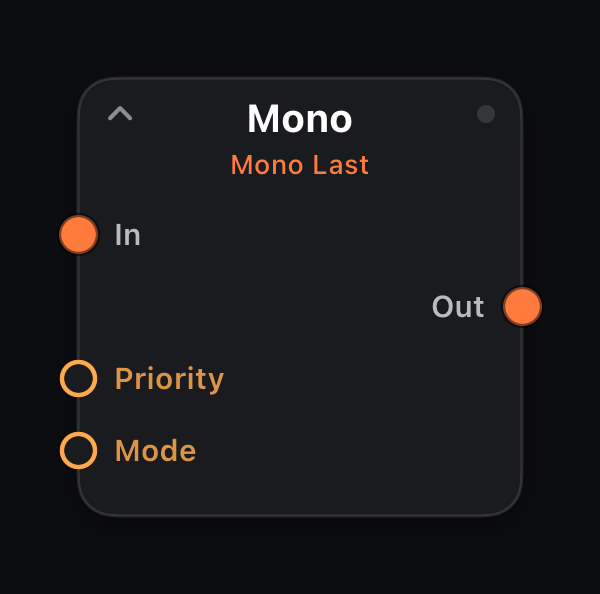
A voice limiter: only one note sounds at a time. Priority picks the winner — Last (newest press steals), Low or High — and releasing the sounding key falls back to the best still-held key, like a classic mono synth.
Mode orders the switch: Retrig closes the old note before the new one; Legato opens the new note first, so a legato-mode synth slides instead of restarting its envelope. Put it before mono basses, leads, or Glide.
Parameters
| Parameter | Role |
|---|---|
| Priority | Which held note wins the voice: Last, Low, or High. |
| Mode | Retrig = off-then-on; Legato = overlapped on-then-off. |
Every parameter accepts amber mod wires (MIDI In signals, LFO, Attractor, Life stats, etc.).
Glide
In: 1× MIDI · Out: 1× MIDI
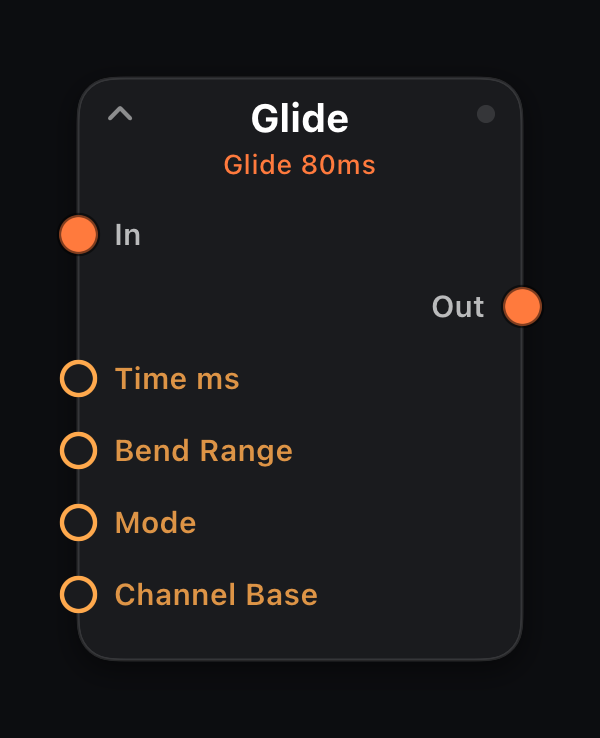
Pitch-bend portamento (the 303 slide): a voice's first note passes through, and when its target note changes the change becomes a smooth pitch-bend ramp toward the new pitch over Time ms instead of a retrigger. Releasing back to a still-held key slides back down. Polyphonic — up to 8 voices glide independently: held notes are ranked by ascending pitch, each rank keeps its own voice, so whole chords slide when the harmony shifts.
Pitch bend is channel-wide, so each voice gets its own fixed output channel (Channel Base + voice index, wrapping mod 16) — the one-channel-per-voice trick MPE controllers use. Bend Range is announced on every voice channel as pitch-bend sensitivity (RPN 0,0), so the built-in Synth — and RPN-honoring hardware — lands exactly on pitch; jumps beyond the range re-anchor with a fresh note and keep sliding. Always mode glides even detached notes in from the previous pitch.
Parameters
| Parameter | Role |
|---|---|
| Time ms | Glide time 5–2000 ms per slide. |
| Bend Range | Bend span in semitones (1–48); match the receiver. |
| Mode | Legato = only overlapping notes slide; Always = every note. |
| Channel Base | Lowest of the 8 per-voice output channels (1–16). |
Every parameter accepts amber mod wires (MIDI In signals, LFO, Attractor, Life stats, etc.).
Ratchet
In: 1× MIDI · Out: 1× MIDI
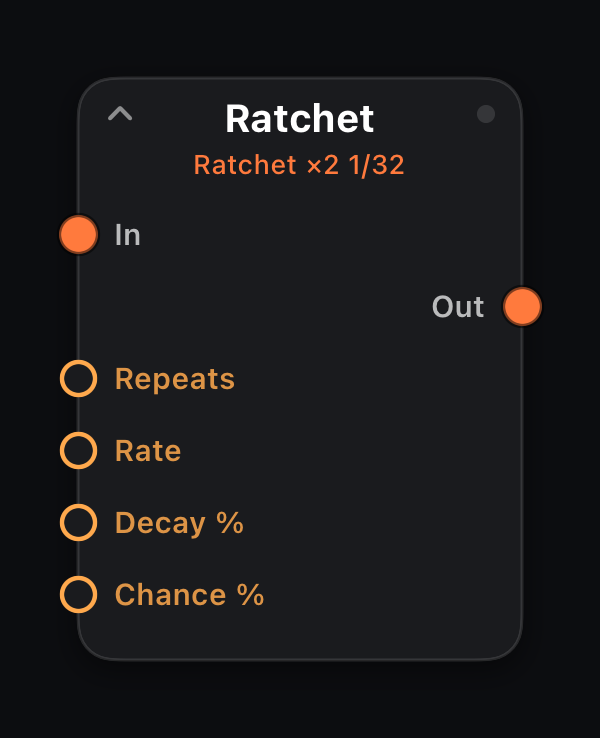
On each incoming note-on, fires Repeats additional hits at Rate with Decay % velocity falloff and Chance % per hit. Machine-gun hi-hats and trap snares.
Parameters
| Parameter | Role |
|---|---|
| Repeats | Extra hits per note-on 1–4. |
| Rate | Clock division (`4/1` … `1/64`, including `1/8T`). Follows host transport tempo. |
| Decay % | Velocity falloff per repeat 0–100%. |
| Chance % | Probability 0–100% that an event fires. |
Every parameter accepts amber mod wires (MIDI In signals, LFO, Attractor, Life stats, etc.).
Echo
In: 1× MIDI · Out: 1× MIDI
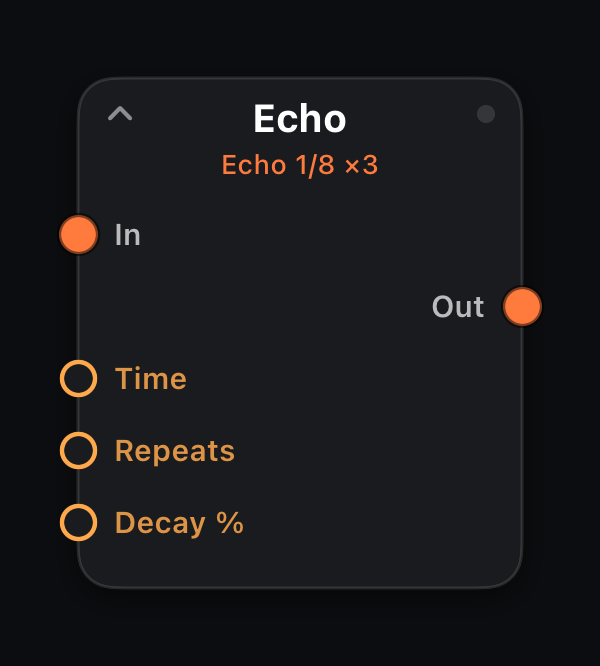
Tempo-synced MIDI delay: Repeats echoes at Time division, each quieter by Decay %. Original notes pass through; echoes are added alongside.
Parameters
| Parameter | Role |
|---|---|
| Time | Delay interval as a clock division (`4/1` … `1/64`). |
| Repeats | Number of echo taps 1–8. |
| Decay % | Velocity reduction per repeat 0–100%. |
Every parameter accepts amber mod wires (MIDI In signals, LFO, Attractor, Life stats, etc.).
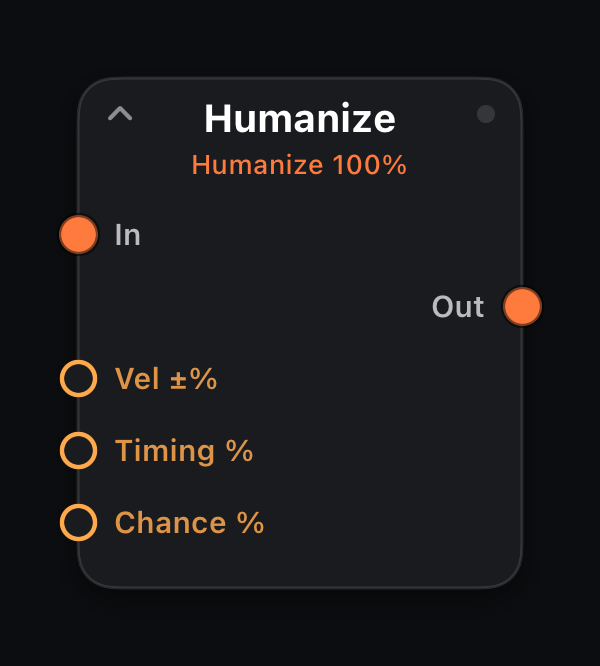
Humanize
In: 1× MIDI · Out: 1× MIDI
Adds controlled randomness: Vel ±% jitter, Timing % shift and Chance % dropouts. Place after sequencers for life; before Snap to tighten back up.
Parameters
| Parameter | Role |
|---|---|
| Vel ±% | Random velocity variation 0–100%. |
| Timing % | Random timing jitter 0–100%. |
| Chance % | Probability 0–100% that an event fires. |
Every parameter accepts amber mod wires (MIDI In signals, LFO, Attractor, Life stats, etc.).
Pitch & Scale — quantize and arpeggiate
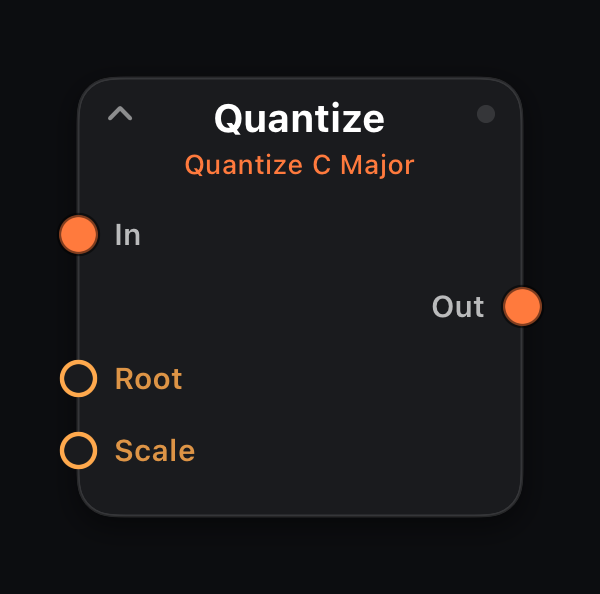
Quantize
In: 1× MIDI · Out: 1× MIDI
Snaps every note to Root + Scale. Essential after Random Notes, Walk, or emergence generators; also sweetens live keyboard input into a chosen key.
Parameters
| Parameter | Role |
|---|---|
| Root | Scale root (C, C#, D…). |
| Scale | Scale name (Major, Minor, Pentatonic, etc.). |
Every parameter accepts amber mod wires (MIDI In signals, LFO, Attractor, Life stats, etc.).
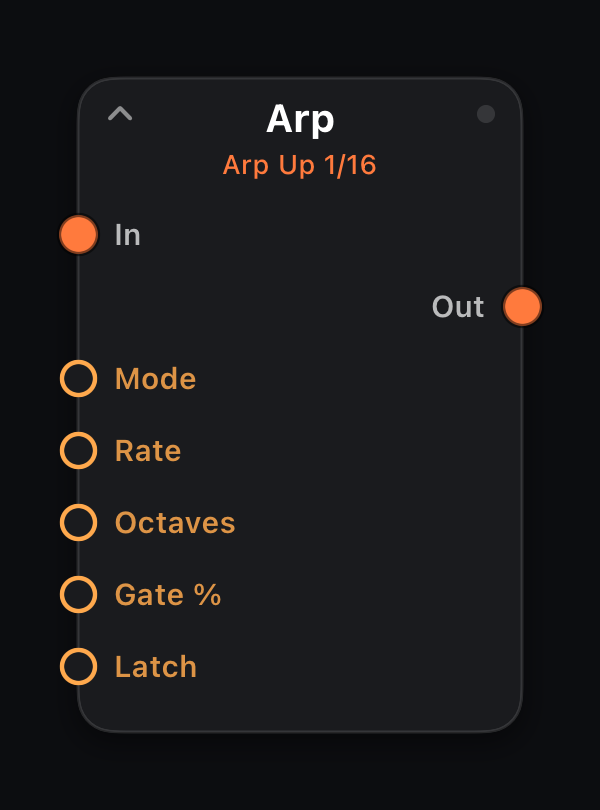
Arp
In: 1× MIDI · Out: 1× MIDI
Arpeggiates held notes in Mode (Up, Down, Up/Down, Random…) at Rate across Octaves with Gate % length. Latch keeps running after keys are released.
Hold a chord for running trance and synth-wave leads.
Parameters
| Parameter | Role |
|---|---|
| Mode | Arp direction / pattern. |
| Rate | Clock division (`4/1` … `1/64`, including `1/8T`). Follows host transport tempo. |
| Octaves | Range extension 0–4 octaves. |
| Gate % | Note length as percent of one grid step (1–100). |
| Latch | Off = stop when keys released; On = keep arpeggiating. |
Every parameter accepts amber mod wires (MIDI In signals, LFO, Attractor, Life stats, etc.).
Generate & Modulate — clock, euclidean, LFOs, CC tools
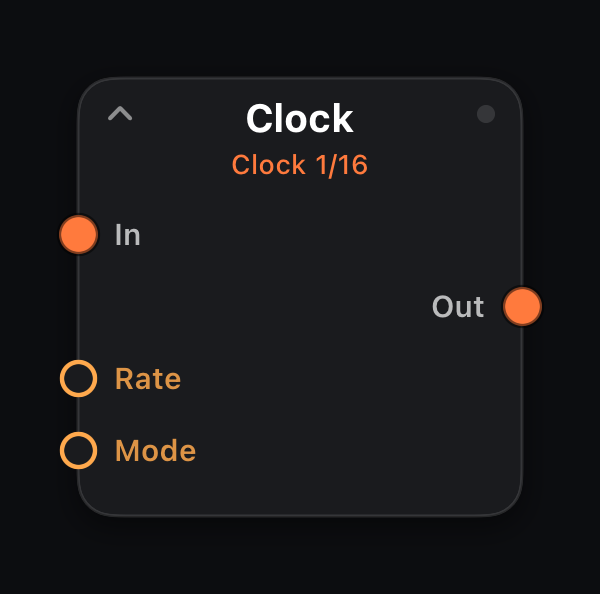
Clock
In: 1× MIDI (pass-through) · Out: 1× MIDI + clock pulses
A dedicated timing pulse generator. Emits one clock pulse per Rate step on the MIDI stream (in addition to passing input through). Wire Out to the Clock input of sequencers and generators to drive many nodes from one master tempo.
Sync steps on a clock division, locked to the host transport (pauses when stopped). Free ticks at a Rate Hz you set — independent of the transport and the tempo, so it keeps going while stopped and doesn't speed up with the song.
Parameters
| Parameter | Role |
|---|---|
| Rate | Clock division (`4/1` … `1/64`, including `1/8T`). Follows host transport tempo. |
| Mode | Sync = follow host transport on the clock division; Free = run at Rate Hz. |
| Rate Hz | Free mode only: cycles per second, 0.05–20 Hz. Shown in place of the clock division once Mode is Free; ignored in Sync. |
Every parameter accepts amber mod wires (MIDI In signals, LFO, Attractor, Life stats, etc.).
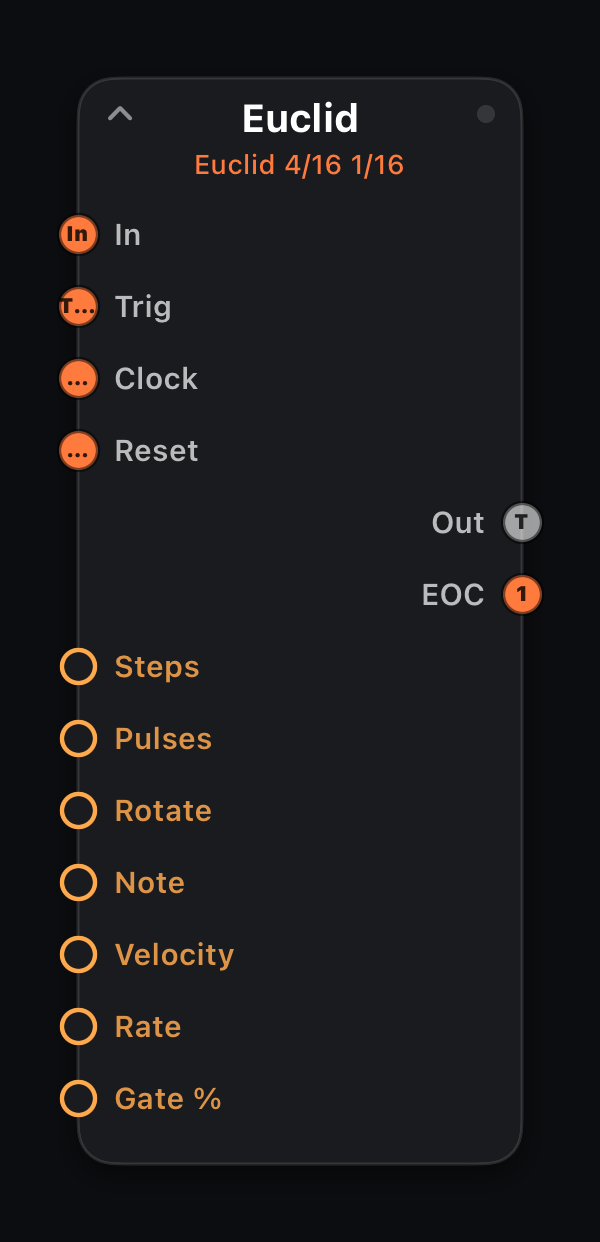
Euclid
In · Trig · Clock · Reset · Out: 1× MIDI + EOC
Euclidean rhythm generator: distributes Pulses hits evenly across Steps, with Rotate phase offset. Fires Note at Rate or external clock.
Input on In passes through — layer polyrhythms on top of existing material without replacing it.
Input ports
| Port | Role |
|---|---|
| In | Primary MIDI path — incoming events pass through unchanged to Out. |
| Trig | External step clock: each note-on advances the internal pattern one step (overrides Rate). |
| Clock | Wire from a Clock node — one pulse per step (mutually exclusive with Trig). |
| Reset | A note-on or clock pulse restarts the pattern at step 1 (on either clock mode) — wire a master lane's EOC or a performance pad here to re-align lanes. |
Output ports
| Port | Role |
|---|---|
| Out | Euclidean note hits; input passes through alongside. |
| EOC | End-of-cycle trigger — one clock pulse each time the pattern wraps to step 1. Wire into another node's Trig or Clock to chain patterns. |
Parameters
| Parameter | Role |
|---|---|
| Steps | Pattern length 1–16. |
| Pulses | Number of hits in the pattern 0–16. |
| Rotate | Rotate pattern start 0–15. |
| Note | MIDI note number 0–127. |
| Velocity | Note-on velocity 1–127. |
| Rate | Clock division (`4/1` … `1/64`, including `1/8T`). Follows host transport tempo. |
| Gate % | Note length as percent of one grid step (1–100). |
Every parameter accepts amber mod wires (MIDI In signals, LFO, Attractor, Life stats, etc.).
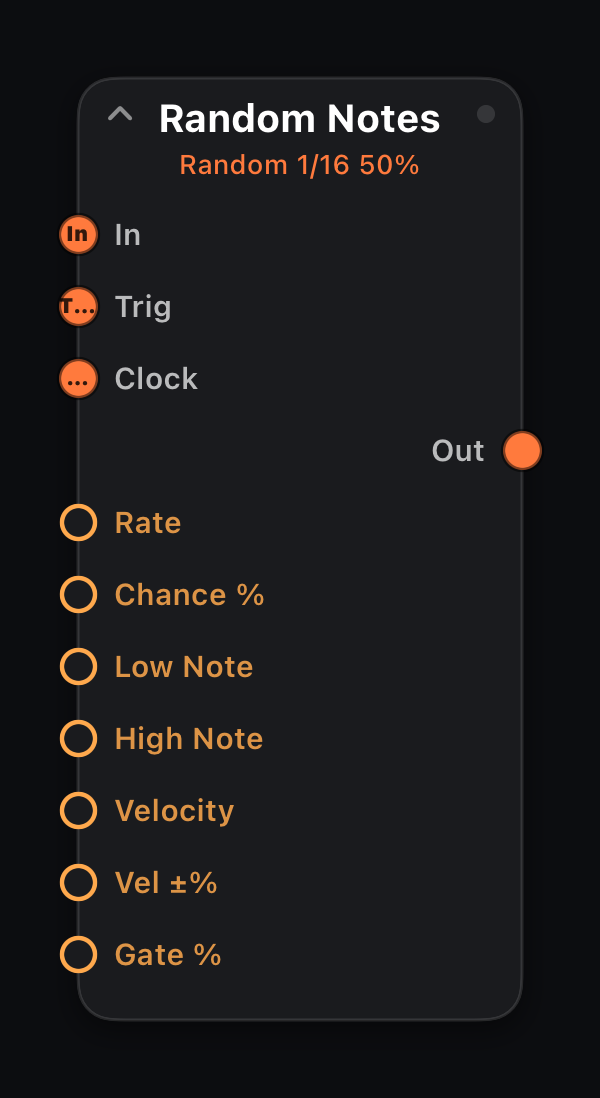
Random Notes
In · Trig · Clock · Out: 1× MIDI
Probabilistic melody generator at Rate: random pitches between Low/High Note with Chance % and Vel ±% variation.
Follow with Quantize unless you want chromatic chaos.
Input ports
| Port | Role |
|---|---|
| In | Primary MIDI path — incoming events pass through unchanged to Out. |
| Trig | External step clock: each note-on advances the internal pattern one step (overrides Rate). |
| Clock | Wire from a Clock node — one pulse per step (mutually exclusive with Trig). |
Parameters
| Parameter | Role |
|---|---|
| Rate | Clock division (`4/1` … `1/64`, including `1/8T`). Follows host transport tempo. |
| Chance % | Probability 0–100% that an event fires. |
| Low Note | Lowest pitch in range (0–127). |
| High Note | Highest pitch in range (0–127). |
| Velocity | Note-on velocity 1–127. |
| Vel ±% | Random velocity spread 0–100%. |
| Gate % | Note length as percent of one grid step (1–100). |
Every parameter accepts amber mod wires (MIDI In signals, LFO, Attractor, Life stats, etc.).
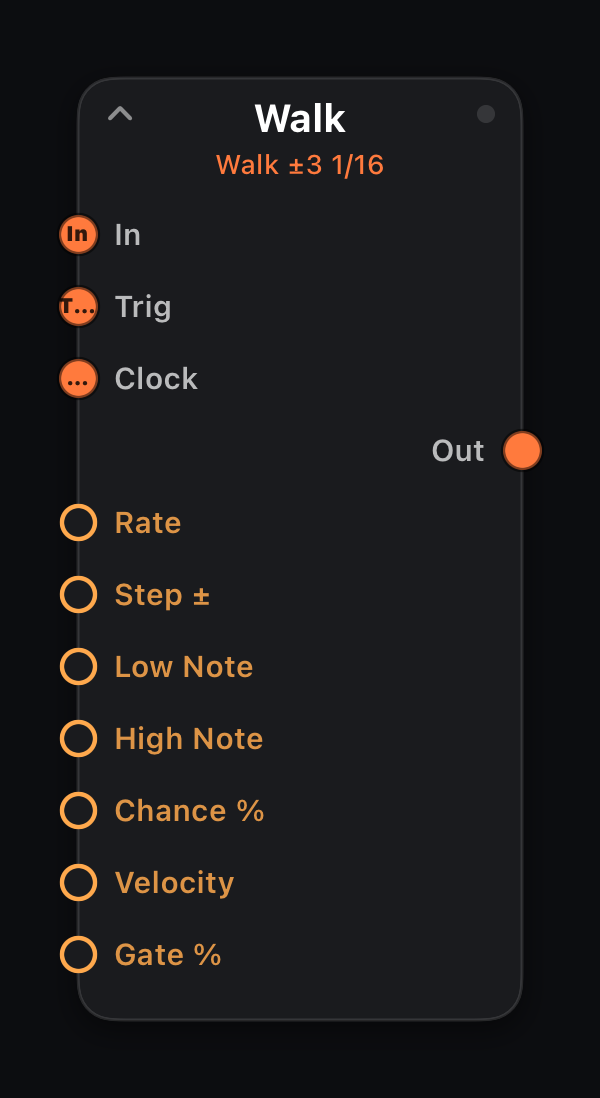
Walk
In · Trig · Clock · Out: 1× MIDI
Random-walk melody: each tick moves ±Step semitones, clamped to Low/High Note. Wandering, self-similar lines for ambient and generative bass.
Input ports
| Port | Role |
|---|---|
| In | Primary MIDI path — incoming events pass through unchanged to Out. |
| Trig | External step clock: each note-on advances the internal pattern one step (overrides Rate). |
| Clock | Wire from a Clock node — one pulse per step (mutually exclusive with Trig). |
Parameters
| Parameter | Role |
|---|---|
| Rate | Clock division (`4/1` … `1/64`, including `1/8T`). Follows host transport tempo. |
| Step ± | Max semitone jump per tick 1–12. |
| Low Note | Lowest pitch in range (0–127). |
| High Note | Highest pitch in range (0–127). |
| Chance % | Probability 0–100% that an event fires. |
| Velocity | Note-on velocity 1–127. |
| Gate % | Note length as percent of one grid step (1–100). |
Every parameter accepts amber mod wires (MIDI In signals, LFO, Attractor, Life stats, etc.).
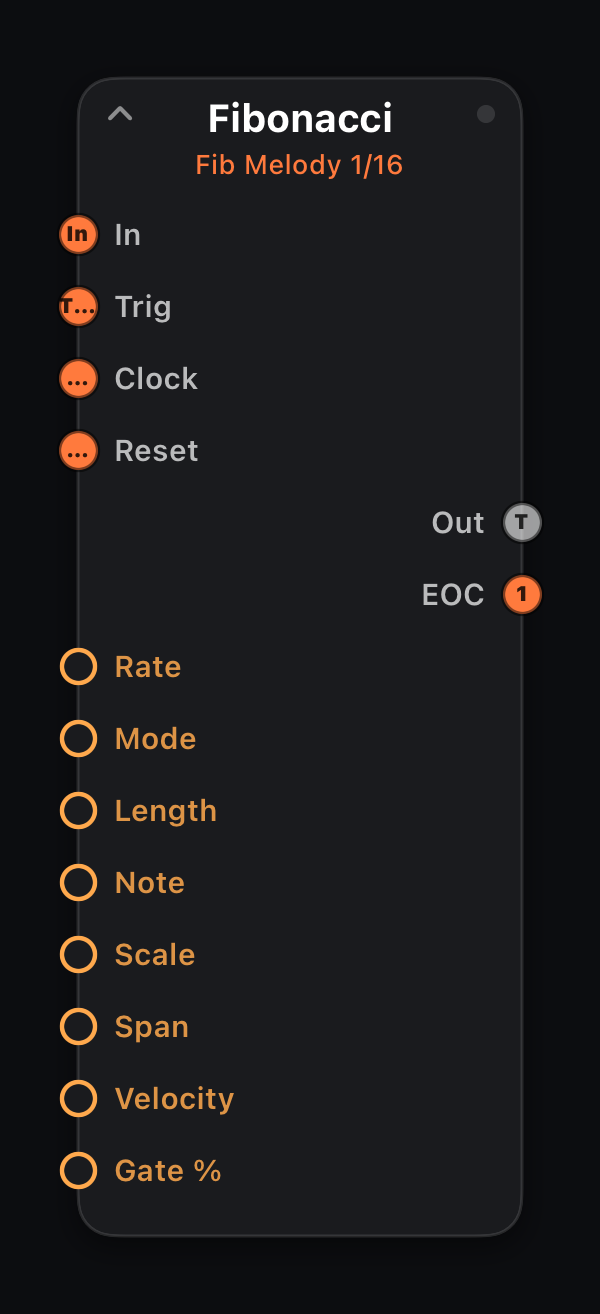
Fibonacci
In · Trig · Clock · Reset · Out: 1× MIDI + EOC
Two modes: Melody walks Fibonacci scale degrees; Rhythm fires only on Fibonacci step indices (1, 2, 3, 5, 8…). Self-similar phrases that never quite repeat.
Input ports
| Port | Role |
|---|---|
| In | Primary MIDI path — incoming events pass through unchanged to Out. |
| Trig | External step clock: each note-on advances the internal pattern one step (overrides Rate). |
| Clock | Wire from a Clock node — one pulse per step (mutually exclusive with Trig). |
| Reset | A note-on or clock pulse restarts the pattern at step 1 (on either clock mode) — wire a master lane's EOC or a performance pad here to re-align lanes. |
Output ports
| Port | Role |
|---|---|
| Out | Generated notes; input passes through alongside. |
| EOC | End-of-cycle trigger — one clock pulse each time the pattern wraps to step 1. Wire into another node's Trig or Clock to chain patterns. |
Parameters
| Parameter | Role |
|---|---|
| Rate | Clock division (`4/1` … `1/64`, including `1/8T`). Follows host transport tempo. |
| Mode | Melody = pitch walk; Rhythm = Fibonacci hit pattern. |
| Length | Pattern length 2–16. |
| Note | MIDI note number 0–127. |
| Scale | Scale for melody mode. |
| Span | Scale-degree span 2–24. |
| Velocity | Note-on velocity 1–127. |
| Gate % | Note length as percent of one grid step (1–100). |
Every parameter accepts amber mod wires (MIDI In signals, LFO, Attractor, Life stats, etc.).
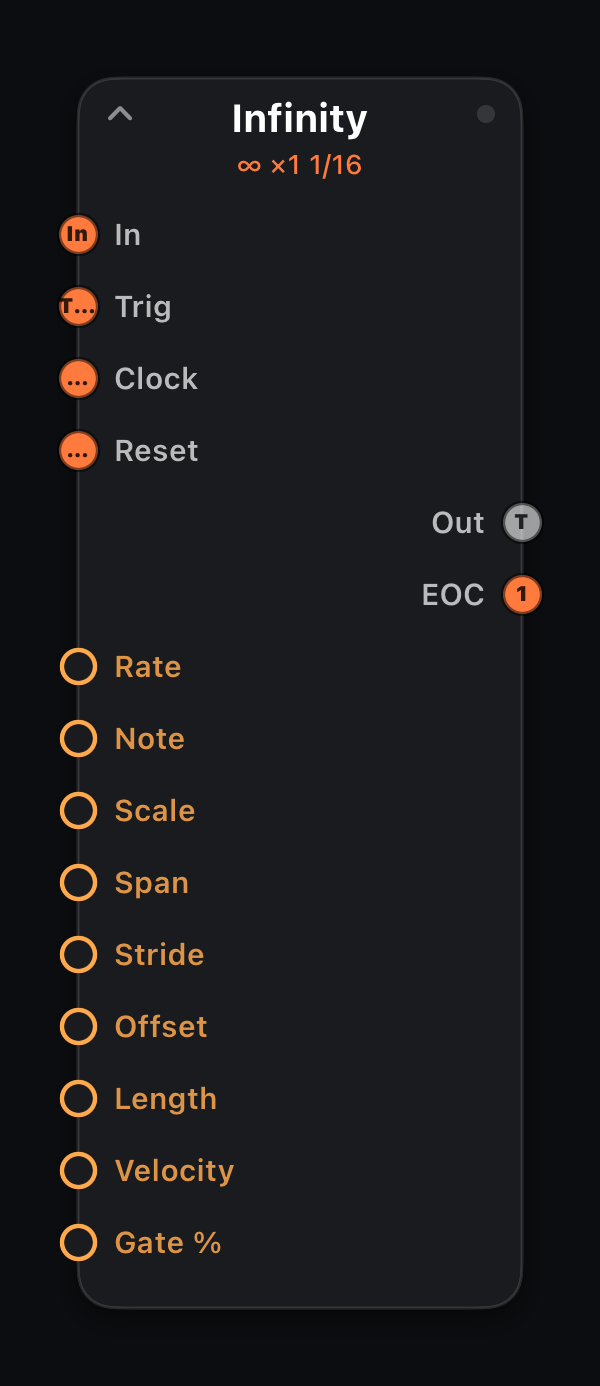
Infinity
In · Trig · Clock · Reset · Out: 1× MIDI + EOC
Per Nørgård's infinity series — a fractal melody played as scale degrees around Note. The sequence contains itself at every scale: Stride plays every Nth term, so 4, 16 or 64 reproduce the very same melody and 2 or 8 play its mirror inversion — a zoom knob for self-similarity you can hear.
Offset starts the loop deeper in the series, Length sets how many notes before the loop wraps (EOC pulses there), and Span caps how far the melody strays. Always lands in the chosen scale — no quantizer needed.
Input ports
| Port | Role |
|---|---|
| In | Primary MIDI path — incoming events pass through unchanged to Out. |
| Trig | External step clock: each note-on advances the internal pattern one step (overrides Rate). |
| Clock | Wire from a Clock node — one pulse per step (mutually exclusive with Trig). |
| Reset | A note-on or clock pulse restarts the pattern at step 1 (on either clock mode) — wire a master lane's EOC or a performance pad here to re-align lanes. |
Output ports
| Port | Role |
|---|---|
| Out | Generated notes; input passes through alongside. |
| EOC | End-of-cycle trigger — one clock pulse each time the pattern wraps to step 1. Wire into another node's Trig or Clock to chain patterns. |
Parameters
| Parameter | Role |
|---|---|
| Rate | Clock division (`4/1` … `1/64`, including `1/8T`). Follows host transport tempo. |
| Note | Centre note the degrees walk around. |
| Scale | Scale the degrees are drawn from. |
| Span | Maximum scale-degree excursion 2–24. |
| Stride | Play every Nth term (1–32) — 4/16/64 replay the series, 2/8 invert it. |
| Offset | Where in the series the loop starts (0–127). |
| Length | Loop length 2–64; the EOC pulse fires at the wrap. |
| Velocity | Note-on velocity 1–127. |
| Gate % | Note length as percent of one grid step (1–100). |
Every parameter accepts amber mod wires (MIDI In signals, LFO, Attractor, Life stats, etc.).
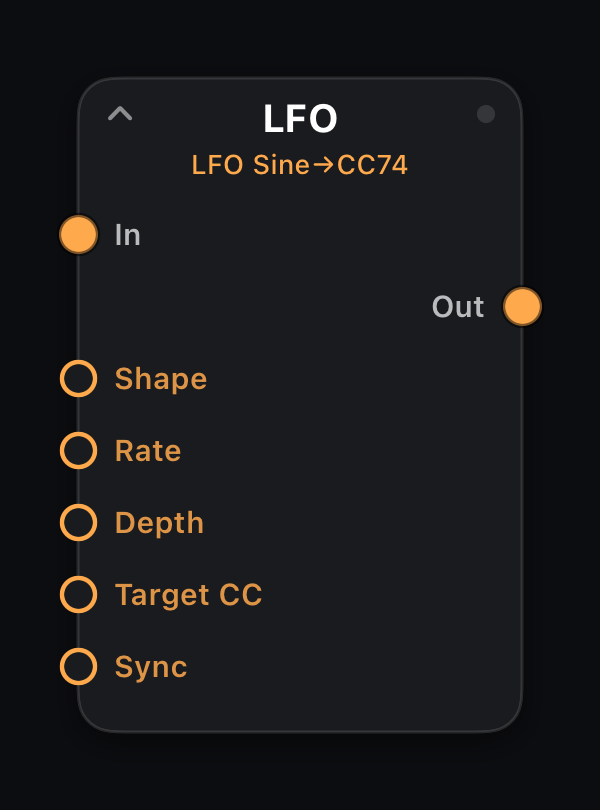
LFO
In: — · Out: CC on Target CC
Mod out: main LFO signal (0–1)
Low-frequency oscillator writing Target CC continuously. Shape (sine, triangle, square…), Rate, Depth and Sync/Free mode. In Sync the cycle is a clock division locked to the host transport; in Free it runs at Rate Hz — unaffected by transport or tempo.
The amber mod out port drives any parameter directly — wire to Echo Decay, filter cutoff, or another node's knob.
Parameters
| Parameter | Role |
|---|---|
| Shape | Waveform (Sine, Triangle, Square, Saw, Random…). |
| Rate | Clock division (`4/1` … `1/64`, including `1/8T`). Follows host transport tempo. |
| Depth | Modulation amount 0–127. |
| Target CC | MIDI CC number to write (0–127). |
| Sync | Sync = tempo-locked clock division; Free = Hz-based rate. |
| Rate Hz | Free mode only: cycles per second, 0.05–20 Hz. Shown in place of the clock division once Mode is Free; ignored in Sync. |
Every parameter accepts amber mod wires (MIDI In signals, LFO, Attractor, Life stats, etc.).
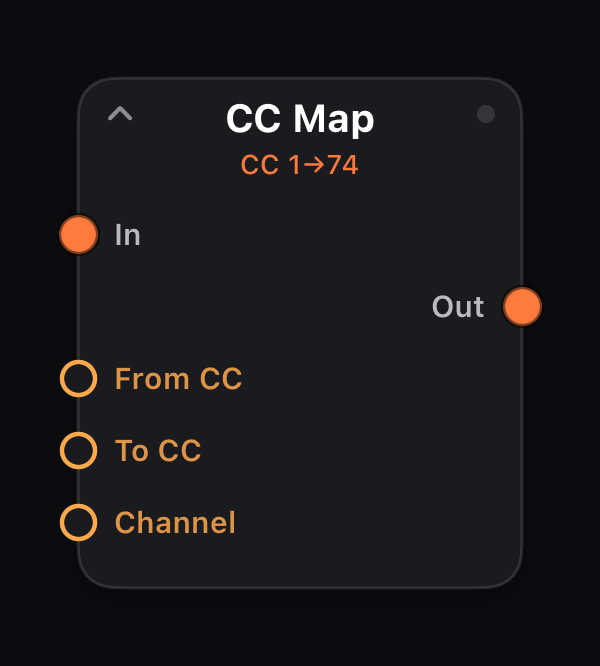
CC Map
In: 1× MIDI · Out: 1× MIDI
Remaps From CC → To CC on Channel (0 = any). Duplicate a mod wheel to multiple targets or translate controller numbers for incompatible synths.
Parameters
| Parameter | Role |
|---|---|
| From CC | Source CC number 0–127. |
| To CC | Destination CC number 0–127. |
| Channel | 0 = any channel; 1–16 = filter to channel. |
Every parameter accepts amber mod wires (MIDI In signals, LFO, Attractor, Life stats, etc.).
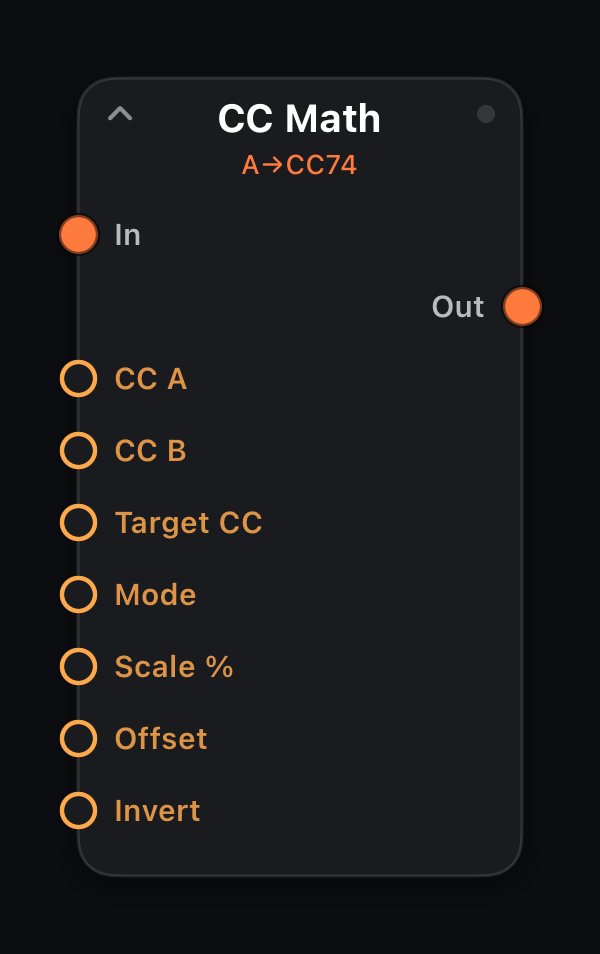
CC Math
In: 1× MIDI · Out: 1× MIDI + Target CC
Combines incoming CC A and CC B values: A, A+B, A−B, Average, Max or Min — then Scale, Offset and optional Invert on Target CC.
Parameters
| Parameter | Role |
|---|---|
| CC A | First operand CC 0–127. |
| CC B | Second operand CC 0–127. |
| Target CC | MIDI CC number to write (0–127). |
| Mode | Math operation applied to A and B. |
| Scale % | Output multiplier 0–200%. |
| Offset | Added after scaling −127…+127. |
| Invert | Off / On — flip output (127 − value). |
Every parameter accepts amber mod wires (MIDI In signals, LFO, Attractor, Life stats, etc.).
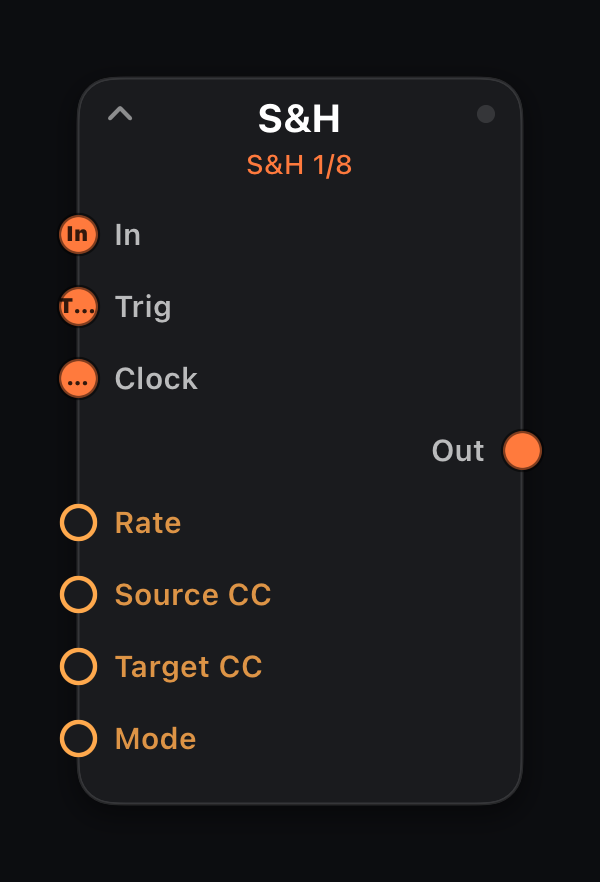
S&H
In · Trig · Clock · Out: 1× MIDI
Each Rate tick, Sample holds the current Source CC value or Random throws a new value on Target CC. Classic stepped and random filter sweeps.
Input ports
| Port | Role |
|---|---|
| In | Primary MIDI path — incoming events pass through unchanged to Out. |
| Trig | External step clock: each note-on advances the internal pattern one step (overrides Rate). |
| Clock | Wire from a Clock node — one pulse per step (mutually exclusive with Trig). |
Parameters
| Parameter | Role |
|---|---|
| Rate | Clock division (`4/1` … `1/64`, including `1/8T`). Follows host transport tempo. |
| Source CC | CC to sample 0–127. |
| Target CC | MIDI CC number to write (0–127). |
| Mode | Sample = track input CC; Random = new value each step. |
Every parameter accepts amber mod wires (MIDI In signals, LFO, Attractor, Life stats, etc.).
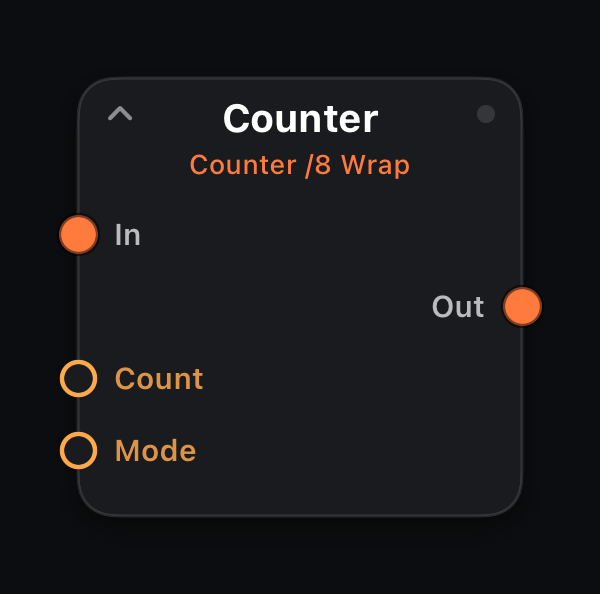
Counter
In: 1× MIDI · Out: 1× MIDI
Mod out: stepped count (0–1)
A stepped counter: its value rises by one on every input event — a note-on or a clock / EOC pulse — and is exposed on the amber mod out. Wire it onto another node's indexed parameter (waveform, scale, clock division, Selector…) to walk through the options; set Count to the number of options so each input advances exactly one.
Mode picks Wrap (cycle), Up-Down (bounce) or Clamp (rise once and hold). Input passes through unchanged — the count never appears as MIDI.
Parameters
| Parameter | Role |
|---|---|
| Count | Number of steps before wrapping / bouncing 2–32. |
| Mode | Wrap = cycle; Up-Down = bounce; Clamp = rise once and hold. |
Every parameter accepts amber mod wires (MIDI In signals, LFO, Attractor, Life stats, etc.).
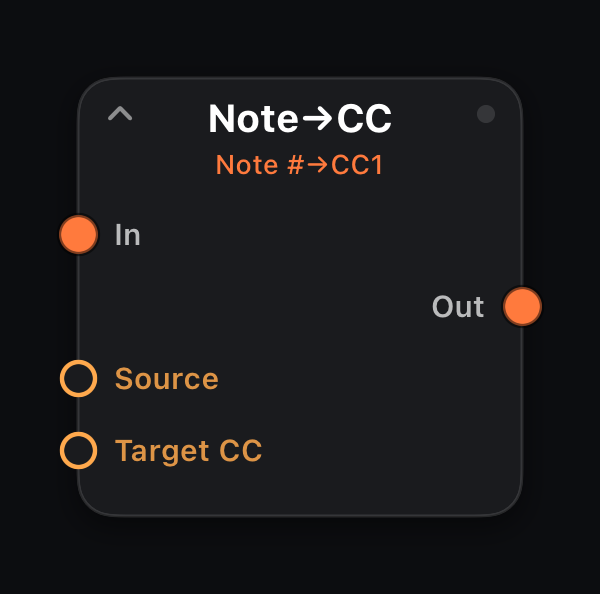
Note→CC
In: 1× MIDI · Out: 1× MIDI + Target CC
Maps Note # or Velocity to Target CC on every note-on — keytracking and performance-driven automation without a separate LFO.
Parameters
| Parameter | Role |
|---|---|
| Source | Note # = pitch drives CC; Velocity = dynamics drive CC. |
| Target CC | MIDI CC number to write (0–127). |
Every parameter accepts amber mod wires (MIDI In signals, LFO, Attractor, Life stats, etc.).
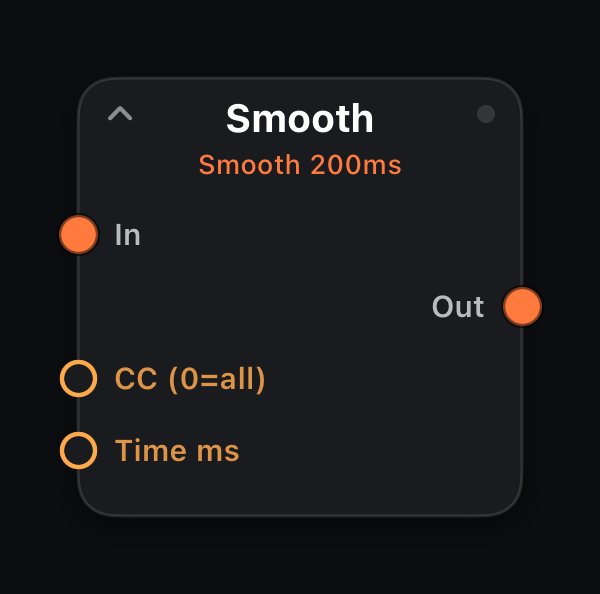
Smooth
In: 1× MIDI · Out: 1× MIDI
Slew-limits CC changes over Time ms. CC 0 smooths all CCs; otherwise only the named CC. Glides stepped sequencers and S&H into usable sweeps.
Parameters
| Parameter | Role |
|---|---|
| CC (0=all) | Which CC to smooth (0 = all CC messages). |
| Time ms | Slew time 10–2000 ms. |
Every parameter accepts amber mod wires (MIDI In signals, LFO, Attractor, Life stats, etc.).
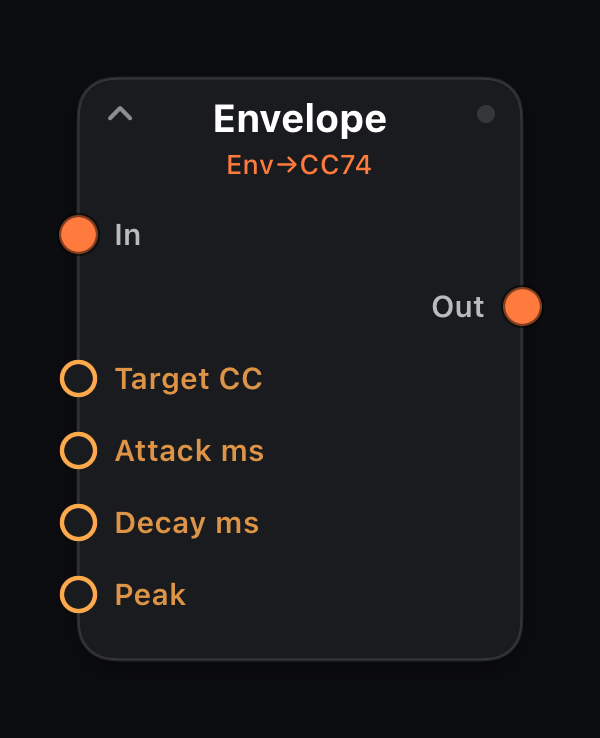
Envelope
In: 1× MIDI · Out: 1× MIDI + Target CC
Per-note Attack / Decay / Peak envelope on Target CC, retriggered each note-on. Auto-filter sweeps and pluck brightness from your playing.
Parameters
| Parameter | Role |
|---|---|
| Target CC | MIDI CC number to write (0–127). |
| Attack ms | Rise time 1–2000 ms. |
| Decay ms | Fall time 10–5000 ms. |
| Peak | Maximum CC value 1–127. |
Every parameter accepts amber mod wires (MIDI In signals, LFO, Attractor, Life stats, etc.).
Emergence — generative, evolving patterns
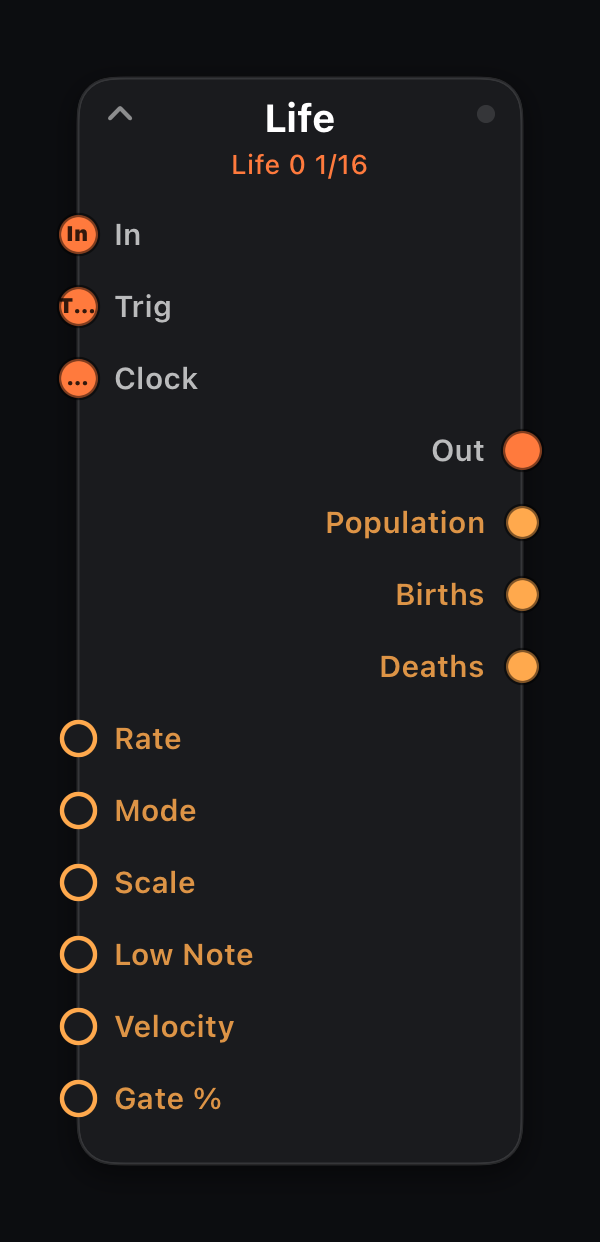
Life
In · Trig · Clock · Out: 1× MIDI
Mod out: Population · Births · Deaths
Conway's Game of Life on a 16×12 grid. Pulse mode fires notes from live-cell events; Scan reads columns as time and rows as scale degrees for looping ostinatos.
Draw a seed on the surface Life grid. Pair with Quantize or use built-in Scale mapping.
Input ports
| Port | Role |
|---|---|
| In | Primary MIDI path — incoming events pass through unchanged to Out. |
| Trig | External step clock: each note-on advances the internal pattern one step (overrides Rate). |
| Clock | Wire from a Clock node — one pulse per step (mutually exclusive with Trig). |
Parameters
| Parameter | Role |
|---|---|
| Rate | Clock division (`4/1` … `1/64`, including `1/8T`). Follows host transport tempo. |
| Mode | Pulse = event-driven; Scan = column scanner. |
| Scale | Pitch mapping for live cells. |
| Low Note | Lowest pitch in range (0–127). |
| Velocity | Note-on velocity 1–127. |
| Gate % | Note length as percent of one grid step (1–100). |
| Cell 1–192 | Seed pattern on the 16×12 Life grid (bottom row = lowest pitch). Surface editor. |
Every parameter accepts amber mod wires (MIDI In signals, LFO, Attractor, Life stats, etc.).
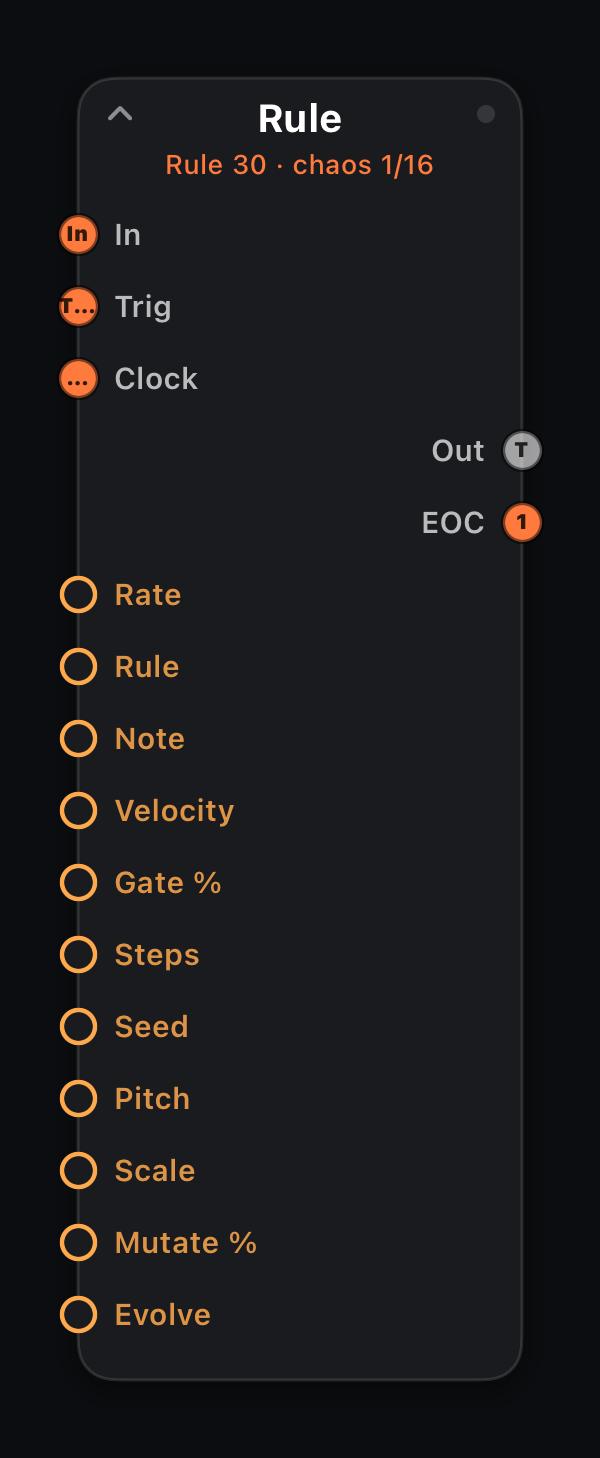
Rule
In · Trig · Clock · Out: 1× MIDI + EOC
1D Wolfram cellular automaton (Rule 0–255; notable rules show tags like 90 · fractal). Trigger pitch mode fires from live cells; Melody maps columns to scale degrees.
Seed Center or Random initializes the row. Mutate % flips random cells each generation (0% = pure automaton). Dead or frozen rows reseed automatically so every rule stays musical.
Evolve morphs the row every 1/2/4/8 steps (Loop = once per pattern wrap, the default). Register view edits live cells (same idea as the Life grid seed editor).
Input ports
| Port | Role |
|---|---|
| In | Primary MIDI path — incoming events pass through unchanged to Out. |
| Trig | External step clock: each note-on advances the internal pattern one step (overrides Rate). |
| Clock | Wire from a Clock node — one pulse per step (mutually exclusive with Trig). |
Output ports
| Port | Role |
|---|---|
| Out | Cellular-automaton notes; input passes through alongside. |
| EOC | End-of-cycle trigger — one clock pulse each time the pattern wraps to step 1. Wire into another node's Trig or Clock to chain patterns. |
Parameters
| Parameter | Role |
|---|---|
| Rate | Clock division (`4/1` … `1/64`, including `1/8T`). Follows host transport tempo. |
| Rule | Wolfram rule number 0–255 (notable rules tagged in the UI). |
| Note | MIDI note number 0–127. |
| Velocity | Note-on velocity 1–127. |
| Gate % | Note length as percent of one grid step (1–100). |
| Steps | Pattern length 1–16. |
| Seed | Center = single cell; Random = scattered start. |
| Pitch | Trigger = rhythm from cells; Melody = pitched output. |
| Scale | Scale for Melody mode. |
| Mutate % | Random cell flips per generation (default 10%). |
| Evolve | Loop, 1 Step, 2 Steps, 4 Steps or 8 Steps between row morphs. |
| Cell 1–16 | Live row bits — tap or drag in the Register view to poke cells on/off. |
Every parameter accepts amber mod wires (MIDI In signals, LFO, Attractor, Life stats, etc.).
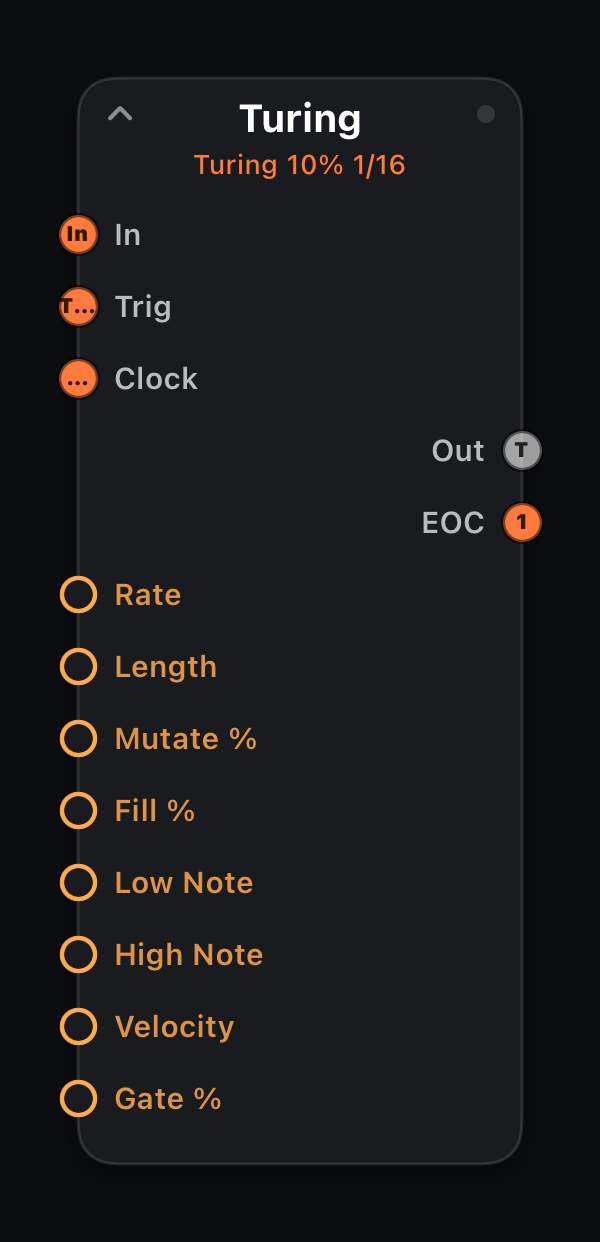
Turing
In · Trig · Clock · Out: 1× MIDI + EOC
Self-mutating shift register: Length bits, Fill % density, Mutate % bit-flip chance per step. Pattern slowly evolves from locked to chaotic.
Input ports
| Port | Role |
|---|---|
| In | Primary MIDI path — incoming events pass through unchanged to Out. |
| Trig | External step clock: each note-on advances the internal pattern one step (overrides Rate). |
| Clock | Wire from a Clock node — one pulse per step (mutually exclusive with Trig). |
Output ports
| Port | Role |
|---|---|
| Out | Shift-register notes; input passes through alongside. |
| EOC | End-of-cycle trigger — one clock pulse each time the pattern wraps to step 1. Wire into another node's Trig or Clock to chain patterns. |
Parameters
| Parameter | Role |
|---|---|
| Rate | Clock division (`4/1` … `1/64`, including `1/8T`). Follows host transport tempo. |
| Length | Register length 2–16. |
| Mutate % | Bit-flip probability per step 0–100%. |
| Fill % | Initial ones density 1–100%. |
| Low Note | Lowest pitch in range (0–127). |
| High Note | Highest pitch in range (0–127). |
| Velocity | Note-on velocity 1–127. |
| Gate % | Note length as percent of one grid step (1–100). |
Every parameter accepts amber mod wires (MIDI In signals, LFO, Attractor, Life stats, etc.).
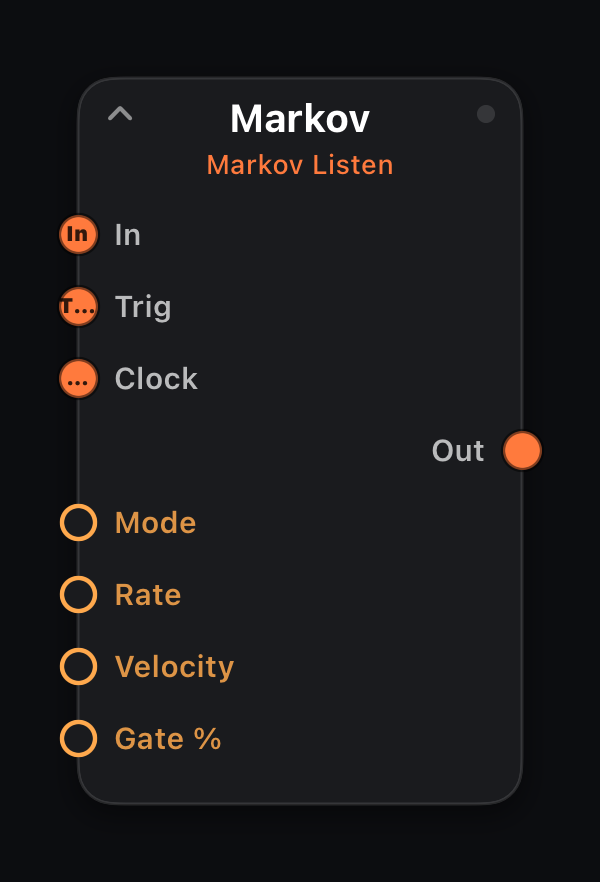
Markov
In · Trig · Clock · Out: 1× MIDI
Learns note transitions from incoming MIDI. Listen = pass-through training; Generate improvises at Rate in the learned style.
Feed it a melody loop in Listen mode, then switch to Generate for variations.
Input ports
| Port | Role |
|---|---|
| In | Primary MIDI path — incoming events pass through unchanged to Out. |
| Trig | External step clock: each note-on advances the internal pattern one step (overrides Rate). |
| Clock | Wire from a Clock node — one pulse per step (mutually exclusive with Trig). |
Parameters
| Parameter | Role |
|---|---|
| Mode | Listen = learn + pass through; Generate = improvise. |
| Rate | Clock division (`4/1` … `1/64`, including `1/8T`). Follows host transport tempo. |
| Velocity | Note-on velocity 1–127. |
| Gate % | Note length as percent of one grid step (1–100). |
Every parameter accepts amber mod wires (MIDI In signals, LFO, Attractor, Life stats, etc.).
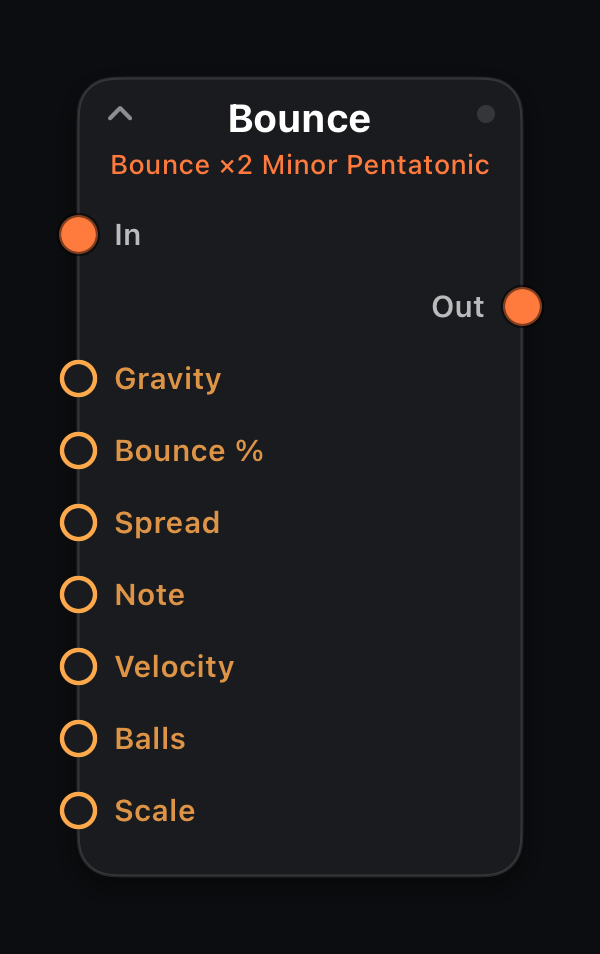
Bounce
In: 1× MIDI (pass-through) · Out: 1× MIDI
2-D physics simulation: balls under Gravity bounce off walls and play scale degrees on impact. Organic polyrhythms from motion rather than fixed grids.
Parameters
| Parameter | Role |
|---|---|
| Gravity | Downward acceleration 1–100. |
| Bounce % | Wall rebound energy 50–95%. |
| Spread | Initial horizontal spread 0–100%. |
| Note | MIDI note number 0–127. |
| Velocity | Note-on velocity 1–127. |
| Balls | Number of balls 1–4. |
| Scale | Pitch map for wall impacts. |
Every parameter accepts amber mod wires (MIDI In signals, LFO, Attractor, Life stats, etc.).
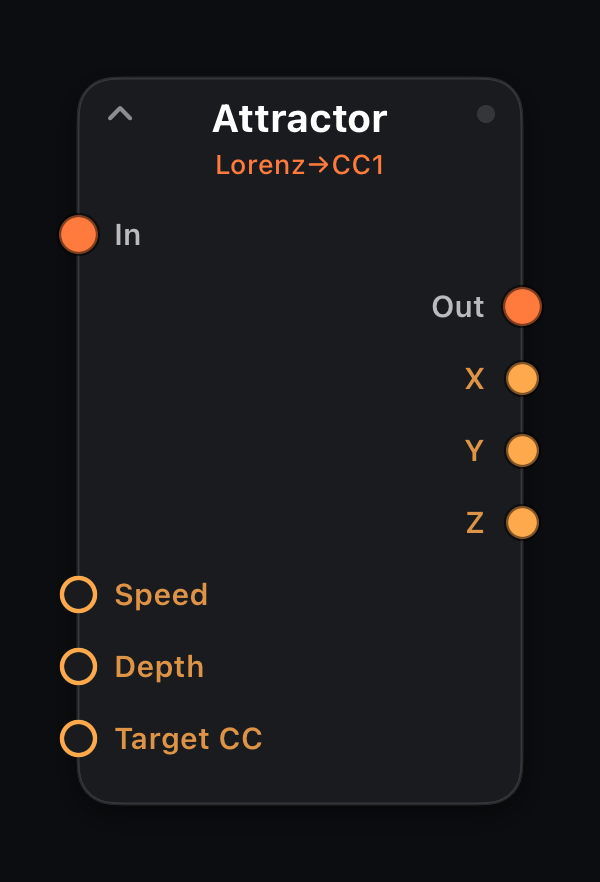
Attractor
In: — · Out: CC on Target CC
Mod out: X · Y · Z
Lorenz chaotic attractor driving Target CC. Never-repeating organic modulation — wire X, Y, Z mod ports to cutoff, resonance and LFO rate for evolving textures.
Parameters
| Parameter | Role |
|---|---|
| Speed | Evolution rate 1–100. |
| Depth | Output amplitude 0–127. |
| Target CC | MIDI CC number to write (0–127). |
Every parameter accepts amber mod wires (MIDI In signals, LFO, Attractor, Life stats, etc.).
Instruments — built-in synth and drum kit
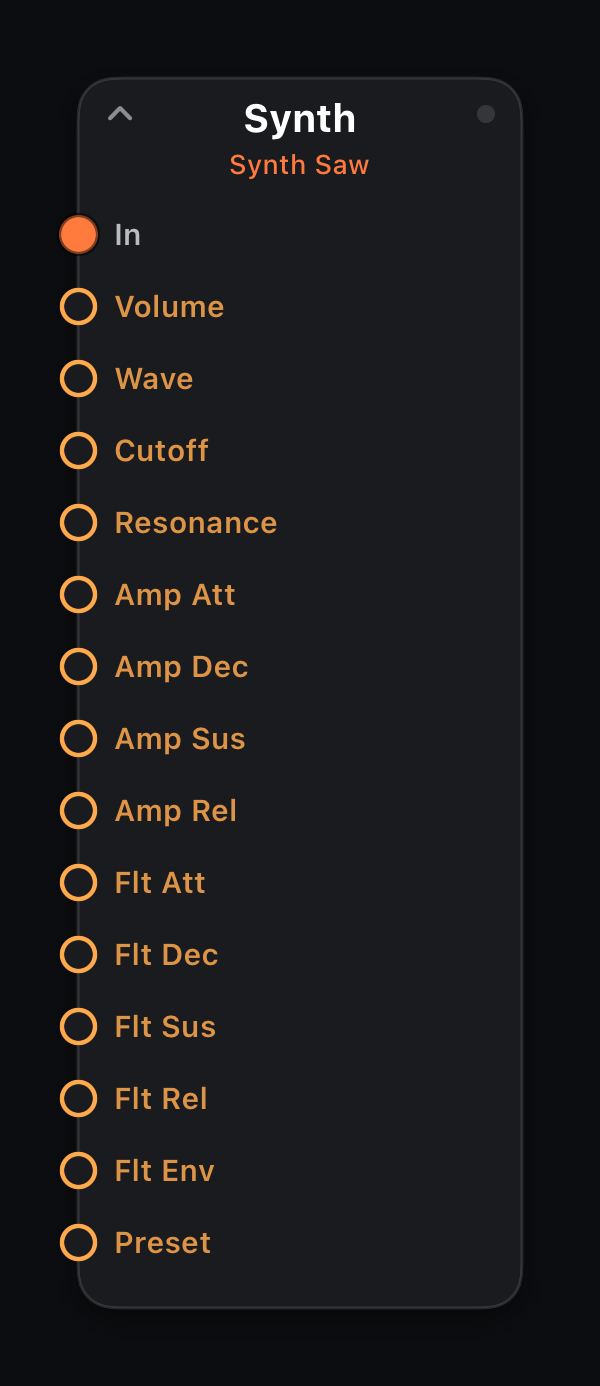
Synth
In: 1× MIDI · Out: — (audio sink)
Terminal polyphonic subtractive synth. MIDI on In is rendered to audio inside MIDIRack — nothing passes downstream. Oscillator, resonant lowpass and dual ADSR envelopes (amplitude + filter).
Wire sequencers, arps or keyboards into one or more Synth nodes for a self-contained patch. Multiple instruments sum at the output.
Parameters
| Parameter | Role |
|---|---|
| Preset | Sound preset: Init, Warm Pad, Pluck, Acid Bass, Bright Lead, Soft Keys, Sub Bass, Sweep Pad. Picking one fills the controls below so you can tweak from there. |
| Volume | Master level 0–1. |
| Wave | Oscillator waveform: Sine, Tri, Saw, Square. |
| Cutoff | Lowpass cutoff 0–100. |
| Resonance | Filter resonance 0–100. |
| Amp Att | Amplitude attack 0–2000 ms. |
| Amp Dec | Amplitude decay 0–5000 ms. |
| Amp Sus | Amplitude sustain 0–100%. |
| Amp Rel | Amplitude release 0–5000 ms. |
| Flt Att | Filter envelope attack 0–2000 ms. |
| Flt Dec | Filter envelope decay 0–5000 ms. |
| Flt Sus | Filter envelope sustain 0–100%. |
| Flt Rel | Filter envelope release 0–5000 ms. |
| Flt Env | Filter envelope depth −4…+4 octaves. |
Every parameter accepts amber mod wires (MIDI In signals, LFO, Attractor, Life stats, etc.).
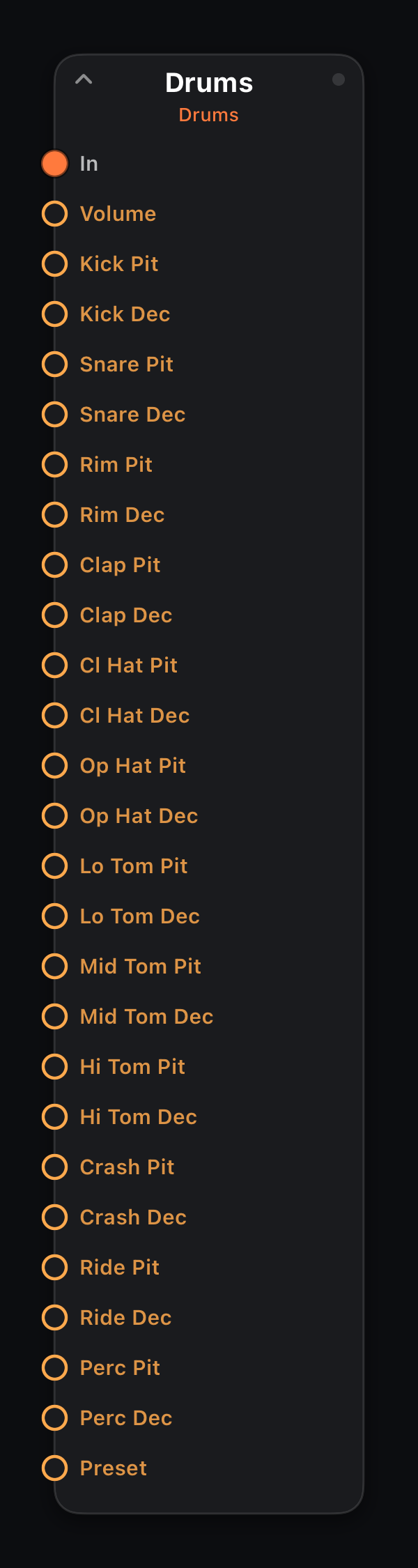
Drums
In: 1× MIDI · Out: — (audio sink)
Terminal procedural GM drum kit. Each MIDI note triggers a synthesized voice (kick, snare, hats, toms, crash, ride, percussion). Renders audio in-plugin — no MIDI output.
Tune and shape each voice independently. Route a Drum Seq branch or Drum Pads into Drums for an all-in-one groovebox.
Parameters
| Parameter | Role |
|---|---|
| Preset | Sound preset: Init, Punchy, Boomy, Tight, Lo-Fi, Trap, Acoustic. Picking one fills the per-voice controls below so you can tweak from there. |
| Volume | Master level 0–1. |
| Per-voice Pit / Dec | Kick, Snare, Rim, Clap, Cl/Op Hat, Lo/Mid/Hi Tom, Crash, Ride, Perc — each has Pit (−12…+12 semitones) and Dec (25–400% tail length). |
Every parameter accepts amber mod wires (MIDI In signals, LFO, Attractor, Life stats, etc.).
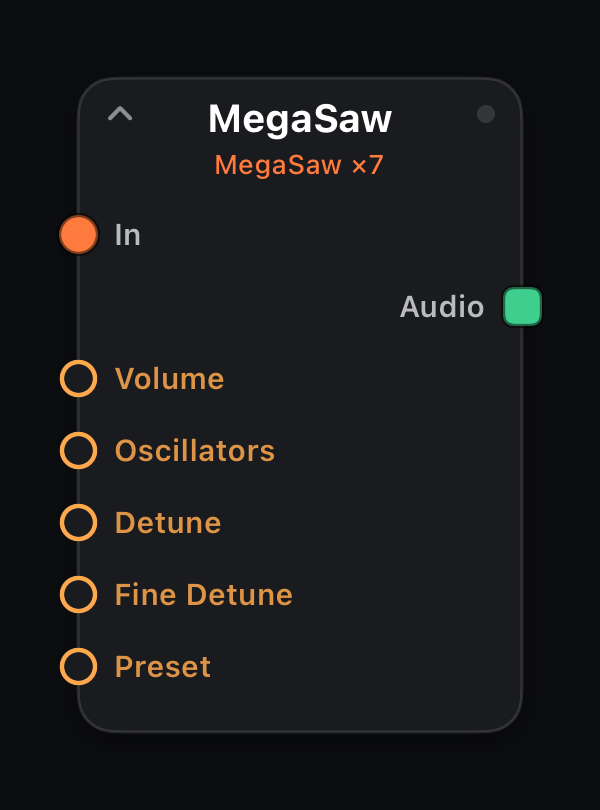
MegaSaw
In: 1× MIDI · Out: — (audio sink)
Terminal unison saw stack — up to 200 detuned sawtooth oscillators per voice for supersaw leads, trance pads and walls of sound. Renders audio in-plugin; no MIDI output.
Spread is two-stage: Detune sets the coarse pitch spray across the stack, Fine Detune adds slow-beating shimmer within it. More oscillators = thicker (and louder — presets lower Volume as the count grows).
Parameters
| Parameter | Role |
|---|---|
| Preset | Sound preset: Init, Classic Supersaw, Wide Trance, Massive Wall, Subtle Unison, Detuned Chaos, Monster (200). Picking one fills the controls below so you can tweak from there. |
| Volume | Master level 0–1. |
| Oscillators | Saws per voice, 1–200. |
| Detune | Coarse detune spread 0–100. |
| Fine Detune | Slow-beat shimmer within the stack, 0–100. |
Every parameter accepts amber mod wires (MIDI In signals, LFO, Attractor, Life stats, etc.).
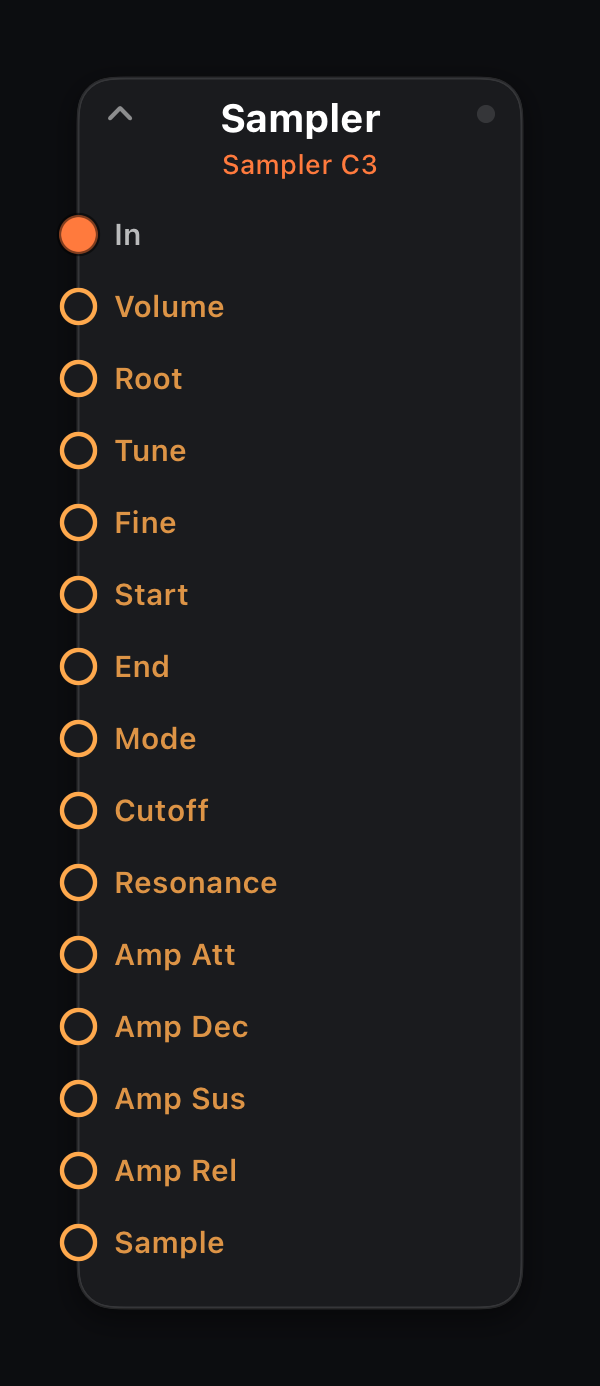
Sampler
In: 1× MIDI · Out: — (audio sink)
Terminal sample player: one sample repitched chromatically around its root note, SP-style — no time-stretch, and the character that comes with that. Pick a factory sound with Sample, or load your own file from the node inspector; the root note is detected automatically so imports land in tune.
The waveform card on the surface trims the playable region. Mode Loop finds a sustain loop inside the region, turning one-shots into playable pads, keys and basses; the Synth's lowpass and amp envelope shape the result. Slides from a Glide node bend the sample like any synth voice.
Parameters
| Parameter | Role |
|---|---|
| Sample | Factory sound picker (Init keeps the loaded sample). Loading your own file flips it to Custom. |
| Volume | Master level 0–1. |
| Root | The note the sample plays at original pitch (auto-detected on import). |
| Tune / Fine | Coarse ±12 semitones, fine ±50 cents. |
| Start / End | Playable region, % of the file. |
| Mode | Gate follows note-off · One-Shot plays through · Loop sustains. |
| Cutoff / Resonance | Resonant lowpass, as on the Synth. |
| Amp Att–Rel | Amplitude ADSR. |
Every parameter accepts amber mod wires (MIDI In signals, LFO, Attractor, Life stats, etc.).

Slicer
In: 1× MIDI · Out: — (audio sink)
Terminal loop slicer: load a drum loop and it's cut at its detected hits into up to 16 one-shot slices, each on its own note — slice 1 on note 36 (a fresh Drum Seq's default), slice 2 on 37, and so on. Point one Drum Seq lane per slice at its note and the loop becomes a kit you can resequence.
The waveform card shows the markers: tap to add or remove one, drag to nudge. Sense re-runs detection — more sensitivity, more slices. Marker positions live in the patch like any other parameter, so edits persist and undo.
Parameters
| Parameter | Role |
|---|---|
| Loop | Factory loop picker (Init keeps the loaded loop). Imported loops are sliced on load. |
| Volume | Master level 0–1. |
| Sense | Onset-detection sensitivity 0–100 — re-slices the loop. |
| Slices | Active slice count (written by detection, editable). |
| Cutoff / Resonance | Resonant lowpass over all slices, as on the Sampler. |
| Per-slice Pit / Dec | Each slice has Pit (−12…+12 semitones) and Dec (25–400% — under 100 chokes the hit early). |
Every parameter accepts amber mod wires (MIDI In signals, LFO, Attractor, Life stats, etc.).
Utility — monitor and loop
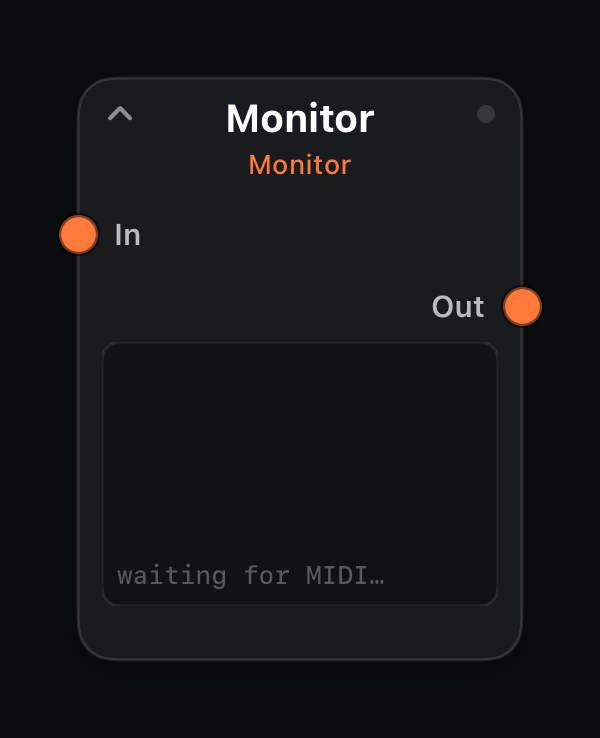
Monitor
In: 1× MIDI · Out: 1× MIDI (unchanged)
Zero-latency debug tap — MIDI passes through unchanged while messages log to the surface Monitor readout or a bound Note Scope. Splice anywhere the stream goes dark.
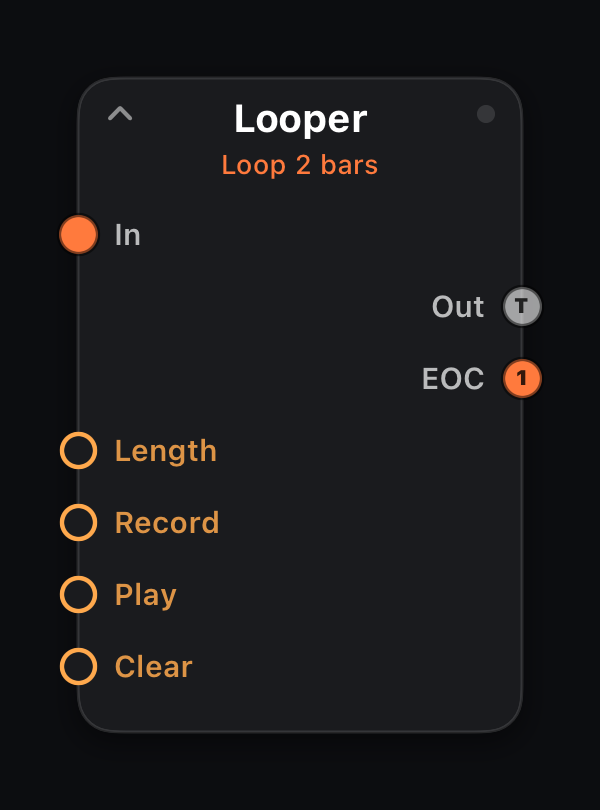
Looper
In: 1× MIDI · Out: 1× MIDI + EOC
Tempo-synced MIDI looper: Record overdubs new material, Play loops captured events, Clear wipes the buffer. Length sets loop size in bars.
Drive from a surface Looper control for hands-free capture.
Output ports
| Port | Role |
|---|---|
| Out | Live input plus looped playback. |
| EOC | End-of-cycle trigger — one clock pulse each time the pattern wraps to step 1. Wire into another node's Trig or Clock to chain patterns. |
Parameters
| Parameter | Role |
|---|---|
| Length | Loop length in bars 1–8. |
| Record | Off / On — enable overdub recording. |
| Play | Off / On — playback loop. |
| Clear | Momentary — wipe loop buffer. |
Every parameter accepts amber mod wires (MIDI In signals, LFO, Attractor, Life stats, etc.).
Control catalog
Each entry shows the control as it appears on the performance surface. Add controls from the header + menu in edit mode, then drag into place and open the inspector (sliders icon) to bind.
- Caption —
Node · Parameterwhen bound to the graph;CC nwhen sending raw MIDI to your synth. - Performance controls (keyboards, pads) inject notes into a
keyboardSourcegraph node — route that branch independently. - Visualizers attach to a specific node and update live from the patch.
Adjust & trigger — knobs, faders, XY, buttons
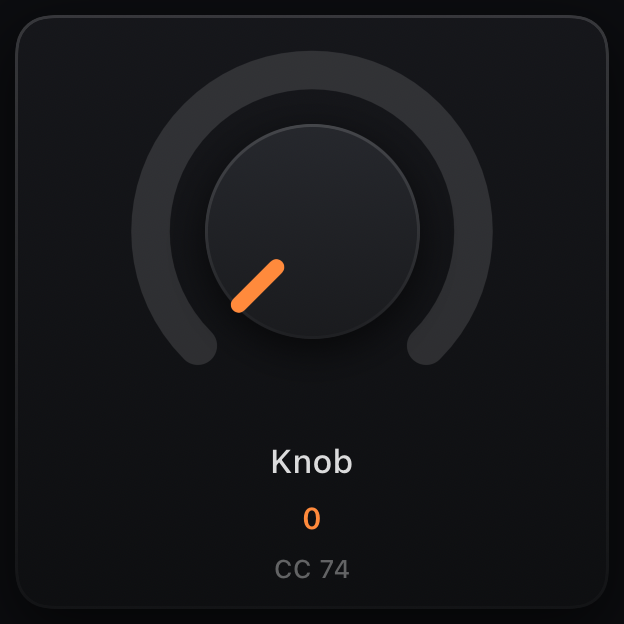
Knob
Binding: node parameter or CC · drag vertically
Rotary control for any bound parameter or raw CC. Values display musically when the target is a note, clock division or scale name.
Resize in edit mode; color via Appearance in the inspector.
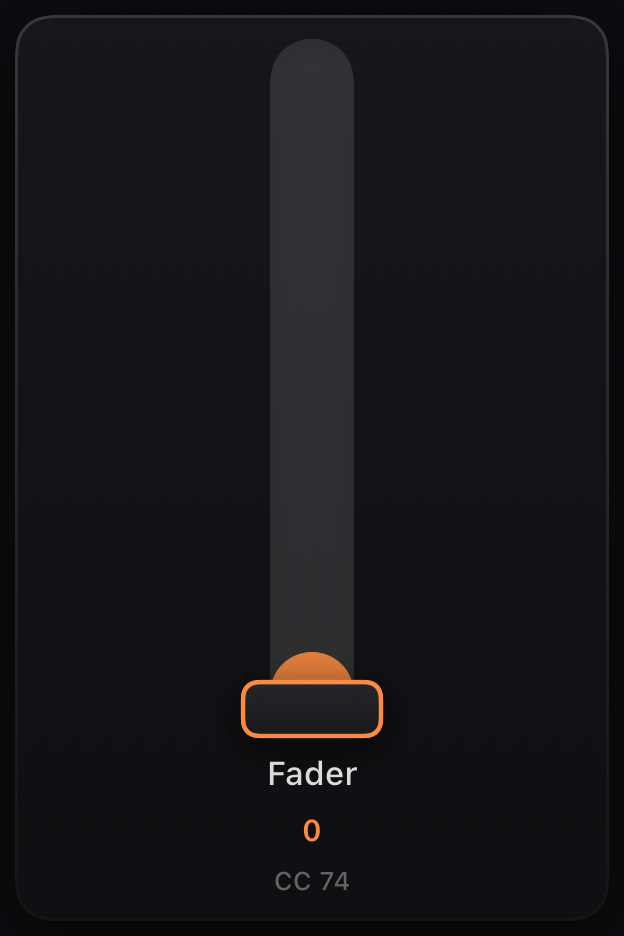
Fader
Binding: node parameter or CC · drag vertically
Vertical slider — same binding model as a knob, better for long throws (filter sweeps, levels).
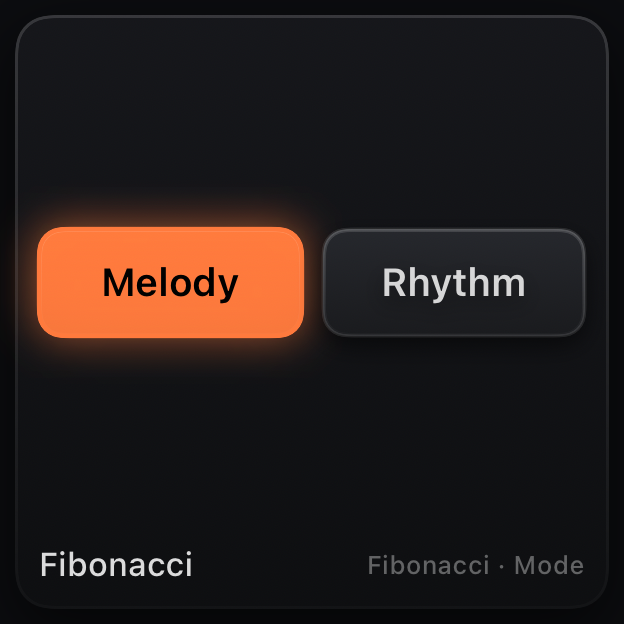
Selector
Binding: indexed node parameter (or CC) · tap / scroll to pick
Touch-friendly picker for indexed / named parameters — waveform, scale, mode, chord type, clock division. It adapts to the option count: a segmented pill bar for short lists, a scroll-wheel drum for long ones.
Prefer it over a knob whenever the parameter is a list of choices rather than a sweepable range. Short enums also appear as inline pills in the node inspector.
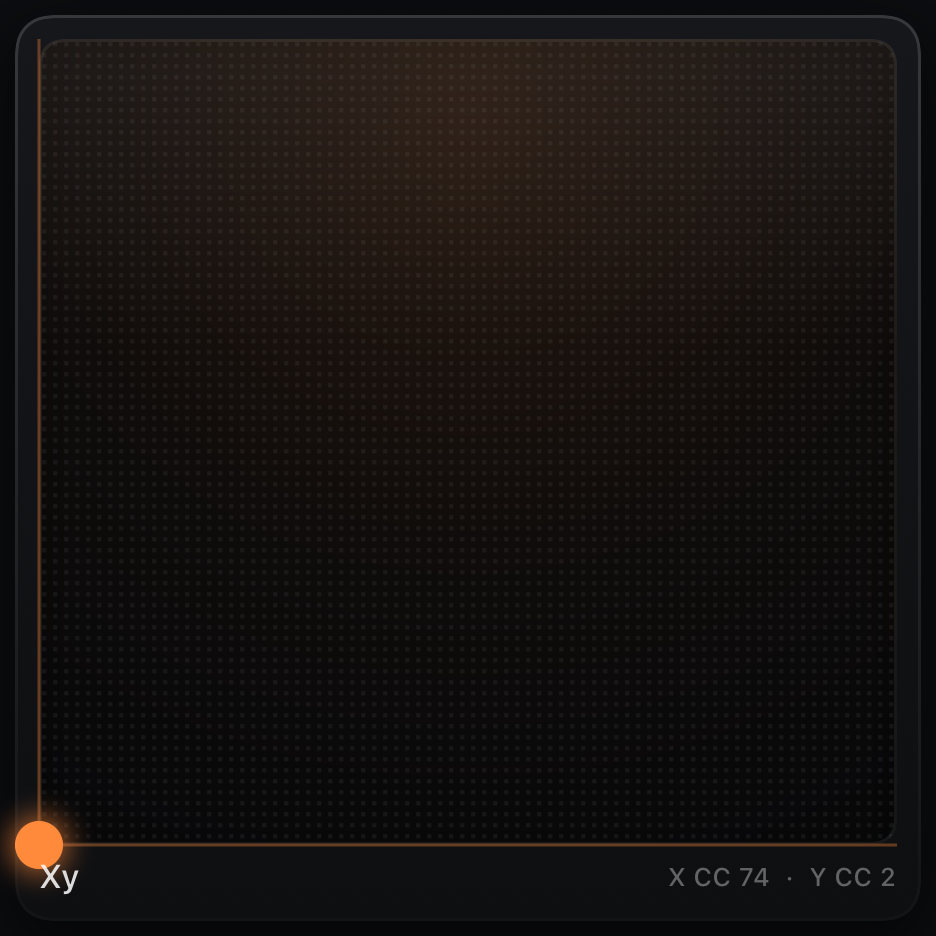
XY Pad
Binding: X and Y each → parameter or CC · drag the puck
Two-axis control. Set X Axis and Y Axis independently in the inspector — mix filter cutoff and resonance, or drive two node parameters at once.
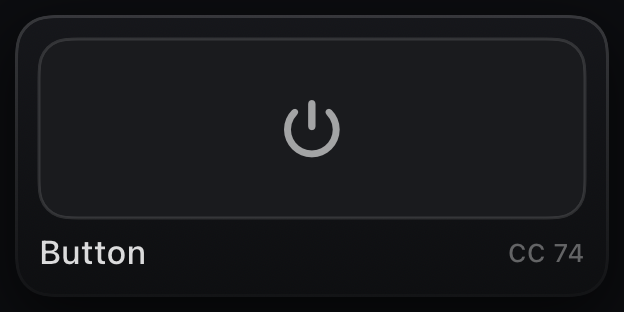
Button
Binding: parameter or CC · sends max on, min off
Toggle latches on/off; Momentary is active only while held. Use for gates, mode switches, or momentary CC bursts.
Performance — keyboards and pads
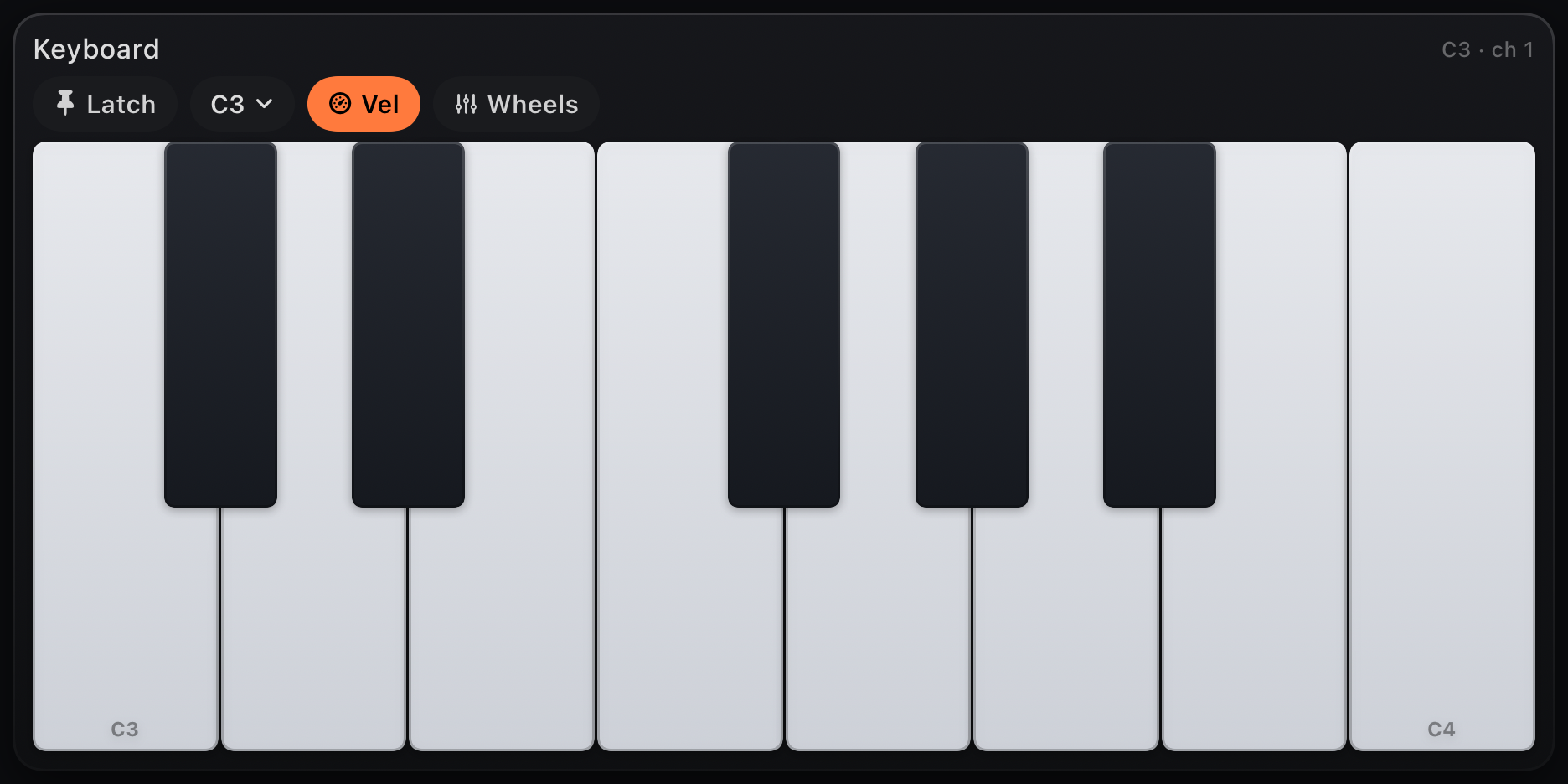
Keyboard
Emits: notes · own graph branch via keyboardSource
Piano keyboard — slide across keys for glissando. Octave menu (C−1…C7) and Octaves span set range; Latch on the toolbar sustains notes. Velocity Sensitive (inspector) maps vertical touch to dynamics.
Each keyboard is a graph node. Wire its output through processors or to a specific MIDI Out channel.
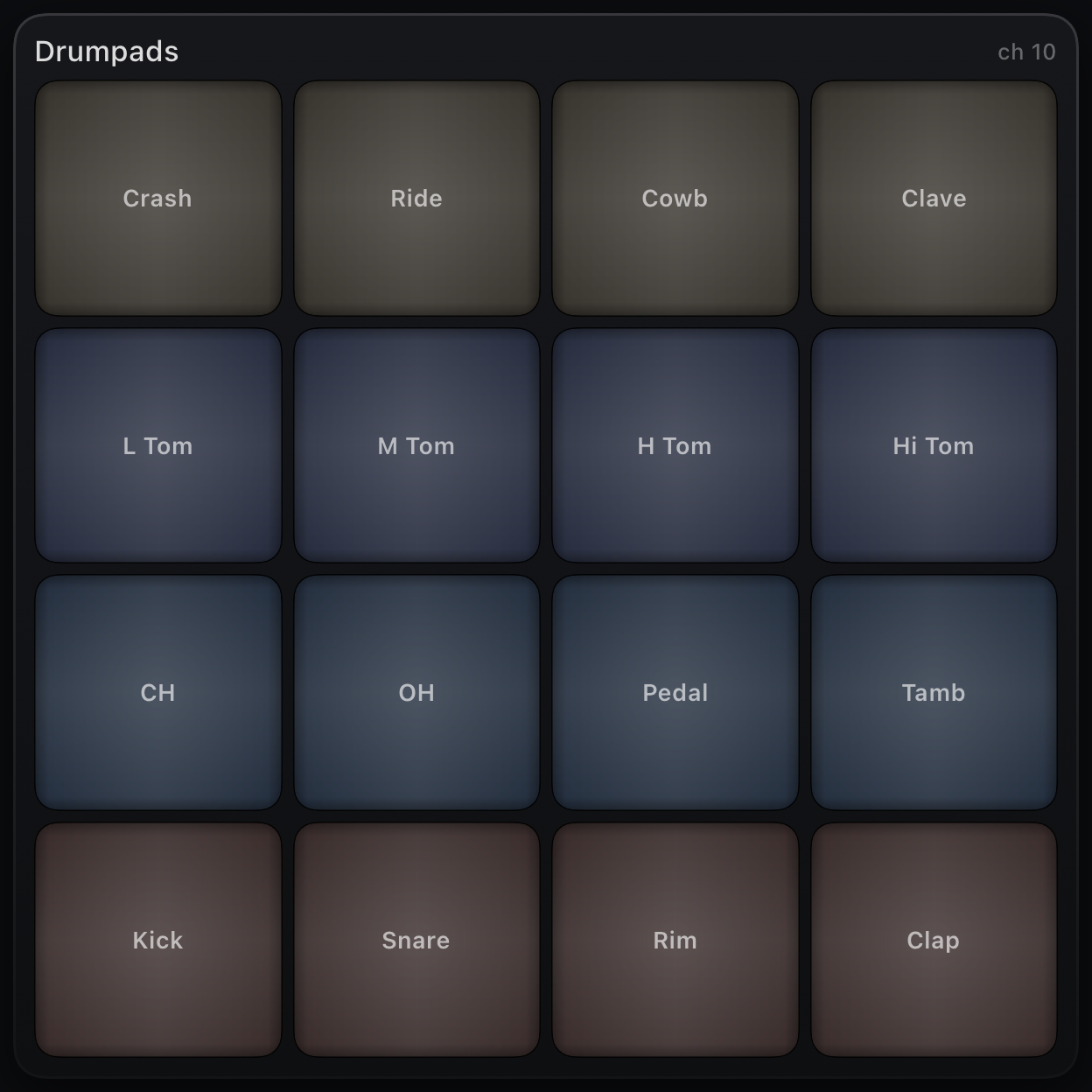
Drum Pads
Emits: GM drum notes · channel 10 by default
4×4 pad grid mapped to General MIDI percussion (kick, snare, hats…). Set Channel in the inspector for non-GM rigs.
Switch Layout to Chromatic in the inspector for a pad grid rising semitone-by-semitone from Base Note at the bottom-left pad — for samplers, slicers, and gear with its own drum maps.
Custom layout maps every pad yourself: tap a pad in the inspector's mini grid to set its note and label, or Learn it from a hardware pad hit. Pads start from what the previous layout showed, duplicates are allowed, and Reset returns to the GM map.
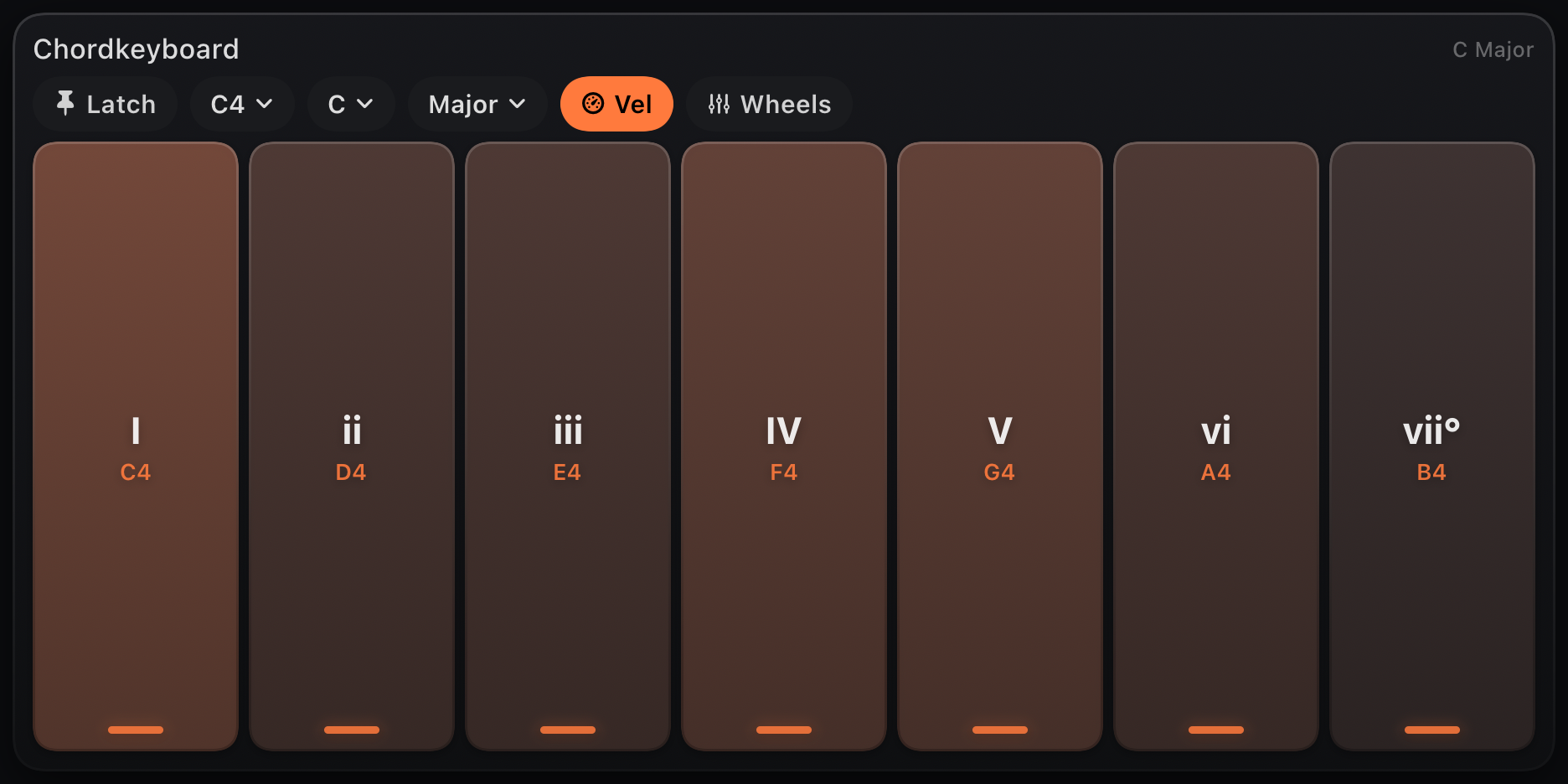
Chord Pads
Emits: stacked chord per scale degree
One pad per diatonic degree — plays a triad or 7th from Root + Scale. Voices picks triad vs seventh. Toolbar: latch, octave, root and scale.
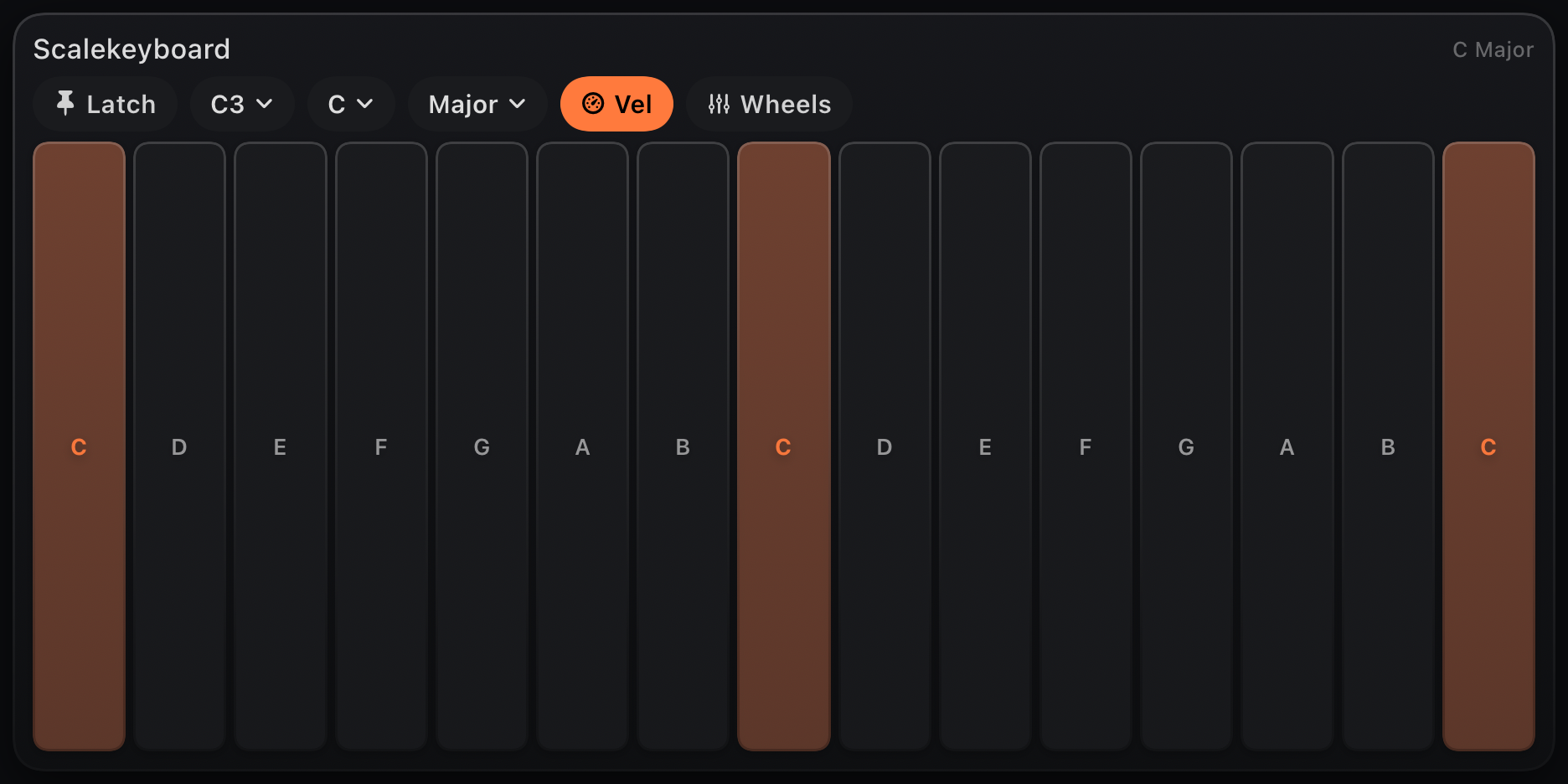
Scale Keyboard
Emits: in-scale notes only
Every visible key is in Root + Scale — no wrong notes. Good for live performance and teaching patches.
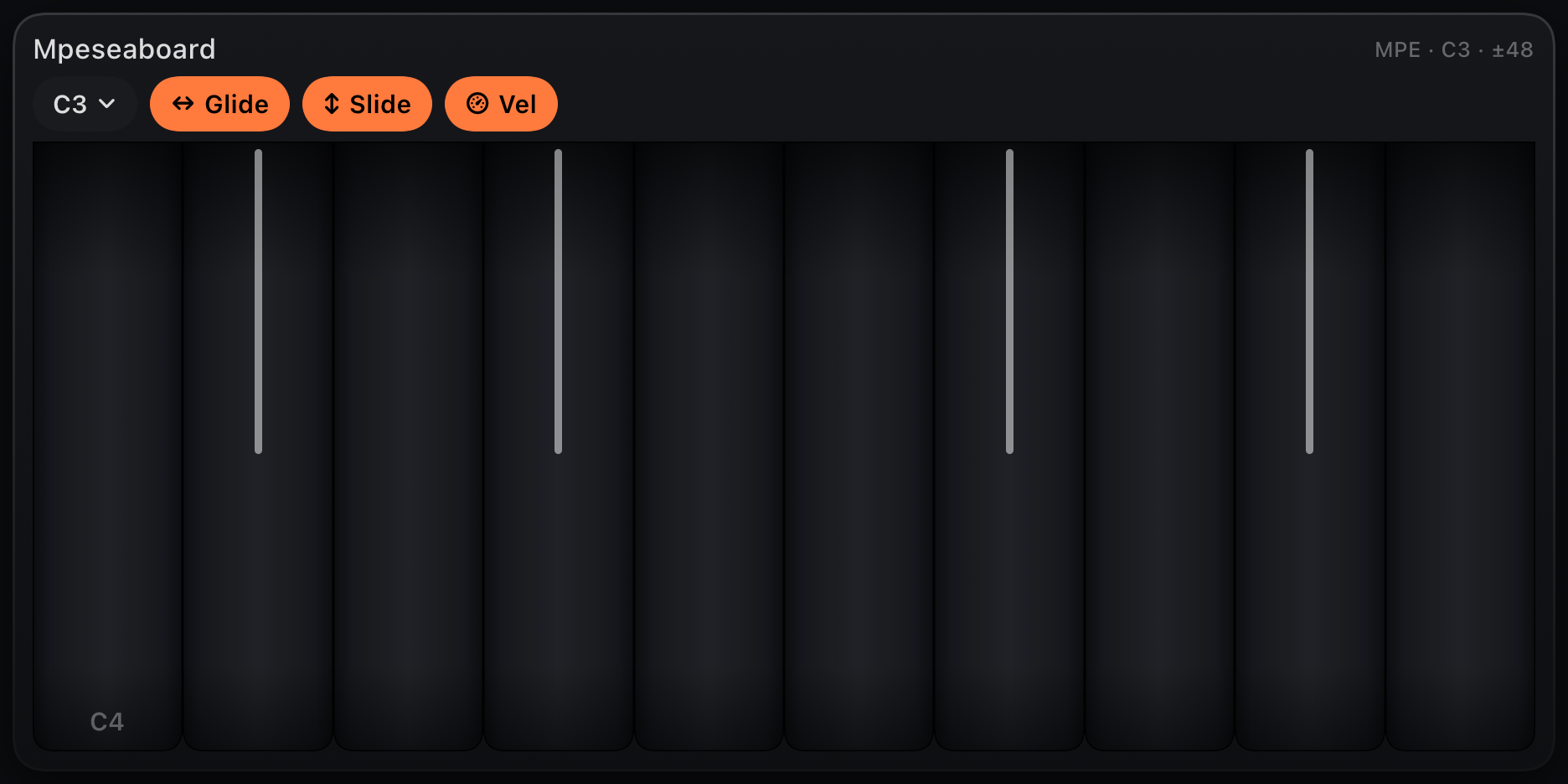
MPE Seaboard
Emits: per-note MPE · glide, slide, pressure
Continuous ribbon surface: horizontal glide (pitch bend per finger), vertical slide (CC 74), and pressure. Routes to MPE-capable synths on per-note channels.
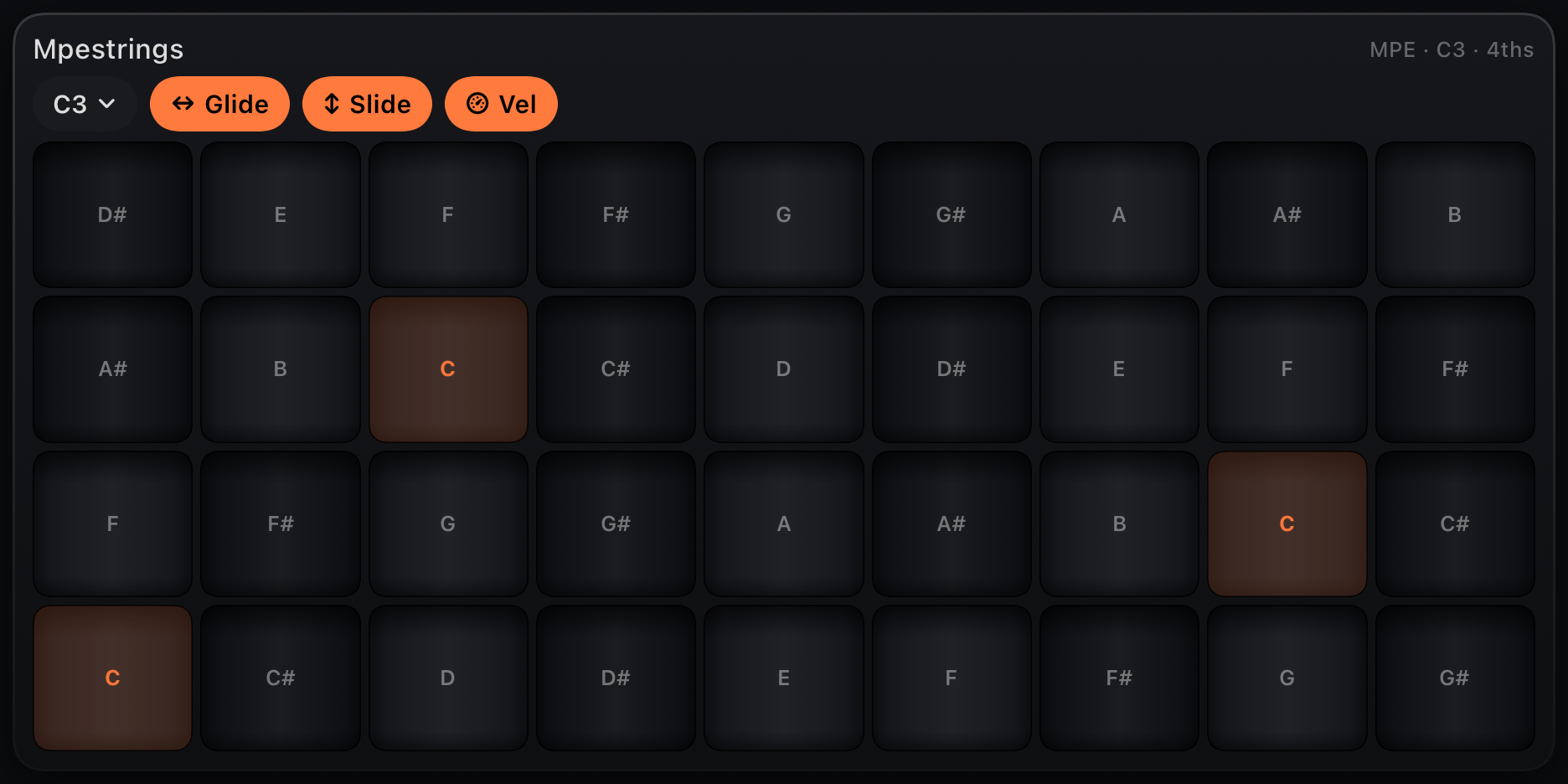
MPE Strings
Emits: per-note MPE · grid tuned in fourths
Linnstrument-style grid: rows in fourths, columns chromatic. Same MPE expression as Seaboard with a different layout.
Sequencer — step grids
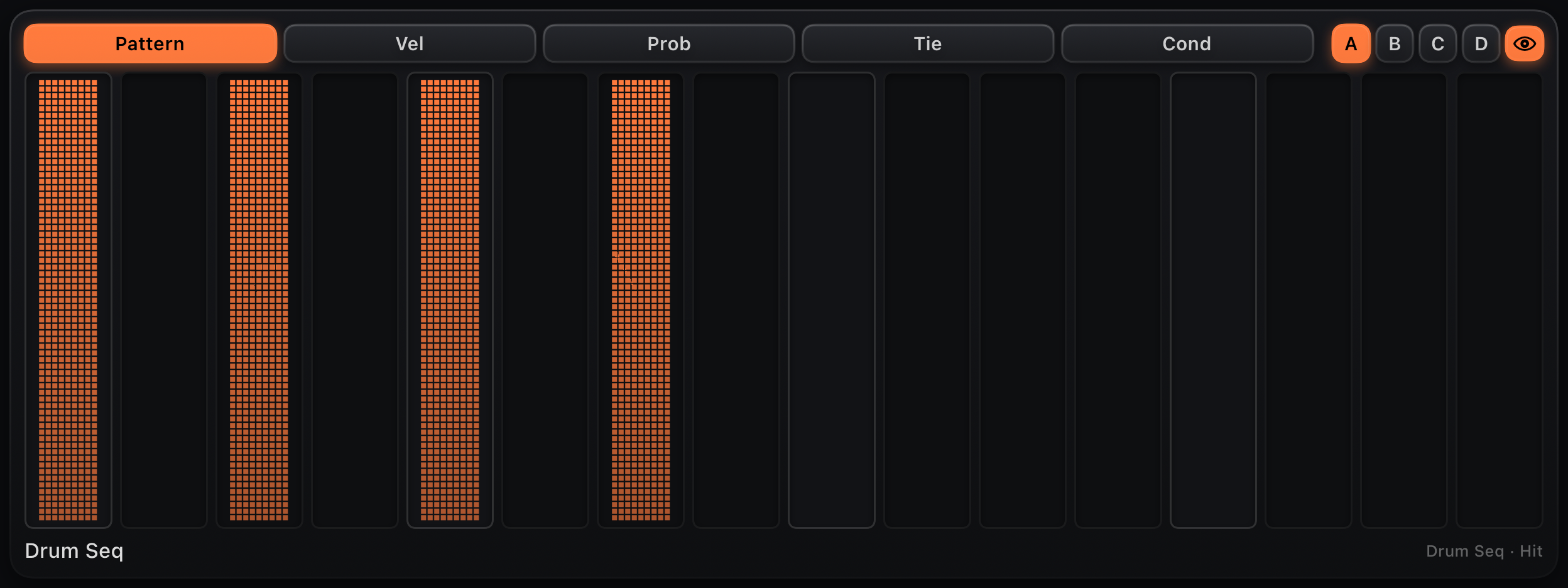
Sequencer Lane+
Binding: sequencer lane node · hit, note, deg or val prefix
The default sequencer-lane control: a 16-step row with a small layer picker above it — Pattern (hits, pitches, chords or CC values, same tap/drag/microtiming gestures as a plain Step Grid), Vel (per-step velocity as a % of the lane's Velocity — drag to shape accents and ghost notes; hidden on CC lanes), Prob (per-step probability, drag to set), Tie (tap to tie a step to the previous note's gate — hidden on lanes without ties, like CC Seq), and Cond (tap to cycle the step's trigger condition). A moving playhead tracks every layer.
On a Chord Seq lane the pattern cells are named chord pads: each step shows its chord symbol ("C", "Am", "G7") with the roman numeral above, following the node's Root / Scale / Chord knobs live. Drag up/down to pick the degree I…VII; tap toggles a rest. The auto-attached lane fits itself to the active steps, so a 4-chord progression gets four big pads.
The A·B·C·D chips beside the picker are the node's four pattern banks: tap one to edit that bank and switch the sequencer to it at the next pattern wrap. By default the lane auto-follows whichever bank is sounding (watch a Chain cycle); tapping a bank chip pins it for manual editing and the eye chip re-engages follow. A dot marks the sounding bank when it differs from the one shown.
Add from + → Drum / Melody / Chord / CC Lane — MIDIRack creates the matching sequencer node and binds the control automatically. Long-press the control's edge and turn on Hide Layer Picker to collapse it back to a plain pattern row (the Prob/Tie/Cond data stays on the node either way).
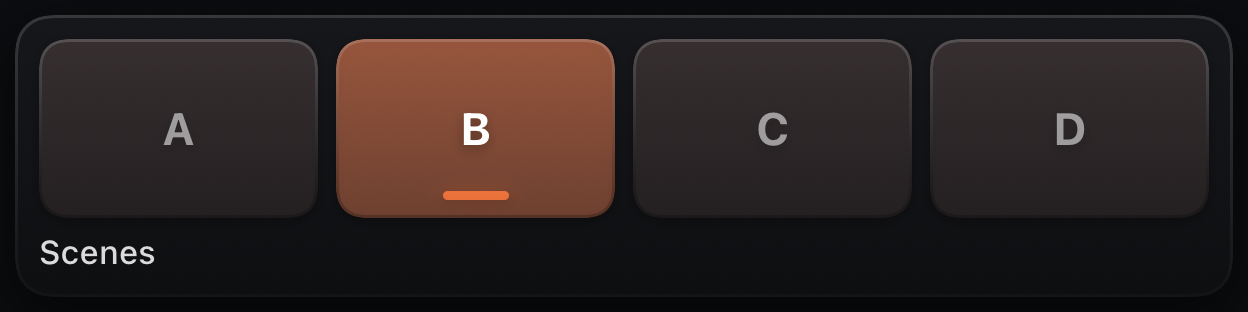
Scene Pads
Binding: none · drives every bankable lane's Pattern
A scene launcher: four pads (A–D) that point every bankable sequencer lane — Drum, Step and Chord Seq — at that pattern bank in one tap. Each lane switches at its own pattern wrap, so the whole kit lands on the downbeat.
The lit pad is the armed scene (every lane agrees); dots mark banks still sounding during the crossover. Lanes running a Chain keep cycling — set Chain to Off to hand them to scenes. Add from + → Scene Pads.
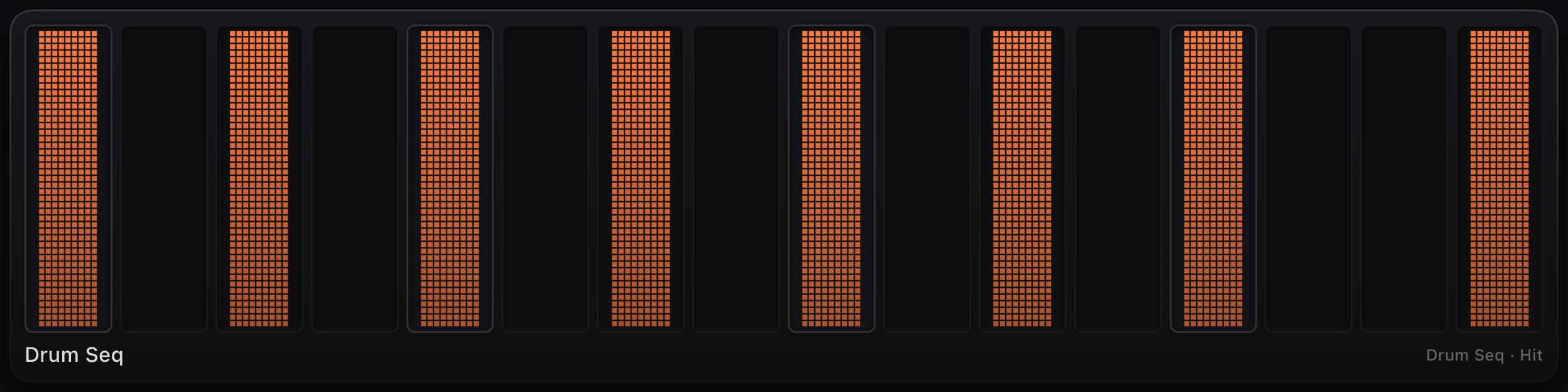
Step Grid
Binding: sequencer node · hit1…16, note1…16 or val1…16 prefix
16-step row with moving playhead. Tap toggles steps; drag across a row to draw a run. Long-press a step and drag horizontally for microtiming nudges. Melody lanes show the sounding pitch after the bound node's Root + Scale quantizer.
The plain, single-layer grid — new lanes get Sequencer Lane+ above instead; use this (or Lane+ with Hide Layer Picker) when you just want the pattern row.
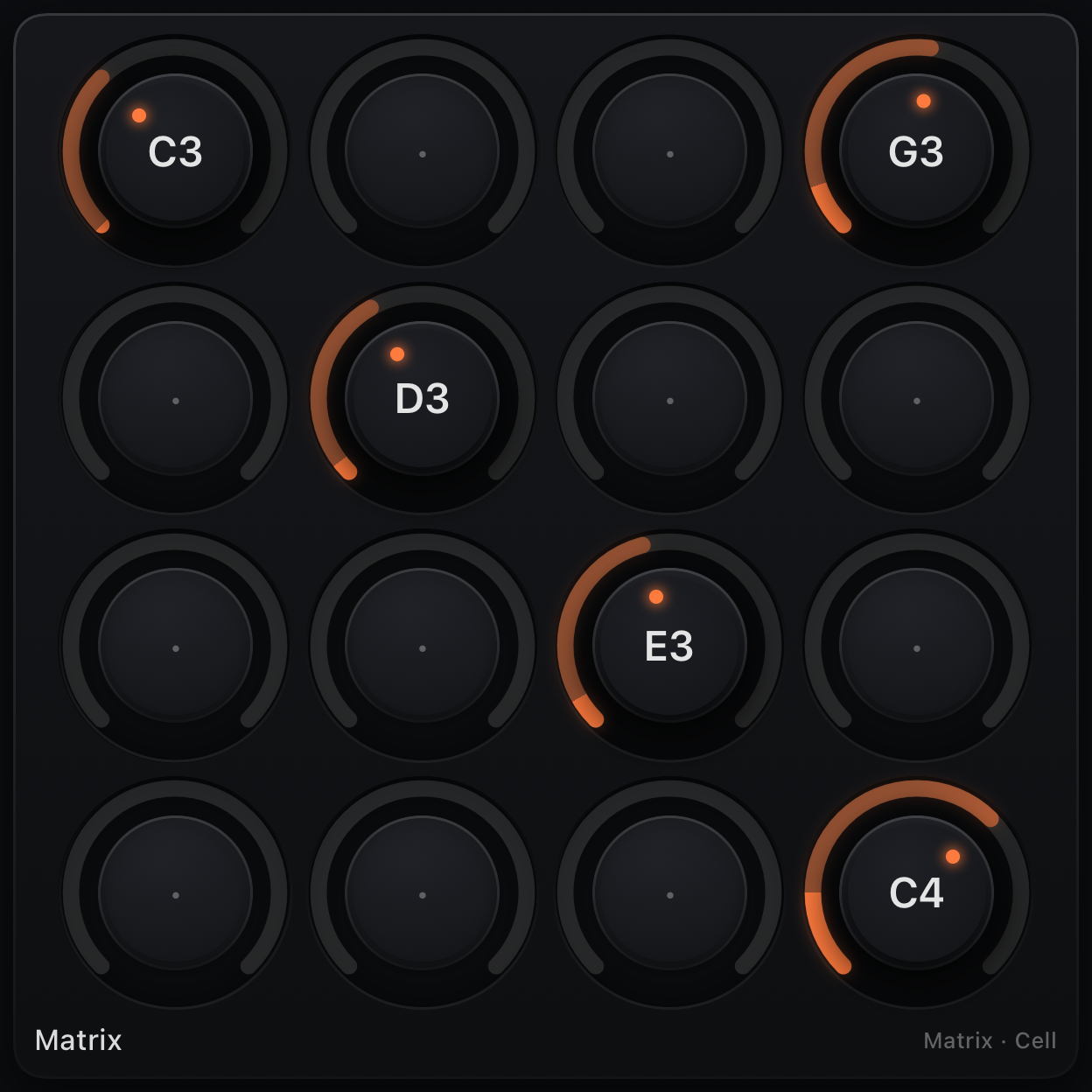
Matrix Grid
Binding: Matrix node · cell1…64 grid
A grid of knobs (default 4×4, up to 8×8) mapped to a Matrix node's cells — each knob sets that cell's note (0 = rest), and a live playhead highlights the cell currently playing. Knob labels reflect the sounding pitch when Root + Scale quantize is on.
Auto-attached when you add a Matrix node; resize the control and the node's Width / Height follow.
Visualizers & debug — scopes, monitor, looper
Monitor
Target: Monitor node · text log
Scrolling text log of MIDI at a splice point. Add from + → Monitor — splices a Monitor node into the signal path.
Note Scope
Target: Monitor node · piano-roll view
Scrolling piano-roll of note-ons and offs — see arps, sequencers and generators as they play.
CC Scope
Target: Monitor node · CC trace
Oscilloscope-style CC history: value on Y, time scrolling. One color per CC number — watch filter automation and LFOs.
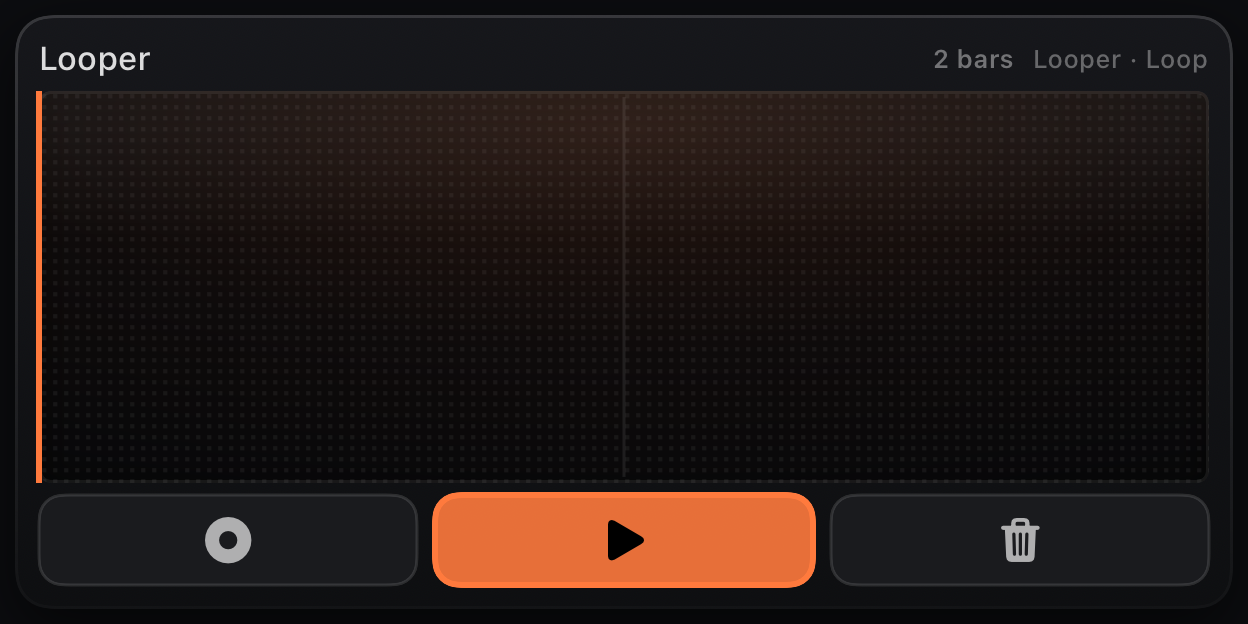
Looper
Target: Looper node · Record / Play / Clear
Transport for a Looper node: record overdubs, play the loop, clear the buffer. Shows loop length and playhead. Add from + → Looper to splice the node automatically.
Emergence views — Life, Turing, scopes
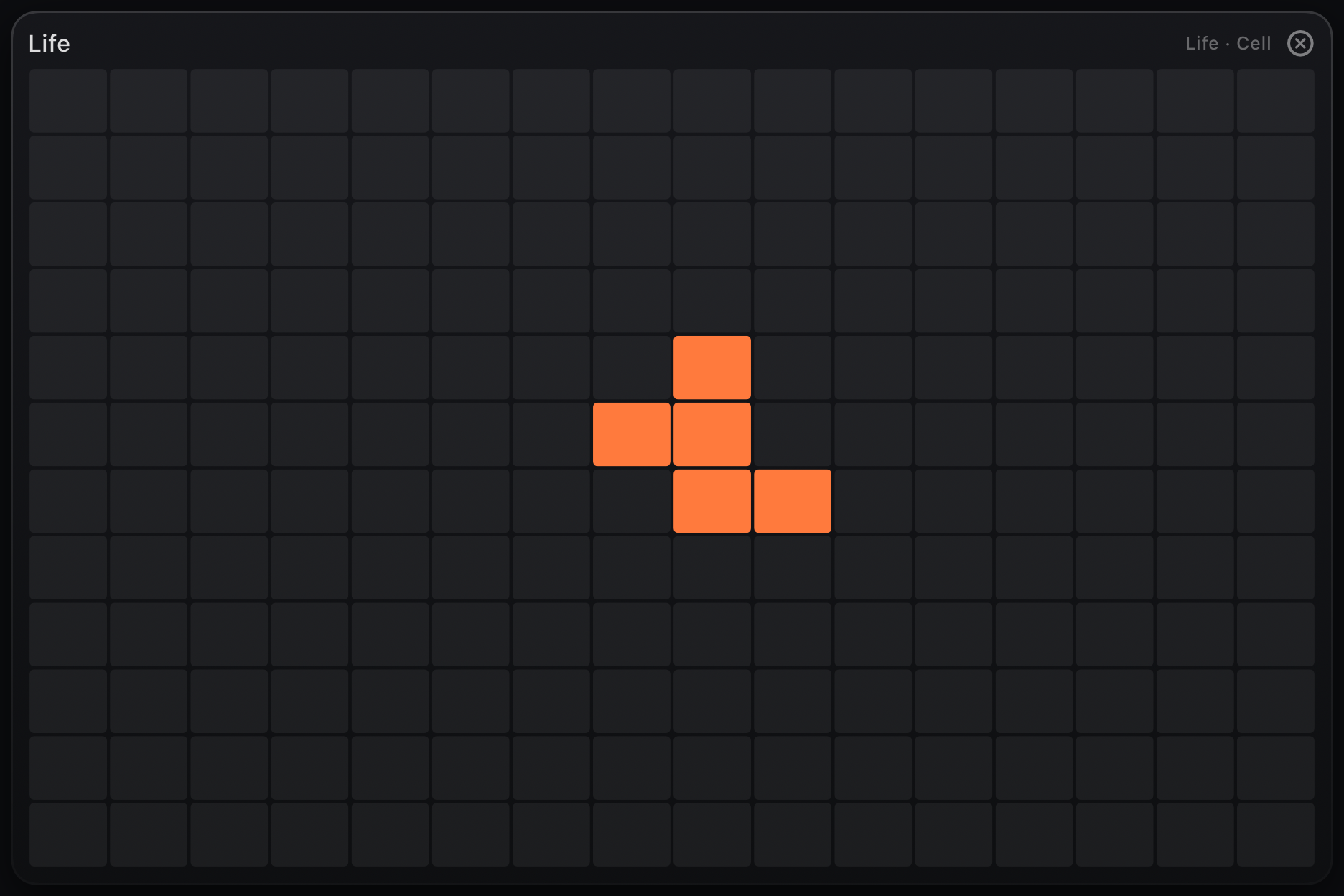
Life Grid
Target: Life node · cell1…192 seed
16×12 Game of Life colony. Tap cells to draw the seed; the pattern evolves while transport runs. Attached automatically when you add a Life node, or bind manually.
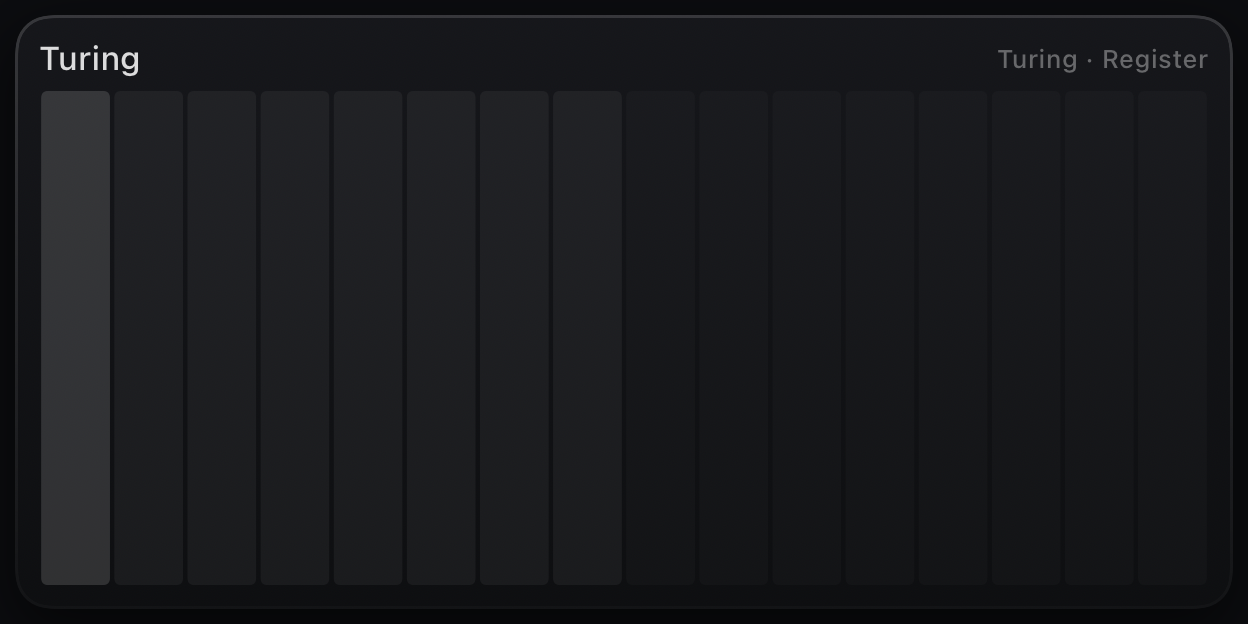
Register
Target: Turing or Rule node · live bit loop
Live view of a Turing shift register or Rule automaton row — active steps, playhead and mutations as the pattern evolves. Tap or drag to poke Rule cells on or off.
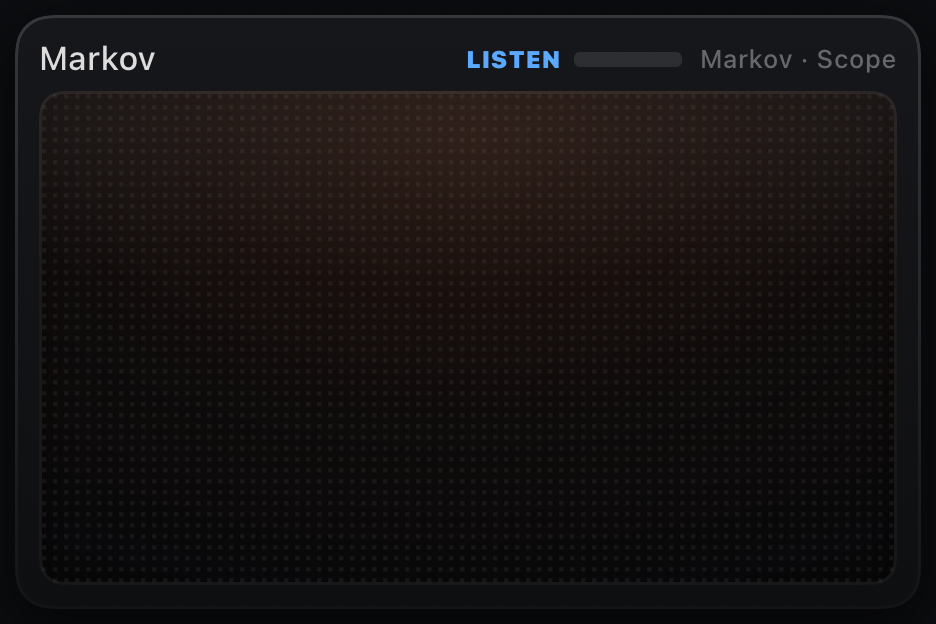
Scope
Target: emergence node · physics / melody trail
Node-specific visualizer: Markov note trail, Bounce ball physics, Attractor trajectory. Pairs with Markov, Bounce and Attractor nodes.
Factory preset list
Boot patch: First Light — generative Life colony + arp; loads on launch.
Grooveboxes & lines (self-playing): Groovebox — three drum lanes and a sliding bass, each with two pattern banks flipped from Scene Pads; Infinity Canon — one fractal melody at three time scales at once, a self-similar prolation canon locked by the sequencers’ Reset inputs; Clockwork — a solid 4/4 anchor with polymetric hats, clave and a 3-beat bass gearing against it, re-locked every N bars (or by hand from the Snap pad) through the sequencers’ Reset inputs; Amen Engine — a generative jungle breakbeat machine: three drum lanes cut an Amen-style break that never plays the same bar twice (per-step probability, trigger-condition fills, Ratchet snare rolls, Humanize), with a scale-locked sub sliding underneath through Glide; Berlin School — a classic modular sequencer patch in three rows of eight knobs: a plucked 1/16 riff with per-step accents and occasional 1/32 Ratchet stutters, transposed bar by bar through the Analog Seq’s note latch by a slow Roots row whose EOC also re-locks the phrase, over a CC Seq stepping the filter; Chord Voyage — a chained chord progression on named chord pads; Slide Bass — a 303-style acid line where every note glides.
Emergence (mostly self-playing): Conway Choir, Turing Bass, Cellular Drums, Lorenz Skies, Markov Mirror, S&H Acid, Golden Spiral.
Also included: Part Control, Trance Gate, Solo Lead (mono + glide portamento keyboard), Harmony Keys, Tighten, CC Shaper, performance keyboards, drum pads, chord pads, mixers, Starfield and more — browse by category in the preset browser.
Troubleshooting
- No sound — standalone: turn Synth/Drums on, add Synth / Drums instrument nodes, or route MIDIRack Out to a synth. AUv3: place a synth after the plugin or use instrument nodes. Check the orange OUT LED.
- Too loud / doubled — graph Synth / Drums nodes plus the Synth/Drums pill both render audio; the pill turns off when you add an instrument node, but you can re-enable it deliberately.
- Patch is silent — follow activity LEDs in the graph; splice a Monitor at the first dark node. Generators need transport running.
- Knob does nothing — read the caption.
CC 74hits your synth, not the patch graph — rebind in the inspector if you meant a node parameter. - Sequencer frozen — press play (standalone) or start host transport (AUv3).
- Stuck note — tap Panic (the raised hand in the header, or ⌘.). It releases everything the surface and graph are holding and sends All Notes Off / All Sound Off / sustain off on every channel, without stopping the transport. If an external synth still rings, it is ignoring CC 120/123 — retrigger the note on that device.